BACKLIT SIGNS 1.19.X
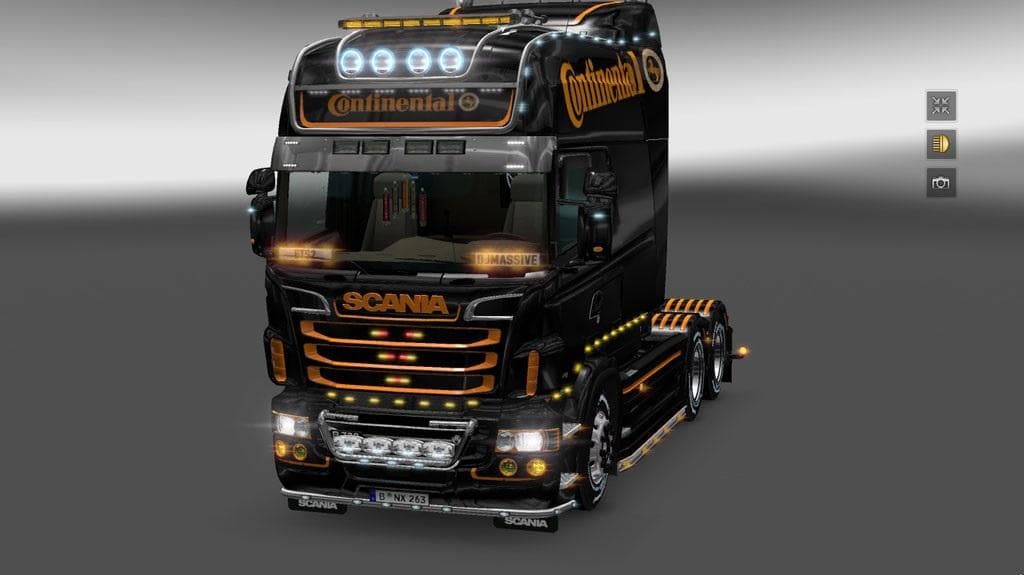
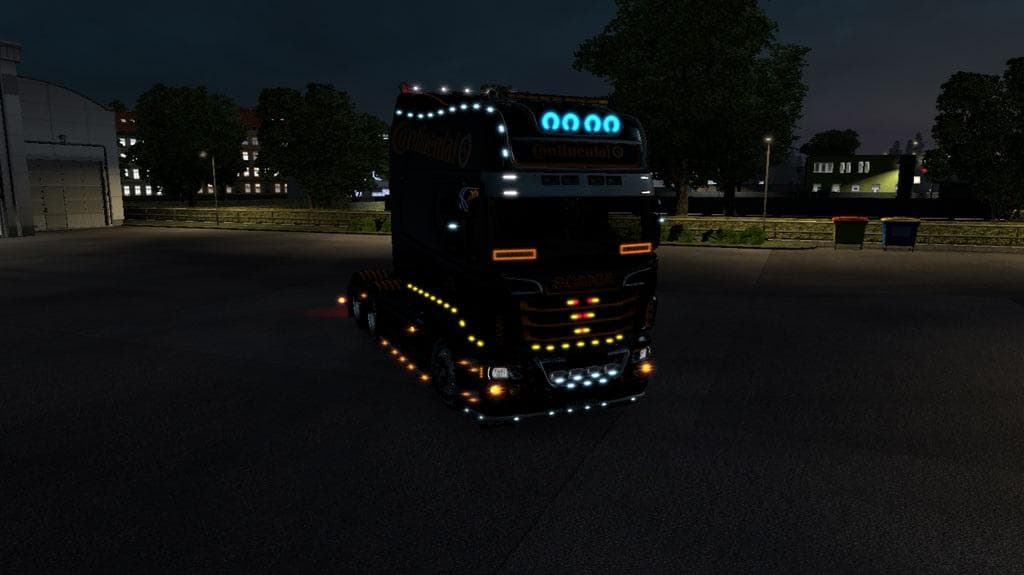
BACKLIT SIGNS 1.19.X is a parts mod designed to add illuminated signs to several popular truck models in Euro Truck Simulator 2, including Daf Euro 6, Iveco Hiway, Scania Streamline, and Volvo. It introduces four different lighting options for these signs, enhancing the visual customization possibilities available in the game’s truck configuration menu. This type of mod falls under tuning and parts, which typically focus on adding various accessories like lights, bull bars, and mirrors to personalize trucks further.
Mods like this one are installed through the usual mod manager and loaded in your profile for ETS2 version 1.19. Because it targets specific truck brands with added illuminated signs, it fits well into setups that already include brand-specific tuning packs or visual upgrades. Users should be mindful of load order when combining multiple parts mods to prevent conflicts or missing textures.
Parts mods such as BACKLIT SIGNS help enrich the appearance of trucks without altering gameplay mechanics or performance. They mainly appeal to players who enjoy detailed customization and want their rigs to stand out on the roads across European regions like Germany, France, or Spain. The illumination effect adds a subtle but noticeable enhancement during nighttime driving or low-light conditions.
While compatibility with other lighting mods depends on individual cases, this mod is generally straightforward since it modifies only specific sign lighting elements on selected trucks. Players using large mod collections might want to test for overlaps but can usually expect smooth integration if brand-specific parts are grouped carefully.
Overall, this mod suits ETS2 drivers looking for extra detail in their truck setups and those who favor certain manufacturers’ models. It’s an easy way to brighten up your cab’s signage and add a touch of personality on long hauls through countries such as Austria or Poland.
How to install
1. Download the file(s) from the original source linked above. 2. Drop them into `Documents/Euro Truck Simulator 2/mod/`. 3. Enable in Mod Manager and restart the game.
After the mod loads, save your game inside a safe area (parking lot or service) before deciding whether to keep it. If the game refuses to load with the mod enabled, check that all required DLCs are installed and that the supported ETS2 version chips on this page include your installed game patch.
Reviews
No ratings yetNo reviews yet — be the first to rate this mod.





