ARMY SKIN FOR VOLVO FMX 540
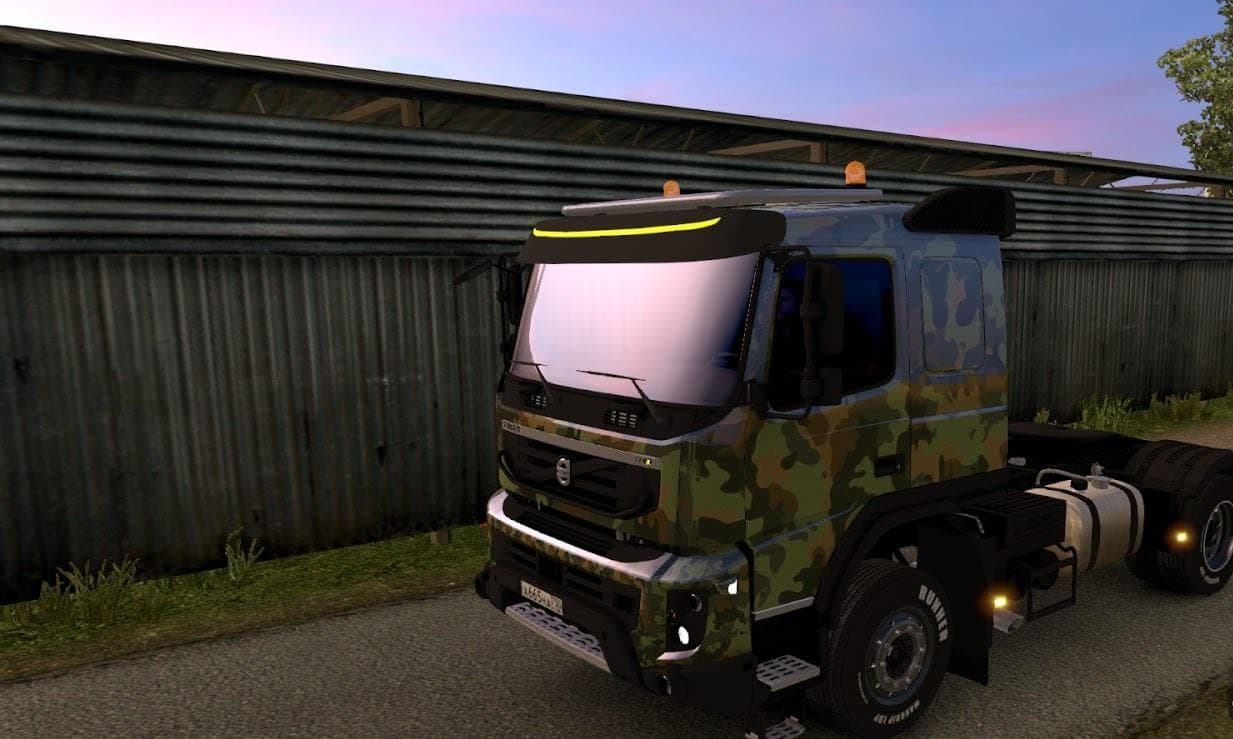
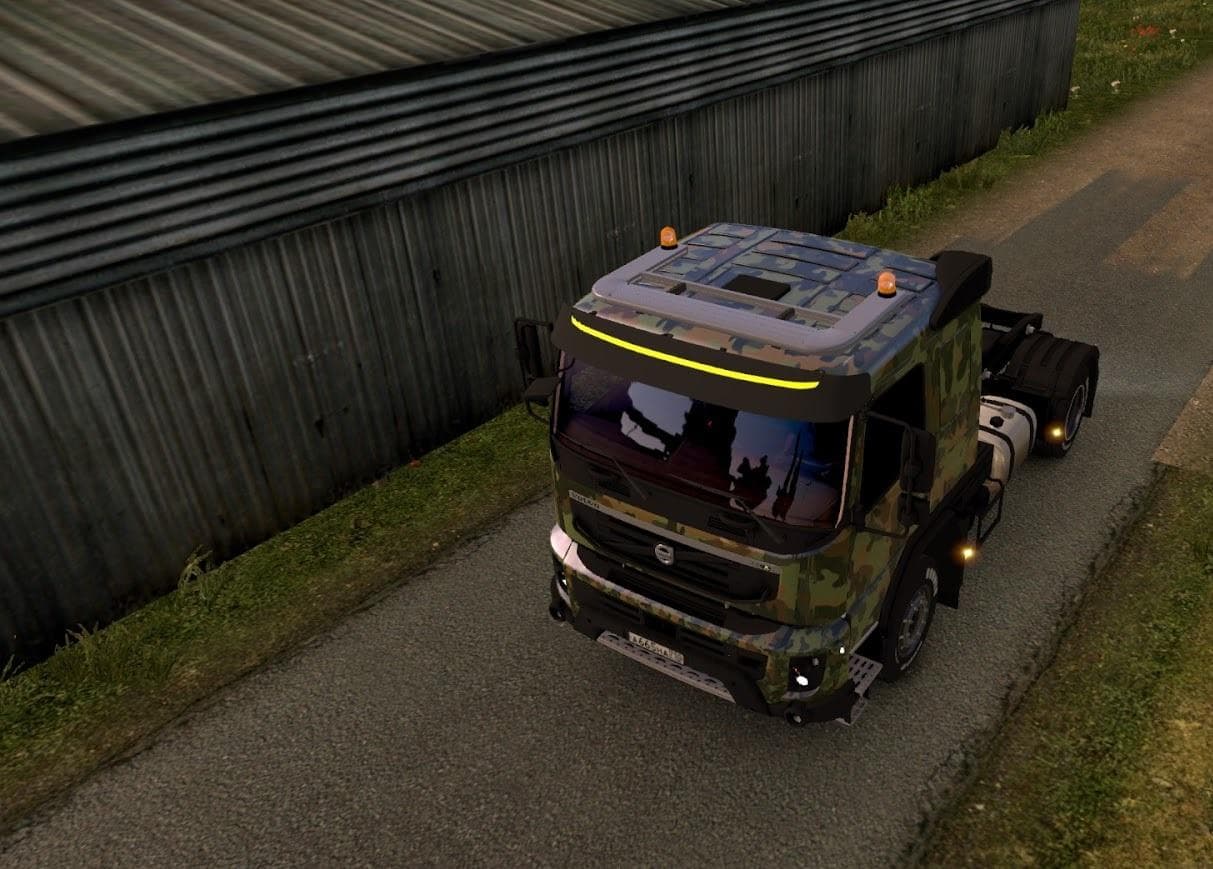
This mod is an Army skin for the Volvo FMX 540 truck in Euro Truck Simulator 2. It includes manifest files and credits Evil for the creation. The file size is 4
The ARMY SKIN FOR VOLVO FMX 540 is a repaint designed specifically for the Volvo FMX 540 truck in Euro Truck Simulator 2. It changes the truck's exterior appearance without altering its model or performance. This type of mod is applied through the in-game paint shop and requires the base vehicle to be installed, as skins depend on specific truck models to work correctly.
Skins like this one offer players a way to customize their trucks with different visual styles, often reflecting themes or personal interests. They don't add new gameplay elements but enhance immersion by giving your rig a unique look on the road. Since it’s focused on a military style, it appeals to those who prefer rugged, utilitarian aesthetics over standard paint jobs.
When integrating skin mods into a modded setup, they usually load after map and gameplay mods but before other cosmetic enhancements like accessories or tuning packs. It's advisable to check compatibility if you have multiple skins targeting the same truck to avoid conflicts. Generally, only one skin can be active per vehicle at a time since they replace textures directly.
Players interested in adding variety to their Volvo FMX 540 fleet or those who enjoy thematic customization will find this mod fitting for their collection. It works well alongside other mods that don't modify the base truck model itself, ensuring that your game remains stable while adding visual flair.
Since detailed version support and creator information are unknown, users should verify compatibility with their current ETS2 version before installing. Installing skin mods usually involves placing files in the mod folder and activating them via the game’s mod manager, so it's straightforward for anyone familiar with ETS2 modding basics.
How to install
1. Download the .scs file. 2. Drop it into `Documents/Euro Truck Simulator 2/mod/`. 3. Enable in Mod Manager. 4. Apply the skin in the truck/trailer paint shop.
After the mod loads, save your game inside a safe area (parking lot or service) before deciding whether to keep it. If the game refuses to load with the mod enabled, check that all required DLCs are installed and that the supported ETS2 version chips on this page include your installed game patch.
Reviews
No ratings yetNo reviews yet — be the first to rate this mod.