Volvo VNL Skin v1.0 ATS - Euro Truck Simulator 2 Mods | American Truck Simulator Mods
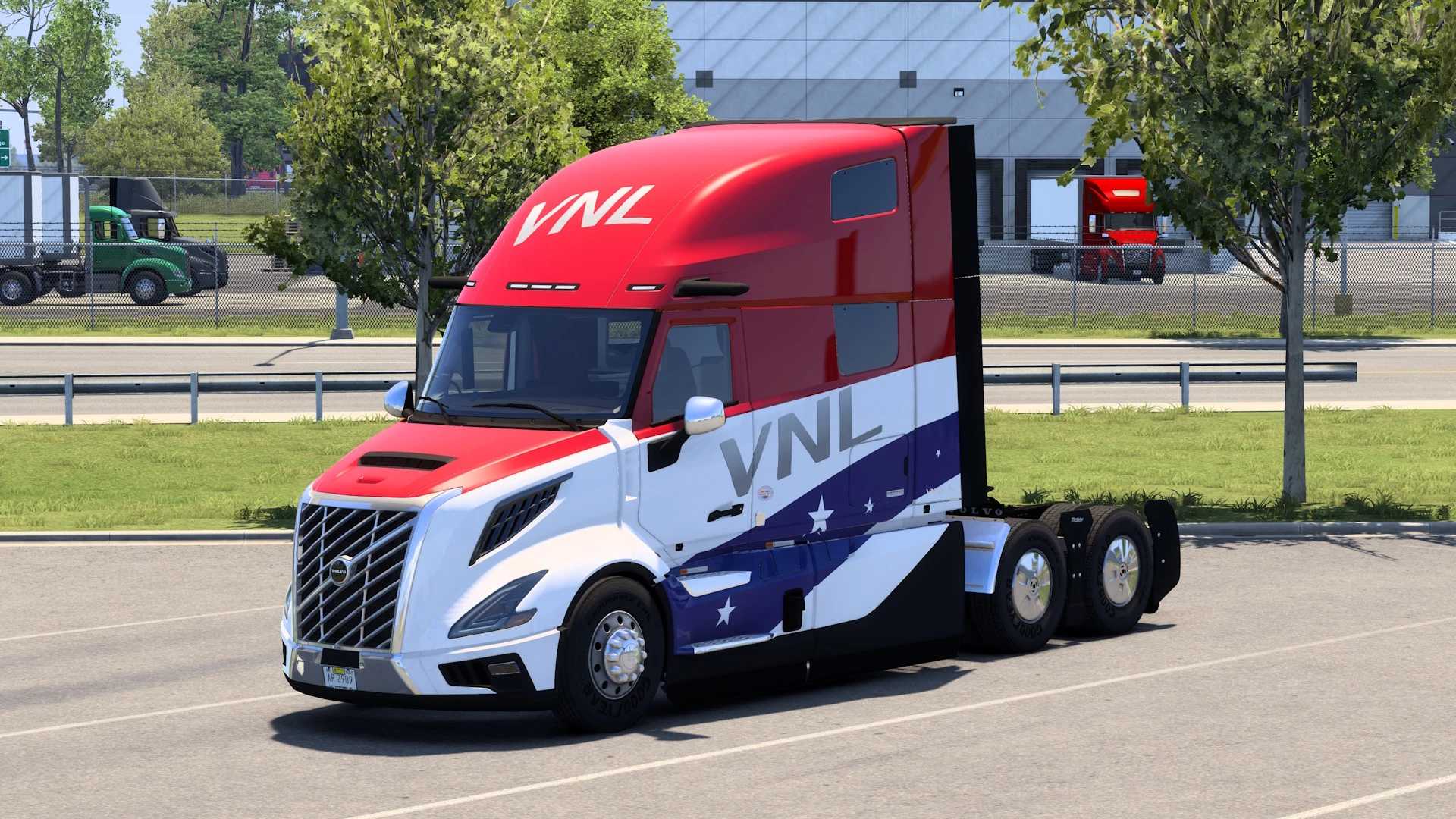
The Volvo VNL Skin mod version 1.0 by ETS2 Mods offers a new skin for the Volvo VNL truck in Euro Truck Simulator 2. The mod was last updated on December 26, 20
This mod offers a new paint job for the Volvo VNL truck in Euro Truck Simulator 2, designed specifically as a skin without altering the base model. Skins like this one are applied through the paint shop and simply repaint the vehicle, leaving its shape and mechanics untouched. They work by replacing or adding texture files to customize your truck’s appearance.
Skin mods generally fit well into any modded setup since they don't interfere with gameplay mechanics or physics. You just need to ensure that the skin matches the correct base vehicle—in this case, the Volvo VNL—for it to show up properly. Installing skins usually involves placing files in the mod folder and activating them via the game’s mod manager.
Load order can matter if you use multiple skins or mods that affect textures on the same truck model, but typically, skins don’t conflict heavily with other types of mods like maps or gameplay tweaks. Just keep an eye out for any overlapping texture mods and adjust accordingly.
This particular skin is compatible with ETS2 version 1.0, so players running that version or close variants should have no issues using it. Since it's developed by ETS2 Mods and credited to dreamcatcher, it fits within community-created content aimed at enhancing visual customization rather than changing gameplay.
Anyone who enjoys personalizing their trucks will find this mod useful, especially if they prefer driving American-style trucks like the Volvo VNL in Euro Truck Simulator 2. It’s a straightforward way to add variety without complicating your mod list or affecting performance.
How to install
1. Download the .scs file. 2. Drop it into `Documents/Euro Truck Simulator 2/mod/`. 3. Enable in Mod Manager. 4. Apply the skin in the truck/trailer paint shop.
After the mod loads, save your game inside a safe area (parking lot or service) before deciding whether to keep it. If the game refuses to load with the mod enabled, check that all required DLCs are installed and that the supported ETS2 version chips on this page include your installed game patch.
Reviews
No ratings yetNo reviews yet — be the first to rate this mod.