ALCAO SAF WHEELS 1.21.X
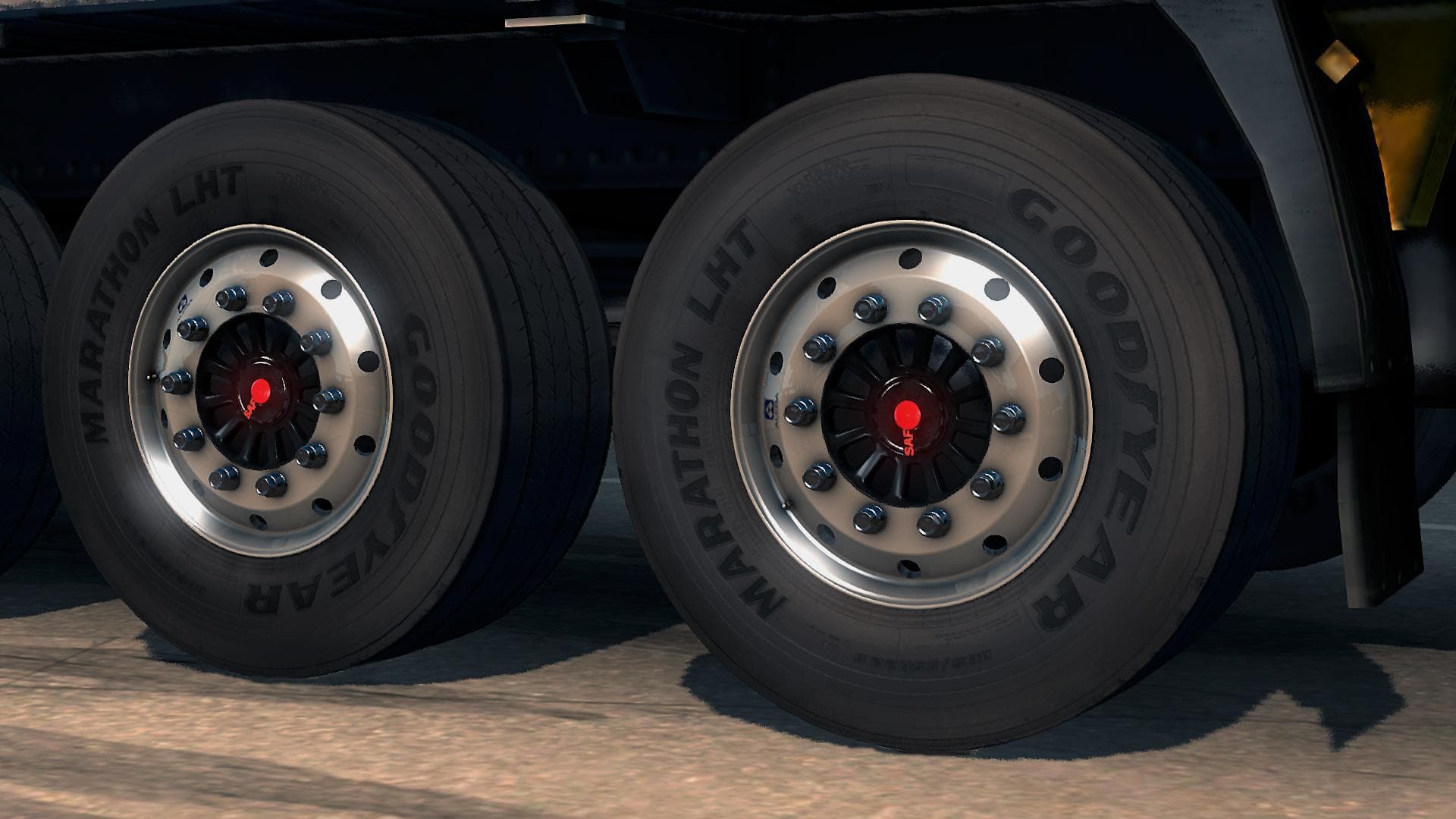
ALCAO SAF WHEELS 1.21.X is a parts mod for ETS2 version 1.21 created by Euro Truck Simulator 2. The mod features Alcao SAF Wheels Version 1.21 with credits to N
The ALCAO SAF WHEELS 1.21.X mod brings a new set of wheels tailored for Euro Truck Simulator 2, compatible with game version 1.21. This parts mod focuses specifically on adding custom wheels, which players can select and fit during truck customization. Wheels like these enhance the visual appeal and can complement other tuning options available in ETS2's garage menu.
Parts mods such as this one typically allow users to personalize their trucks beyond factory defaults. By installing additional wheels, drivers get more variety in their setups, helping differentiate their vehicles on the road. These mods slot right into the existing parts system, appearing alongside other accessories like bull bars, lights, or exhausts.
When integrating wheel mods into a heavily modded ETS2 profile, it's wise to consider load order carefully. Wheel parts generally don't conflict much with external map or gameplay mods but can overlap if multiple wheel packs target the same truck models. Placing this mod after other wheel mods may prevent replacement issues and ensure it appears correctly in your selection list.
This particular wheels pack should appeal to those focused on detailed truck customization who want options beyond the stock wheels offered by default. Players aiming to build unique rigs or match certain aesthetics will find adding specialized wheels useful for crafting their ideal look.
Installation is straightforward for most parts mods: simply placing the mod archive in your ETS2 mod folder and enabling it through the game's mod manager is enough. Once loaded, these wheels become selectable parts during vehicle upgrades at service stations or garages.
Overall, ALCAO SAF WHEELS 1.21.X fits well within any collection of truck tuning add-ons where enhancing detail and style matters more than gameplay changes or map expansion.
How to install
1. Download the file(s) from the original source linked above. 2. Drop them into `Documents/Euro Truck Simulator 2/mod/`. 3. Enable in Mod Manager and restart the game.
After the mod loads, save your game inside a safe area (parking lot or service) before deciding whether to keep it. If the game refuses to load with the mod enabled, check that all required DLCs are installed and that the supported ETS2 version chips on this page include your installed game patch.
Reviews
No ratings yetNo reviews yet — be the first to rate this mod.





