AIR CONDITIONER FOR DAF XF EURO 6
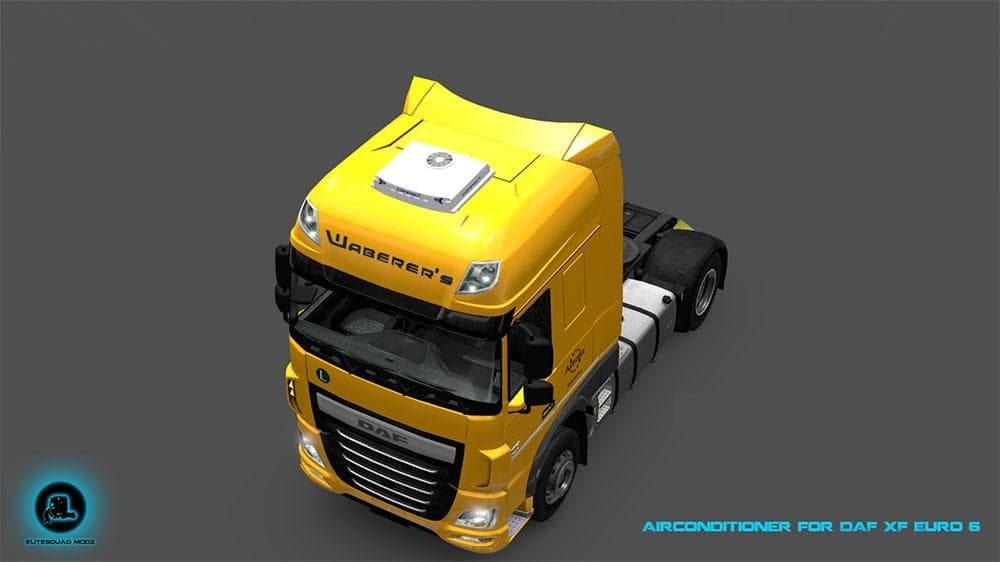
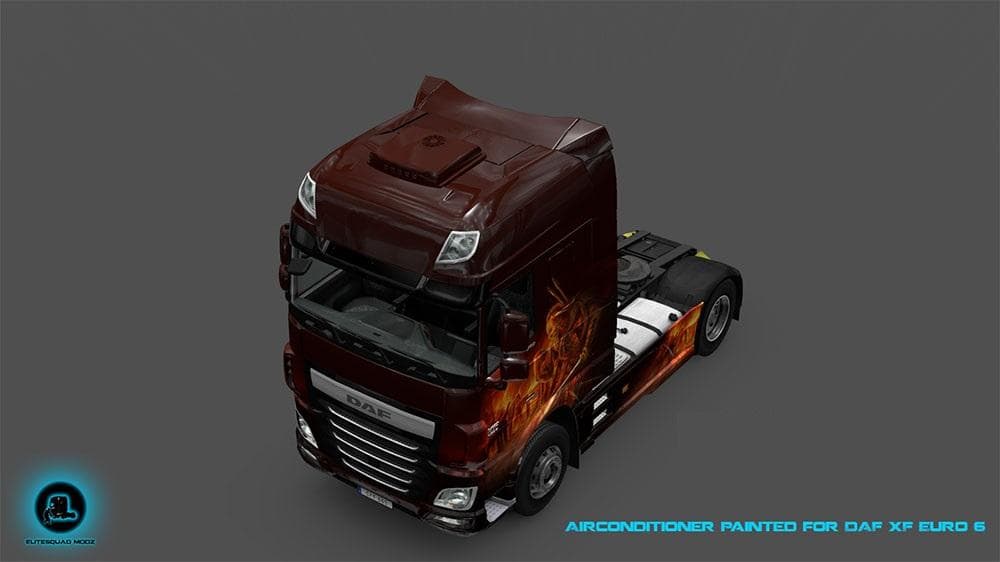
This mod adds two air conditioners for the DAF XF Euro 6, one painted and one with the official design. The creator, mod version, supported ETS2 versions, file
This mod adds an air conditioner accessory designed specifically for the DAF XF Euro 6 truck in Euro Truck Simulator 2. It offers two versions of the air conditioner: one painted and another featuring the official design, giving players some visual choice when customizing their vehicle. Parts mods like this typically expand the options in the truck customization menu, allowing you to tweak your rig's look with additional equipment that fits particular models.
Parts and tuning mods serve to enhance your truck’s appearance or functionality by adding items such as lights, bull bars, exhausts, mirrors, or interior decorations. This particular mod focuses on an external component that suits the DAF XF Euro 6 model, complementing other custom parts you might have installed for a more personalized setup.
When integrating parts mods into your game, it's helpful to consider load order especially if you use multiple mods targeting the same truck or its parts. Generally, these kinds of add-ons do not conflict heavily with map or gameplay mods but may require manual adjustments if you notice missing components or textures.
Players who enjoy fine-tuning their trucks beyond paint jobs and decals will find this mod useful. It fits well for those wanting to add more detail and realism to their DAF trucks without changing core gameplay mechanics. If you frequently drive across regions like Germany, France, or Poland in ETS2, a subtle addition like an air conditioner can enhance immersion without being intrusive.
Since details about supported versions and file size are unknown for this mod, make sure to back up your profiles before installation and test it carefully within your current mod lineup. That way you can avoid unexpected issues during long hauls across European roads.
How to install
1. Download the file(s) from the original source linked above. 2. Drop them into `Documents/Euro Truck Simulator 2/mod/`. 3. Enable in Mod Manager and restart the game.
After the mod loads, save your game inside a safe area (parking lot or service) before deciding whether to keep it. If the game refuses to load with the mod enabled, check that all required DLCs are installed and that the supported ETS2 version chips on this page include your installed game patch.
Reviews
No ratings yetNo reviews yet — be the first to rate this mod.





