ADDONS FOR DLC CABIN V3.6
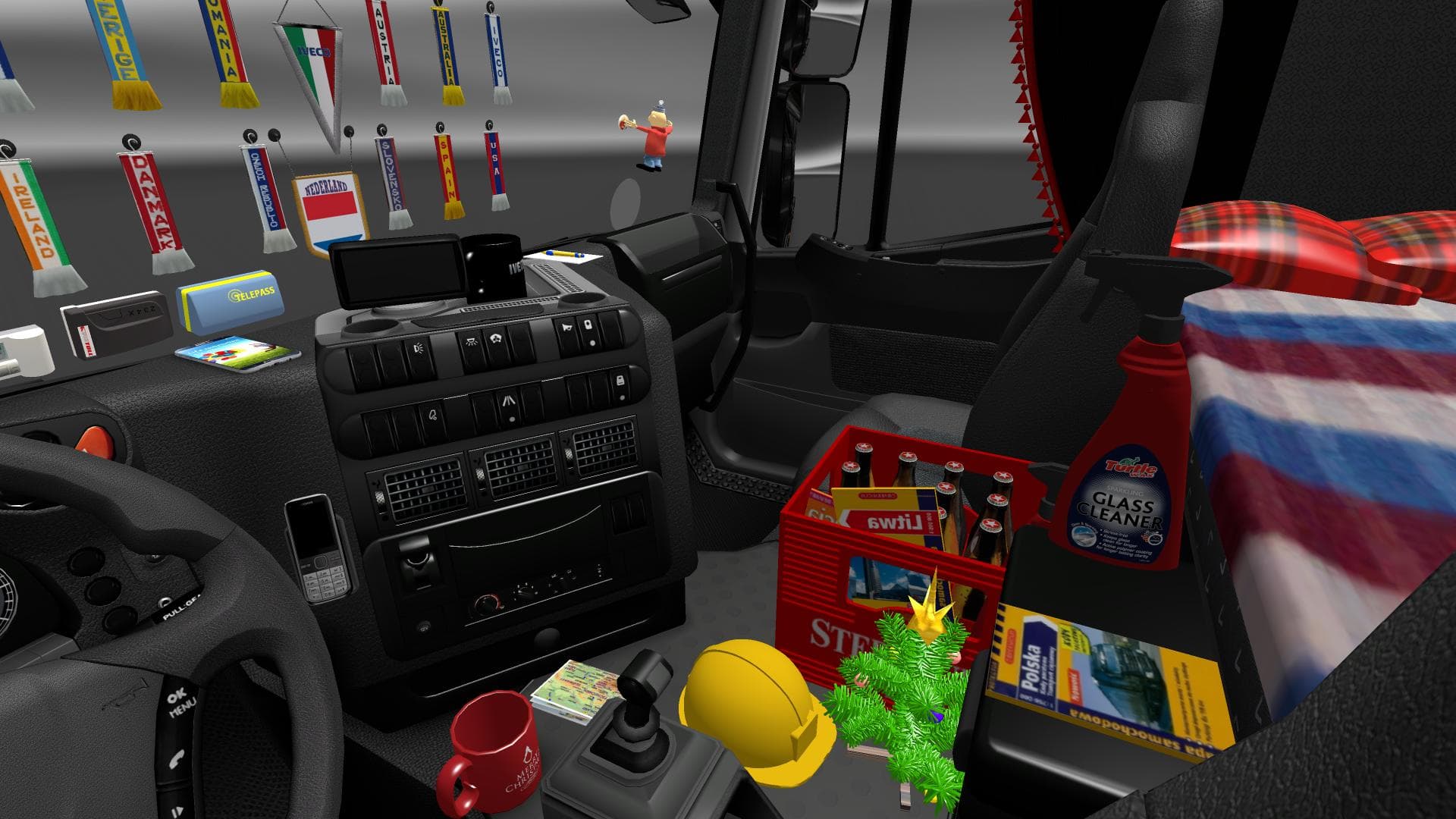
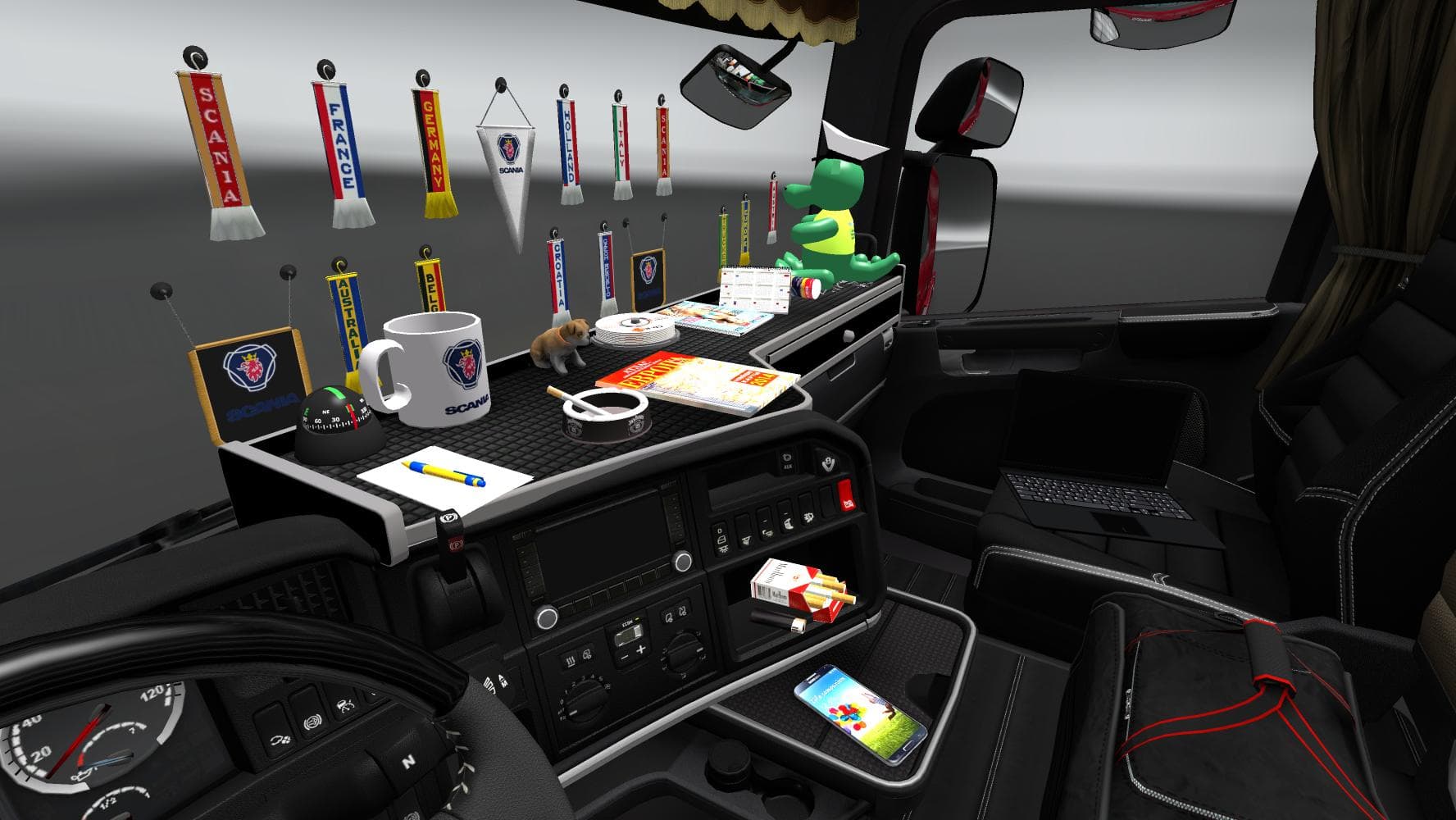
ADDONS FOR DLC CABIN is an ETS2 parts.
ADDONS FOR DLC CABIN V3.6 is a parts mod that introduces a variety of new accessories for trucks in Euro Truck Simulator 2. It adds around 30 different scarfs and pennants, along with several 3D objects and news slot glass options available for all truck models. Additionally, the mod includes new dashboard sets designed to enhance the interior customization experience across various trucks.
Parts mods like this one allow players to personalize their vehicles beyond factory settings by adding items such as bull bars, lights, mirrors, and interior decorations. These enhancements are typically accessed through the truck customization menu, letting you tailor your rig's look and feel according to your preferences. This mod fits into that category by focusing on cabin accessories that add a bit more character inside the cab rather than external tuning parts.
When integrating this mod into a setup that already includes other tuning or parts mods, it’s wise to pay attention to load order since multiple mods altering similar components might conflict or override each other. Usually, cabin accessory mods don't clash heavily with exterior parts but always check for compatibility notes if combining with other interior or dashboard mods. It's also good practice to load this kind of mod after major truck model updates or DLCs to ensure all features function correctly.
This type of mod is ideal for players who enjoy personalizing their driving environment in ETS2, especially those who like collecting small details and decorations that make each truck feel unique. If you prefer having more choices when customizing dashboards or want additional flair like scarfs and pennants fluttering inside your cab, this addon brings those options without altering gameplay mechanics.
Since the creator and supported versions are unknown, users should verify compatibility with their current game version before installing. Like most parts mods, installation typically involves placing files into the mod folder and activating them via the in-game menu. This can complement map or trailer mods well by giving your truck’s cabin a fresh look while exploring regions such as Austria, France, or Germany where ETS2 is often played.
How to install
1. Download the file(s) from the original source linked above. 2. Drop them into `Documents/Euro Truck Simulator 2/mod/`. 3. Enable in Mod Manager and restart the game.
After the mod loads, save your game inside a safe area (parking lot or service) before deciding whether to keep it. If the game refuses to load with the mod enabled, check that all required DLCs are installed and that the supported ETS2 version chips on this page include your installed game patch.
Reviews
No ratings yetNo reviews yet — be the first to rate this mod.





