50K ALCOA WHEELS PACK FOR ETS2 1.22.XX V3
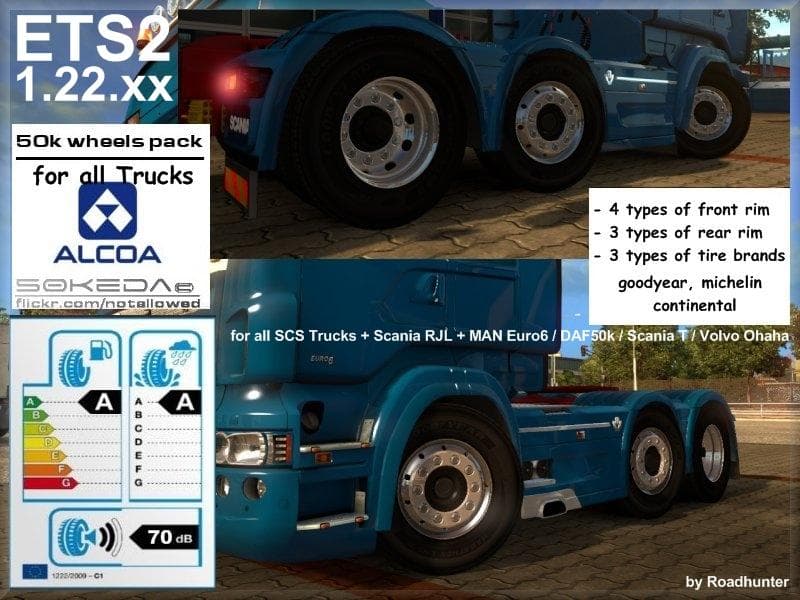
The 50K ALCOA WHEELS PACK .XX V3 mod for ETS2 offers various Alcoa front and rear wheels, as well as a Renault wheel option. It also includes Goodyear Marathon
The 50K ALCOA WHEELS PACK for ETS2 1.22.XX V3 brings a selection of Alcoa wheels tailored for trucks in Euro Truck Simulator 2 version 1.22. This mod includes several front and rear wheel types, plus a Renault wheel and Goodyear Marathon tires with specific grading, allowing players to upgrade their vehicle’s look and performance through the customization menu. Wheel mods like this one focus on improving the visual appeal and authenticity of truck setups.
In ETS2, parts mods such as this expand your tuning options beyond the basics by offering genuine branded components that fit certain truck models. Wheels are key to both aesthetics and immersion since they’re highly visible during gameplay and at service stations or garages where customization takes place. Installing these wheels requires placing the mod in your mod folder and activating it via the game’s mod manager before launching.
Compatibility-wise, wheel packs generally slot into most modded setups without conflict if they’re designed for your game version, here specifically 1.22. Players should ensure no other wheel mods override these files to avoid load order issues. Because this pack is focused on Alcoa wheels, it fits well alongside other parts mods that add accessories like lights or exhausts without overlapping functionality.
This kind of mod is ideal for drivers who want a more detailed garage experience or those aiming for realism by using recognizable industry brands on their trucks. If you enjoy fine-tuning every aspect of your rig’s appearance or want to diversify your collection of wheels beyond default options, this pack offers straightforward enhancements suited to many European trucks.
How to install
1. Download the file(s) from the original source linked above. 2. Drop them into `Documents/Euro Truck Simulator 2/mod/`. 3. Enable in Mod Manager and restart the game.
After the mod loads, save your game inside a safe area (parking lot or service) before deciding whether to keep it. If the game refuses to load with the mod enabled, check that all required DLCs are installed and that the supported ETS2 version chips on this page include your installed game patch.
Reviews
No ratings yetNo reviews yet — be the first to rate this mod.





