WABERER’S SCANIA T SKIN
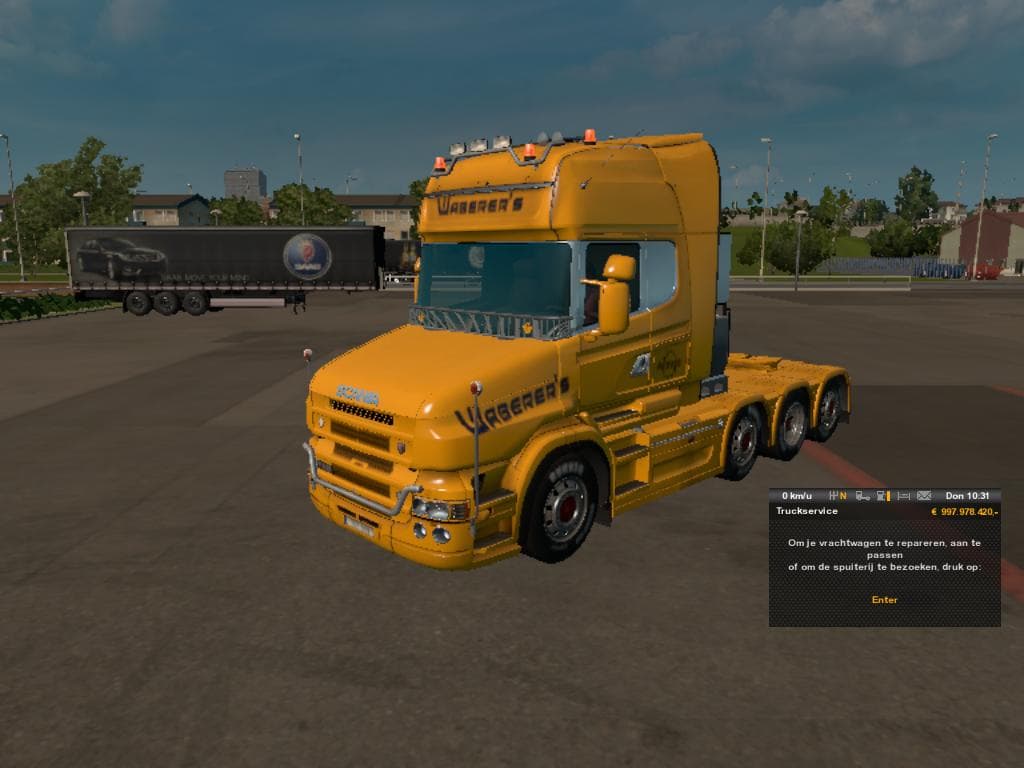
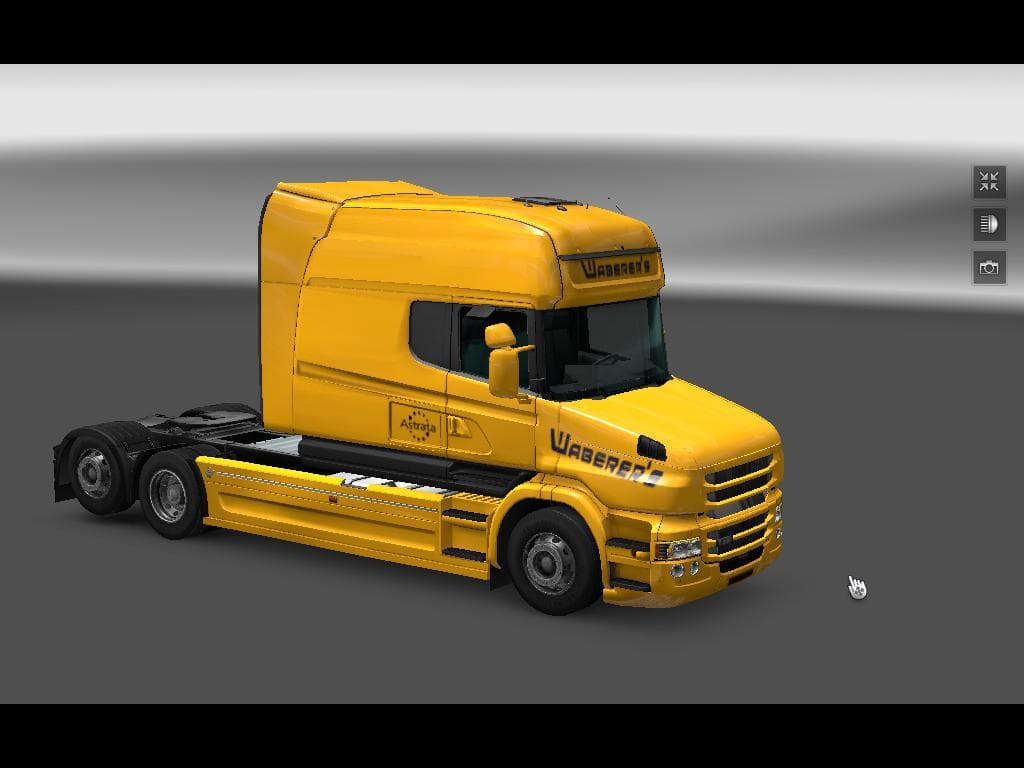
The WABERER’S SCANIA T SKIN mod offers a fresh paint job for the Scania T truck, providing a new look without altering the base model. It’s designed to be used with the Scania T mod by RJL & GT-Mike and works with ETS2 version 1.19. Skin mods like this one simply repaint existing trucks or trailers, so they don’t affect gameplay mechanics or vehicle performance.
Applying this skin is done through the in-game paint shop once you have the compatible Scania T model installed. Since skins rely on the original vehicle model, you’ll need to ensure that RJL & GT-Mike’s Scania T mod is active before loading this skin. This also means it fits well into any modded setup where that specific truck model is present.
When it comes to load order, skins usually go after the base truck mod in your mod manager. That way, the game applies the custom appearance correctly without conflicts. Because skins only modify textures and colors, they tend to play nicely alongside other mods such as sound packs or traffic additions.
This particular skin could appeal to players who enjoy customizing their fleet with different liveries and want a touch of variety for their Scania T trucks. Fans of Waberer’s livery or those looking to replicate real-world trucking companies might find this repaint adds some extra immersion.
While details about the creator and exact file size aren’t specified, users can expect a straightforward installation typical for ETS2 skin files. It doesn’t bring functional changes but provides a visual update that stands out on European roads.
Overall, if you already use the RJL & GT-Mike Scania T mod and are looking to diversify your truck appearances, this WABERER’S SCANIA T SKIN offers a simple way to do so without complicating your existing mod collection.
How to install
1. Download the .scs file. 2. Drop it into `Documents/Euro Truck Simulator 2/mod/`. 3. Enable in Mod Manager. 4. Apply the skin in the truck/trailer paint shop.
After the mod loads, save your game inside a safe area (parking lot or service) before deciding whether to keep it. If the game refuses to load with the mod enabled, check that all required DLCs are installed and that the supported ETS2 version chips on this page include your installed game patch.
Reviews
No ratings yetNo reviews yet — be the first to rate this mod.





