Real Company Logo v3.4

Real Company Logo version 3.4 is a skin mod for ETS2, updated for version 1.60. Created by ets2mods, it requires the Real Company Logo addon for the SCS Map to
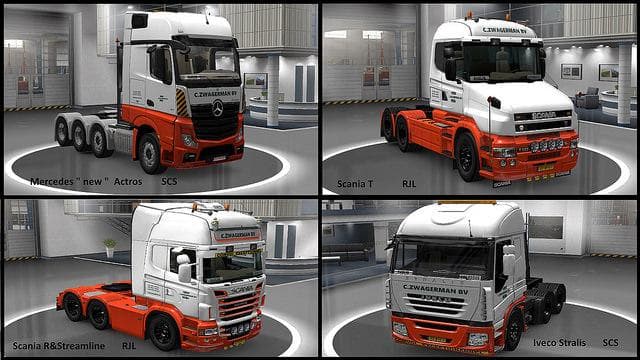
Real Company Logo v3.4 is a skin mod for Euro Truck Simulator 2 designed to add authentic company logos to your trucks. This type of mod repaints existing vehicles without altering their models, allowing you to customize your rig with recognizable branding. It requires the base vehicle to be compatible and is applied through the paint shop in-game.
Skin mods like this one work by overlaying new textures on your truck or trailer, enhancing immersion by showcasing real-world business logos. Since this particular mod is an addon for the SCS Map, it integrates well with map expansions and related content. It’s important to have Real Company Logo enabled above the main map mod in the mod manager for proper functionality.
Compatibility can be straightforward if you’re running ETS2 version 1.60, which this version supports. Skin mods generally load after map mods and other visual enhancements, so placing it appropriately in your load order avoids conflicts or missing textures. Being mindful of other skin mods that alter the same vehicle can prevent overwriting issues.
This mod fits nicely into a **modded setup** focused on realism and detail, especially if you like driving across multiple European countries where these companies operate. Players aiming for a more immersive haulage experience or those who appreciate accurate branding on their fleet will find this useful.
If you're updating your game to patch 1.60 and want to fix any previous bugs related to company logos, this updated version addresses those problems while maintaining compatibility with popular map expansions. It’s a solid choice for anyone looking to add recognizable logos from across Europe onto their trucks.
How to install
1. Download the .scs file. 2. Drop it into `Documents/Euro Truck Simulator 2/mod/`. 3. Enable in Mod Manager. 4. Apply the skin in the truck/trailer paint shop.
After the mod loads, save your game inside a safe area (parking lot or service) before deciding whether to keep it. If the game refuses to load with the mod enabled, check that all required DLCs are installed and that the supported ETS2 version chips on this page include your installed game patch.
Reviews
No ratings yetNo reviews yet — be the first to rate this mod.