VOLVO FH16 GIRL SKIN
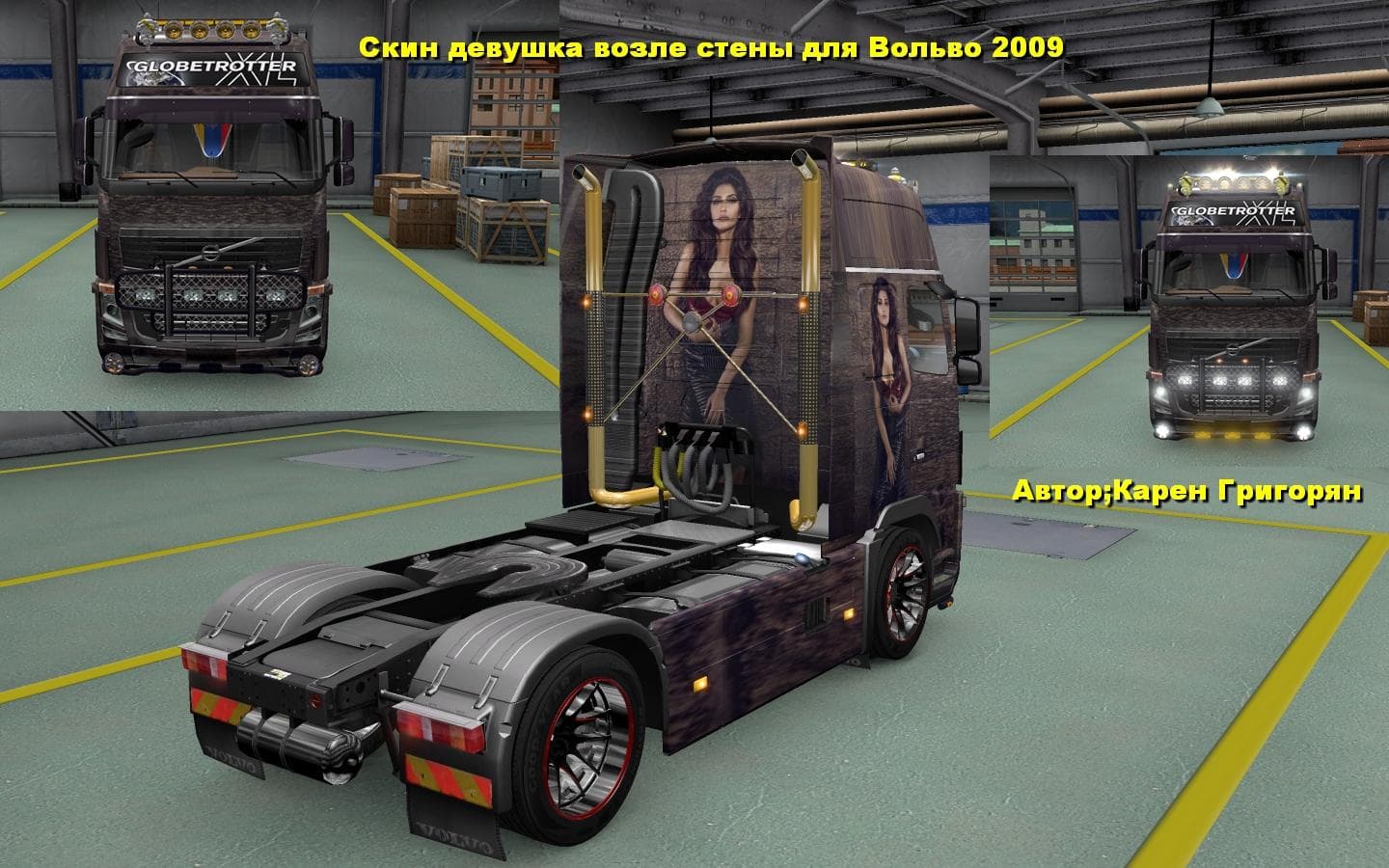
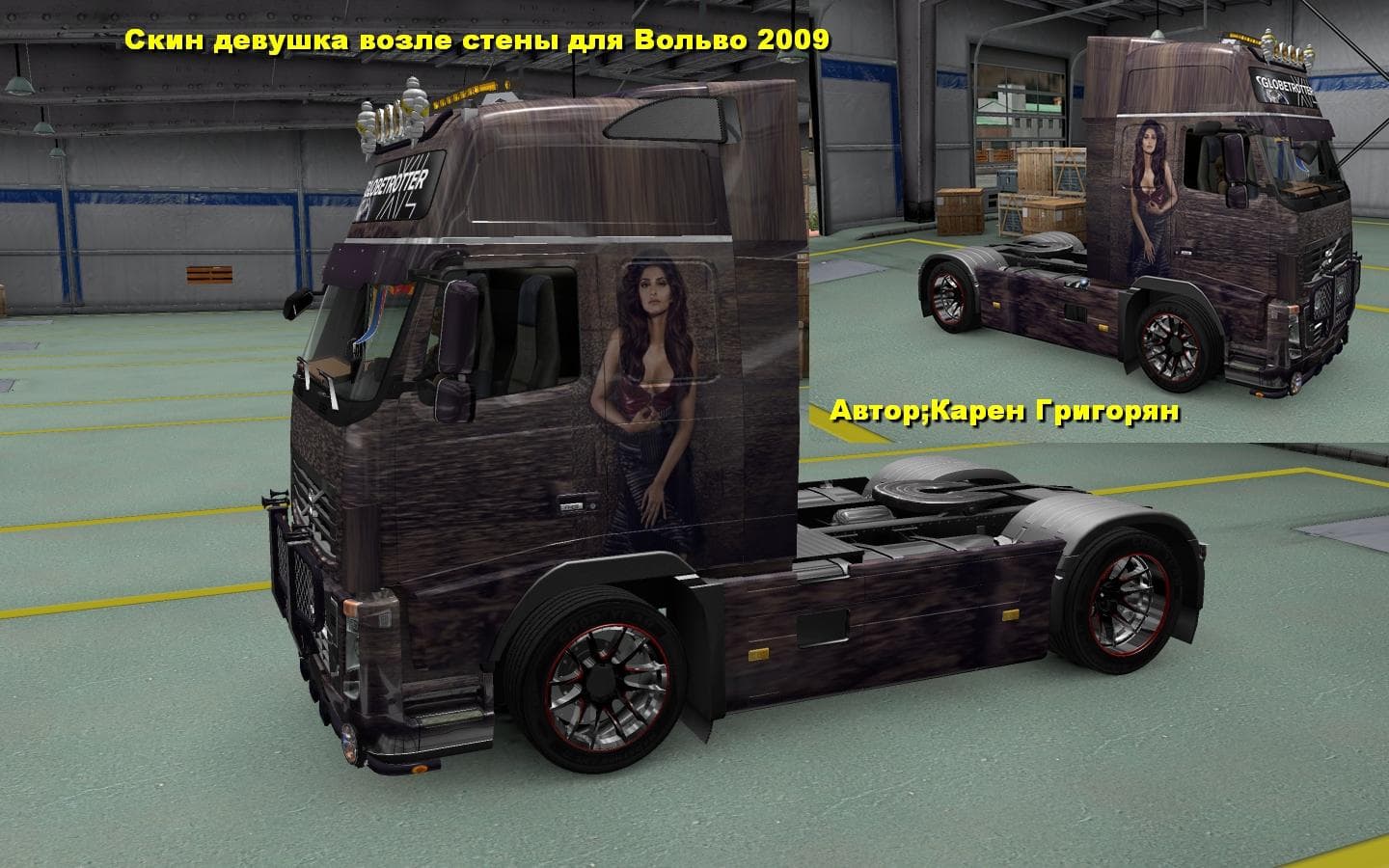
The VOLVO FH16 GIRL SKIN is a skin mod for Euro Truck Simulator 2, specifically for the Volvo FH16 truck. It is tested for version 1.22 of the game and credits
The VOLVO FH16 GIRL SKIN mod offers a fresh paint job specifically designed for the Volvo FH16 truck in Euro Truck Simulator 2. This type of mod doesn't alter the truck's model or mechanics but changes its visual appearance by applying a new design via the in-game paint shop. It requires the base Volvo FH16 truck to function and is compatible with ETS2 version 1.22, meaning it fits into setups running this or similar versions without major issues.
Skin mods like this one are popular for players looking to personalize their fleet without installing entirely new trucks. They can be layered alongside other mods that don't modify the same files, so long as load order is managed carefully to avoid conflicts. Since skins override default textures, they generally need to be placed lower in the load order than any mods adding cabin or chassis parts but above generic texture replacements.
For those who enjoy customizing their vehicles with unique looks, this skin adds a specific thematic style to the Volvo FH16. It’s a straightforward way to give your favorite truck a different identity while keeping all its original handling and performance intact. Players who run multiple skin packs might want to check compatibility before activating this one, especially if other Volvo FH16 skins are present.
Applying this mod is simple: just place it in your mod folder and activate it through the game's mod manager. Once loaded, you can select it from the paint shop on your Volvo FH16 truck. This process fits into typical ETS2 mod workflows, making it accessible even for users newer to customization but also useful for veterans wanting variety.
Overall, VOLVO FH16 GIRL SKIN suits anyone looking to refresh their Volvo's look with something distinct yet uncomplicated. It blends easily into larger mod collections and keeps your setup visually interesting without changing gameplay mechanics.
How to install
1. Download the .scs file. 2. Drop it into `Documents/Euro Truck Simulator 2/mod/`. 3. Enable in Mod Manager. 4. Apply the skin in the truck/trailer paint shop.
After the mod loads, save your game inside a safe area (parking lot or service) before deciding whether to keep it. If the game refuses to load with the mod enabled, check that all required DLCs are installed and that the supported ETS2 version chips on this page include your installed game patch.
Reviews
No ratings yetNo reviews yet — be the first to rate this mod.





