VOLVO FH16 CLASSIC NUR TRANS RED SKIN
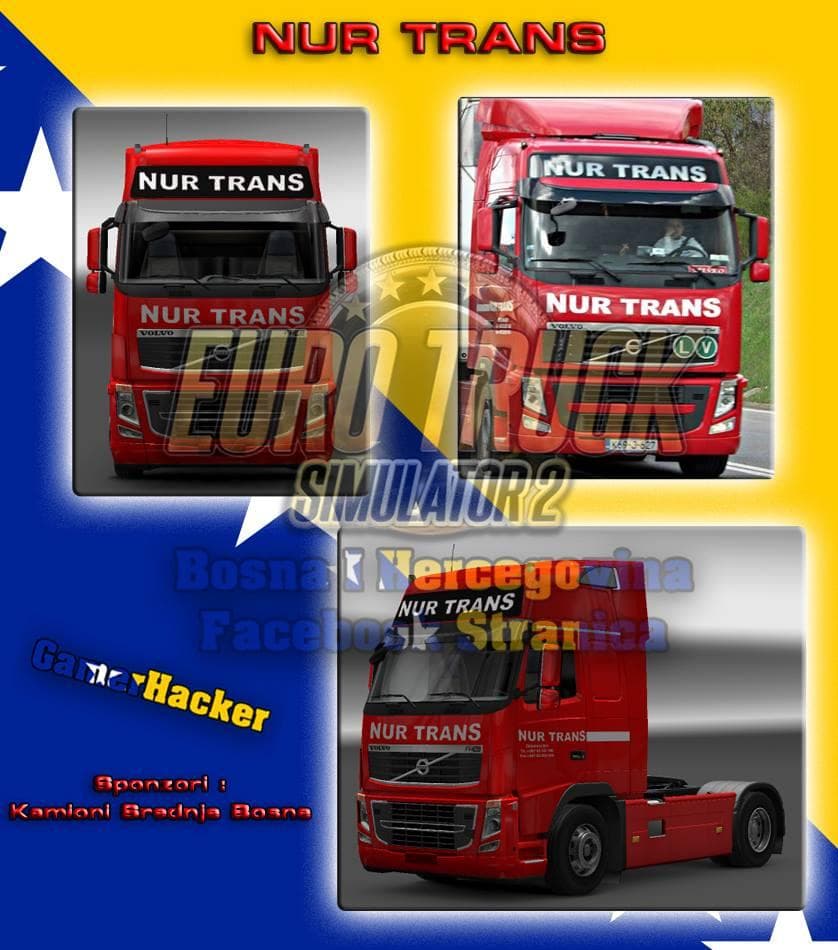
The VOLVO FH16 CLASSIC NUR TRANS RED SKIN is a repaint mod designed specifically for the Volvo FH16 truck in Euro Truck Simulator 2. This skin changes the visual appearance of the vehicle by applying a red-themed design without altering the base model or any gameplay elements. It’s made to work with ETS2 version 1.18, ensuring compatibility with that particular update of the game.
Skin mods like this one are installed through the paint shop in ETS2, where players can select and apply them to their trucks. They rely on the original vehicle model, so they don't add new trucks but simply change how an existing one looks. The addition of a decal slot that doesn’t appear on AI trucks helps maintain a more immersive experience by keeping traffic visuals consistent while letting player vehicles stand out.
When adding skins to a modded setup, it's generally recommended to place them after any mods that affect the truck’s model or textures to avoid conflicts. Since this skin is for a specific truck and version, it should fit smoothly alongside other visual mods as long as they target different elements. Skins usually have minimal impact on performance and are compatible with most load orders unless another mod modifies the same texture slots.
This kind of skin appeals to players who want to personalize their driving experience with unique colors or designs for their favorite trucks. If you enjoy driving the Volvo FH16 and prefer your rig to have a distinct red look without changing its mechanics, this mod fits well into that preference.
Overall, this skin offers a straightforward way to refresh your Volvo FH16’s appearance in ETS2 1.18, especially if you’re running other mods and want something visually clean that won’t interfere with AI traffic visuals.
How to install
1. Download the .scs file. 2. Drop it into `Documents/Euro Truck Simulator 2/mod/`. 3. Enable in Mod Manager. 4. Apply the skin in the truck/trailer paint shop.
After the mod loads, save your game inside a safe area (parking lot or service) before deciding whether to keep it. If the game refuses to load with the mod enabled, check that all required DLCs are installed and that the supported ETS2 version chips on this page include your installed game patch.
Reviews
No ratings yetNo reviews yet — be the first to rate this mod.





