VOLVO FH16 2012 GREEN DASHBOARD 1.22.X
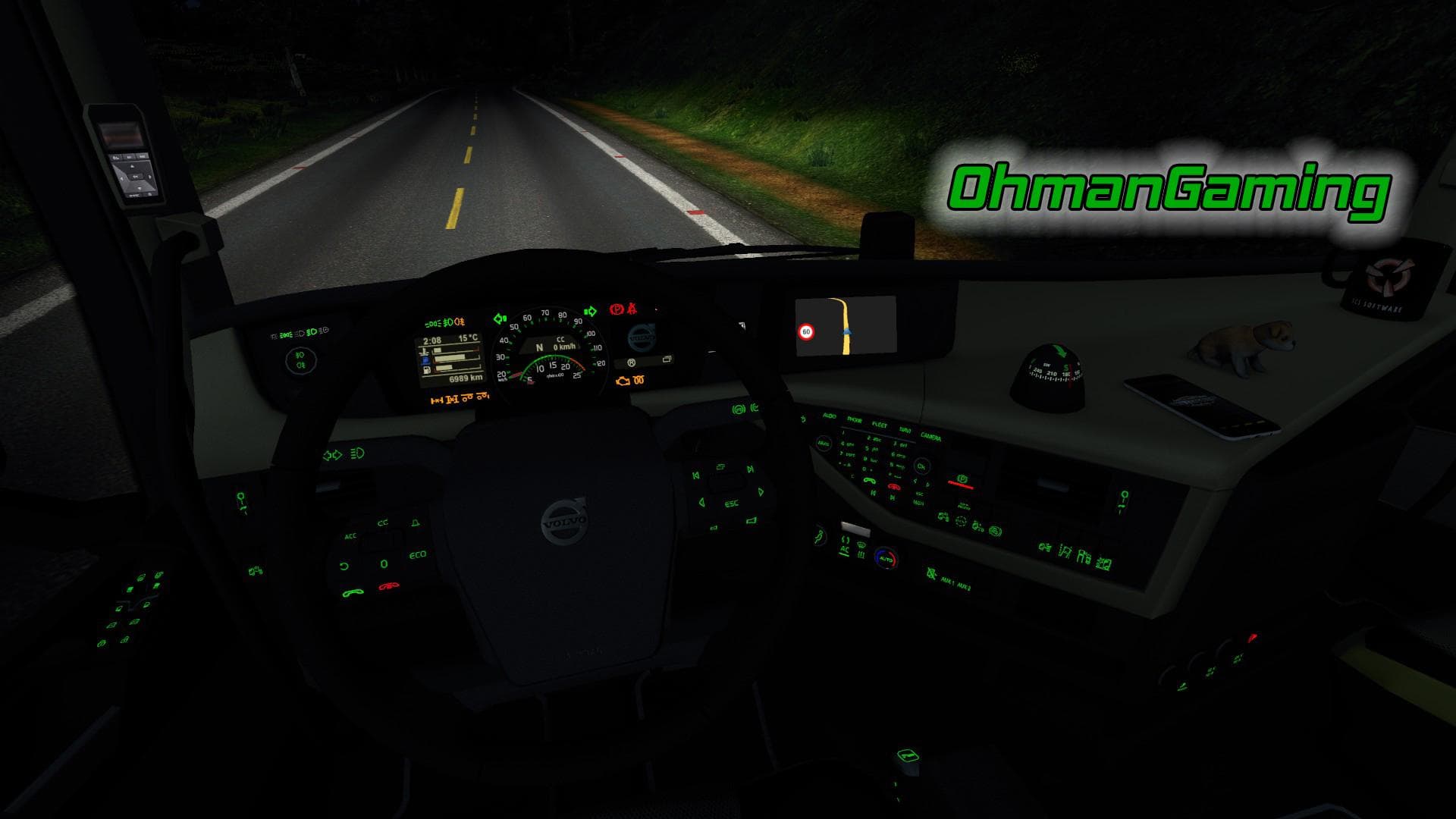
This interior mod for Volvo FH16 2012 adds green dashboard lights. Tested on ETS2 version 1.22.x. Created by Euro Truck Simulator 2.
This mod offers a green dashboard lighting scheme specifically for the Volvo FH16 2012 model, tailored to ETS2 version 1.22. By altering the dashboard's illumination, it gives the truck's interior a fresh look without changing any mechanical aspects or gameplay dynamics. Such tweaks are usually straightforward and can easily be managed through ETS2's in-game Mod Manager.
Mods like this one fall under the 'other' category, which typically includes cosmetic and interface adjustments rather than performance upgrades or map expansions. Installing it involves simply activating the mod within the manager, but it's wise to check its compatibility with other visual mods affecting the same truck model to avoid conflicts or overwrites.
In a modded setup, this kind of lighting modification fits well among various customization options aimed at personalizing your driving experience. Since it targets dashboard visuals alone, it generally doesn’t interfere with core game functions or cargo mechanics. However, users should keep an eye on load order if they run multiple mods that change Volvo FH16 elements to ensure everything displays correctly.
Drivers who enjoy tweaking their truck's appearance down to small details might find this green dashboard lighting appealing. It's a subtle change but can enhance immersion for those who like matching interior colors or just want something different from default settings.
Being tested on version 1.22 means it's designed for that specific ETS2 release, so players running older or newer versions might encounter issues unless they update accordingly. Overall, it’s a niche addition for enthusiasts looking to add variety without affecting gameplay.
How to install
1. Download the file(s) from the original source linked above. 2. Drop them into `Documents/Euro Truck Simulator 2/mod/`. 3. Enable in Mod Manager and restart the game.
After the mod loads, save your game inside a safe area (parking lot or service) before deciding whether to keep it. If the game refuses to load with the mod enabled, check that all required DLCs are installed and that the supported ETS2 version chips on this page include your installed game patch.
Reviews
No ratings yetNo reviews yet — be the first to rate this mod.





