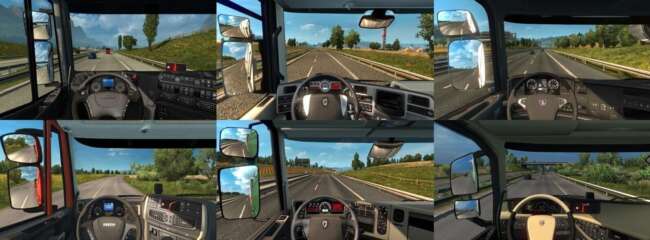
AI Traffic No Default SCS Cars v1.2

The AI Traffic No Default SCS Cars mod version 1.2 by creator ets2mods removes all default SCS buses from the AI traffic pool in Euro Truck Simulator 2 version
AI Traffic No Default SCS Cars v1.2 is a modification for Euro Truck Simulator 2 that focuses on changing the AI traffic composition. Specifically, this mod removes all the default buses created by SCS Software from the game's AI traffic. This means you won’t see those original buses driving around during your journeys, which can affect how immersive or varied traffic appears depending on what other mods you have installed.
Mods like this one alter the AI traffic pool to customize what types of vehicles appear on roads. By removing certain models, players can reduce repetition or prepare their game to use different bus models from other mods instead. These changes usually happen automatically once the mod is activated through ETS2’s in-game Mod Manager, which handles loading order and compatibility with other mods fairly well.
When incorporating AI traffic mods into a broader modded setup, it’s wise to consider load order. Since this mod targets default SCS buses specifically, it should be placed so that it loads after any other mods that add or modify AI traffic buses if you want to ensure those replacements take effect properly. It generally doesn’t conflict with map or truck mods but interacts closely with other vehicle-focused modifications.
This type of mod fits well for players who want more control over their AI environment or are using custom bus packs and want to avoid seeing stock buses cluttering the roads. It’s especially useful in setups aiming for either realism or thematic consistency when paired with specific regional maps like those covering parts of Europe or North America.
For anyone looking to tailor their ETS2 experience by managing what kinds of vehicles populate the highways and city streets, AI Traffic No Default SCS Cars v1.2 offers a straightforward way to remove stock buses from circulation. It supports version 1.2 of ETS2 and is compatible with many common setups without requiring additional configuration.
How to install
1. Download the file(s) from the original source linked above. 2. Drop them into `Documents/Euro Truck Simulator 2/mod/`. 3. Enable in Mod Manager and restart the game.
After the mod loads, save your game inside a safe area (parking lot or service) before deciding whether to keep it. If the game refuses to load with the mod enabled, check that all required DLCs are installed and that the supported ETS2 version chips on this page include your installed game patch.
Reviews
No ratings yetNo reviews yet — be the first to rate this mod.