VOLVO FH NUR TRANS RED SKIN
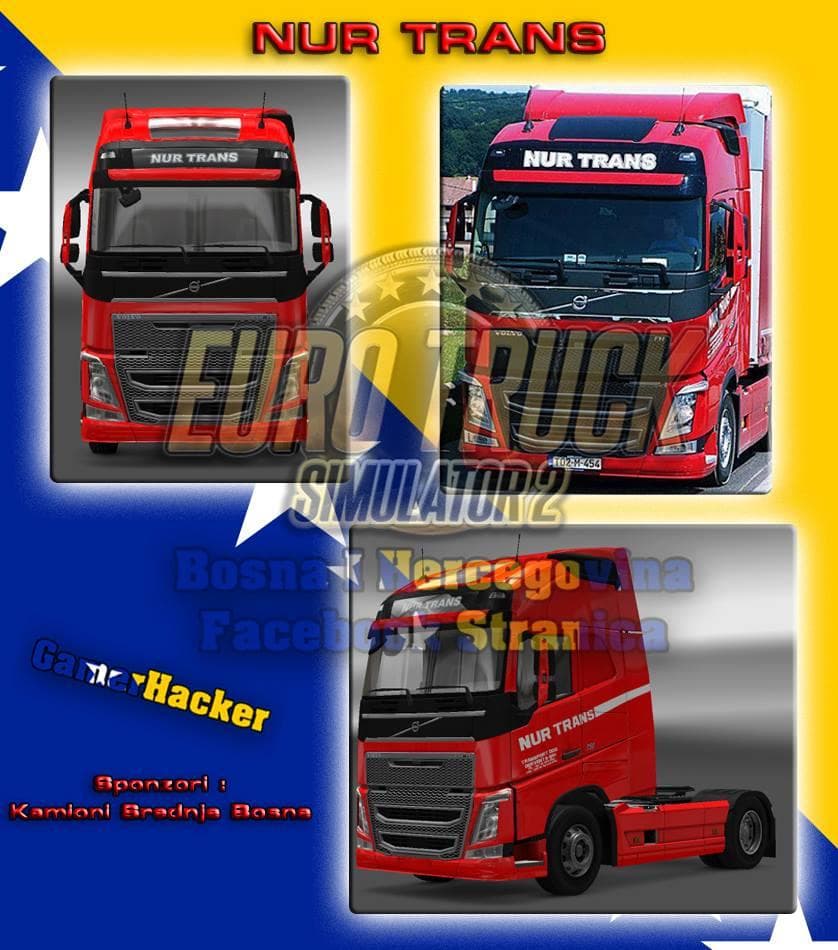
The VOLVO FH NUR TRANS RED SKIN is a paint job designed specifically for the Volvo FH truck model in Euro Truck Simulator 2. This type of mod doesn't alter the truck's structure or performance but instead changes its external appearance, offering a fresh red livery that stands out on the road. Skins like this one are applied through the in-game paint shop and rely on having the base vehicle installed to function properly.
Skin mods such as this provide an easy way to customize your fleet without impacting game mechanics or compatibility with other mods that add new trucks or trailers. They usually load after model mods, so it's wise to keep their order in mind if you use multiple skins or truck upgrades. Since this skin supports ETS2 version 1.18, it fits into setups running that game version without requiring additional updates.
In a modded setup, skins blend well with other graphical enhancements like weather or lighting mods because they only affect texture layers. Conflicts are rare unless two skins target the same vehicle slot simultaneously, which can be managed by adjusting mod priorities. Users should ensure no other skin overlaps with this one to see the intended red design clearly.
This red skin could appeal to players who want their Volvo FH trucks to have a unique and consistent look across their fleet. Those who enjoy collecting different liveries will appreciate adding another option that stays true to a realistic style rather than wildly artistic interpretations.
Because it’s a lightweight skin mod focusing solely on visual detail, it won’t influence gameplay performance or cause crashes tied to heavy modifications. It's suitable for both casual players wanting cosmetic variety and those maintaining an immersive trucking environment with authentic paint jobs.
How to install
1. Download the .scs file. 2. Drop it into `Documents/Euro Truck Simulator 2/mod/`. 3. Enable in Mod Manager. 4. Apply the skin in the truck/trailer paint shop.
After the mod loads, save your game inside a safe area (parking lot or service) before deciding whether to keep it. If the game refuses to load with the mod enabled, check that all required DLCs are installed and that the supported ETS2 version chips on this page include your installed game patch.
Reviews
No ratings yetNo reviews yet — be the first to rate this mod.





