VOLVO FH NUR TRANS GREEN SKIN
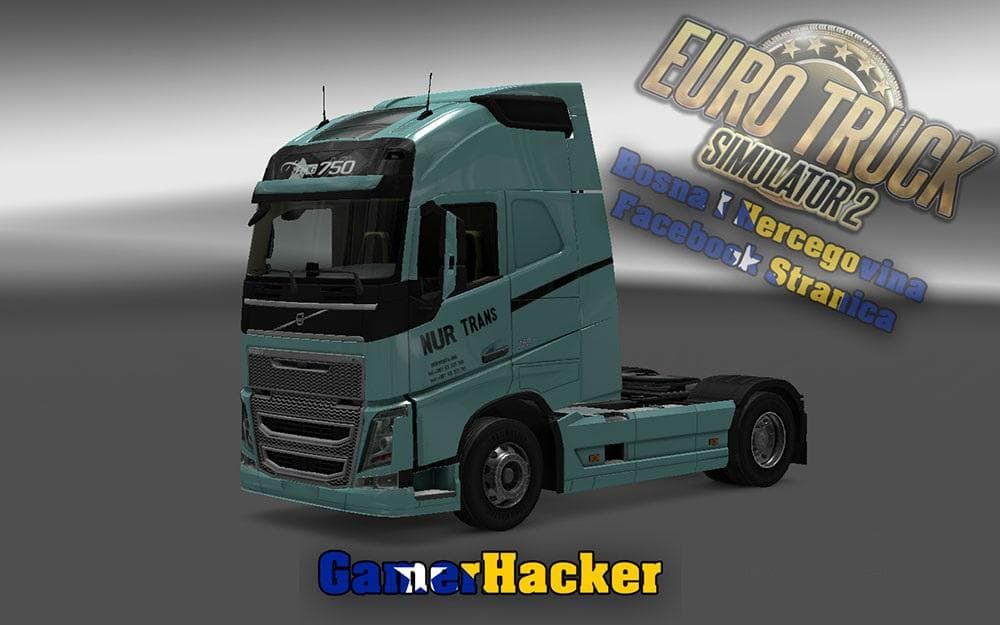
The "VOLVO FH NUR TRANS GREEN SKIN" is a skin mod for ETS2 version 1.22, created by Euro Truck Simulator 2. It offers a 4K resolution, metallic skin option, and
The VOLVO FH NUR TRANS GREEN SKIN is a paint job mod designed specifically for the Volvo FH truck in Euro Truck Simulator 2. It offers a fresh green color scheme with an optional metallic finish, all crafted in high 4K resolution for detailed textures. This type of mod simply changes the appearance of the existing truck model without altering its shape or performance.
Skin mods like this one are applied through the game's paint shop, allowing players to customize their vehicles visually. Since it depends on the base vehicle, you’ll need the corresponding Volvo FH model installed and compatible with ETS2 version 1.22 to use it effectively. These skins don’t add new parts but enhance immersion by offering a different look that stands out on the road.
In a modded setup, skin mods usually have minimal conflicts as they only overwrite textures. However, load order can matter if multiple skins target the same truck; typically, only one skin can be active at a time per vehicle. Using a mod manager helps keep track and ensures this green skin loads correctly alongside other mods without issues.
Players who enjoy personalizing their fleet will appreciate this green repaint option, especially those who prefer subtle yet distinct color schemes over default paints. It fits well into any collection aiming to diversify truck appearances while maintaining compatibility with other visual enhancements or gameplay mods.
If you’re running ETS2 version 1.22 and want to add variety to your Volvo FH trucks, this skin is worth considering. Its high-resolution textures and metallic option provide more depth than standard colors without changing how your truck drives or behaves.
The combination of **green paint scheme**, **high 4K resolution**, **metallic finish option**, **Volvo FH customization**, and compatibility with **ETS2 1.22** makes this skin useful for players focused on visual upgrades.
How to install
1. Download the .scs file. 2. Drop it into `Documents/Euro Truck Simulator 2/mod/`. 3. Enable in Mod Manager. 4. Apply the skin in the truck/trailer paint shop.
After the mod loads, save your game inside a safe area (parking lot or service) before deciding whether to keep it. If the game refuses to load with the mod enabled, check that all required DLCs are installed and that the supported ETS2 version chips on this page include your installed game patch.
Reviews
No ratings yetNo reviews yet — be the first to rate this mod.





