VOLVO FH 2013 SU34 & TU22 SKINS 1.22
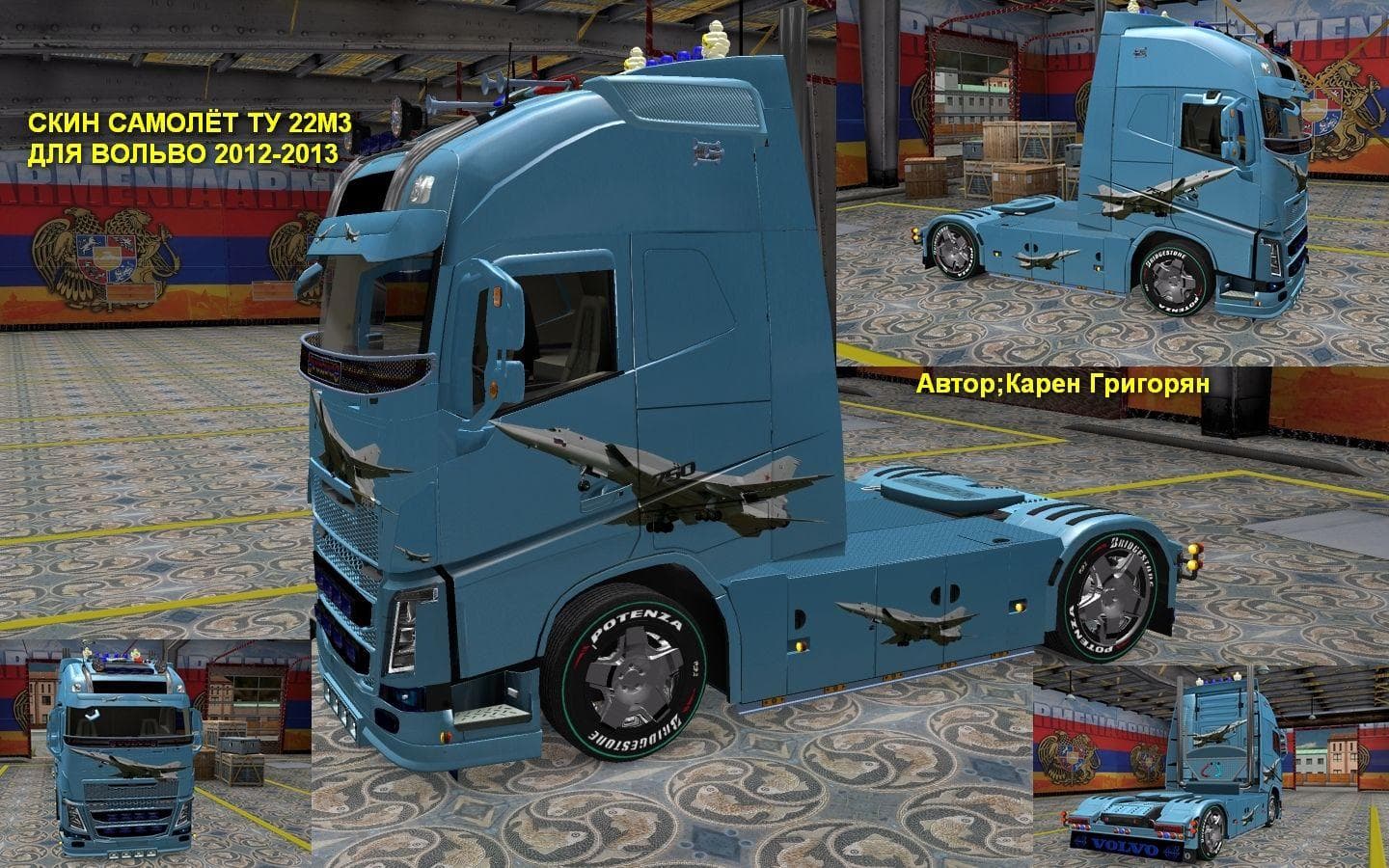
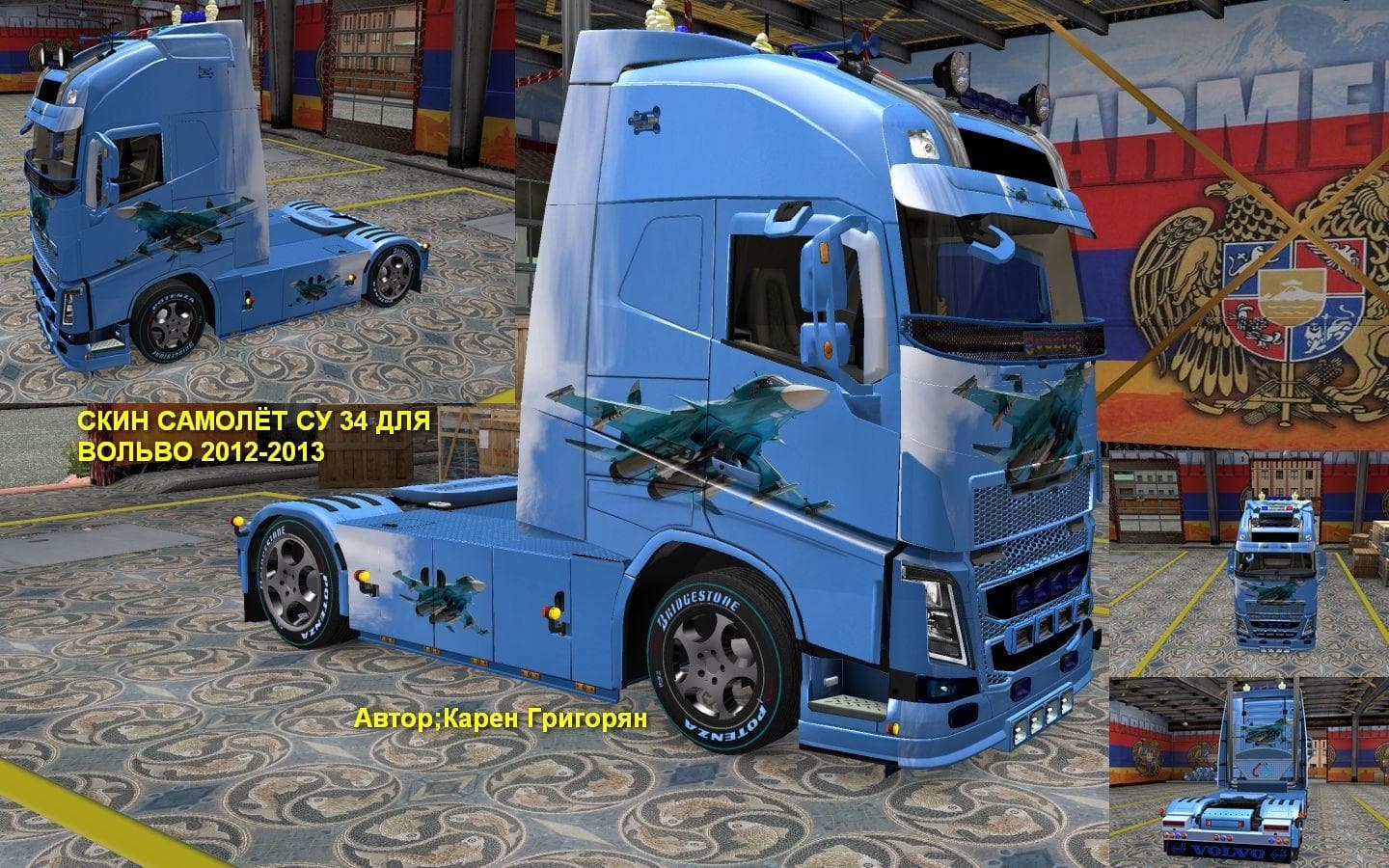
The VOLVO FH 2013 SU34 & TU22 SKINS 1.22 mod offers skins for Volvo FH 2013 trucks in Euro Truck Simulator 2 version 1.22. Created by Euro truck simulator 2, th
This mod provides a collection of **skins for the Volvo FH 2013**, specifically tailored for the SU34 and TU22 versions of the truck. These skins don't alter the truck model itself but offer new paint designs that you can apply in the game's paint shop, refreshing the look of your vehicle without affecting its performance or mechanics. Since it's made for version 1.22 of ETS2, compatibility is focused on that specific game update.
Skin mods like this one are designed to repaint existing trucks or cabins, which means they rely on having the base Volvo FH 2013 model installed first. They simply overlay new textures over the original model, offering visual variety and personalization options. It's a straightforward way to add some flair to your fleet without dealing with complex installations or risking conflicts with other gameplay mods.
When adding skin packs to a modded setup, it's generally wise to load them after any major truck or tuning mods to avoid overwriting textures unintentionally. Because this pack targets a particular truck model and game version, it fits neatly into custom garages or themed fleets where players want consistency in their vehicle appearances. You won't need to worry about interference with map expansions or gameplay-enhancing mods since it only changes visuals.
Players who enjoy customizing their trucks visually will find this mod useful if they drive the Volvo FH 2013 regularly. It helps break up the monotony of default paint jobs by providing alternative looks that can match various roleplay scenarios or personal tastes. Since these skins are tied directly to the SU34 and TU22 models, owners of those variants will benefit most from installing this pack.
Given that skin mods depend heavily on their corresponding base models, anyone running an outdated or mismatched ETS2 version might run into issues applying these skins properly. Ensuring your game is updated to version 1.22 will help avoid compatibility problems and ensure everything displays as intended.
How to install
1. Download the .scs file. 2. Drop it into `Documents/Euro Truck Simulator 2/mod/`. 3. Enable in Mod Manager. 4. Apply the skin in the truck/trailer paint shop.
After the mod loads, save your game inside a safe area (parking lot or service) before deciding whether to keep it. If the game refuses to load with the mod enabled, check that all required DLCs are installed and that the supported ETS2 version chips on this page include your installed game patch.
Reviews
No ratings yetNo reviews yet — be the first to rate this mod.





