VOLVO FH 2013 PENELOPA CRUZE V2 SKIN 1.22
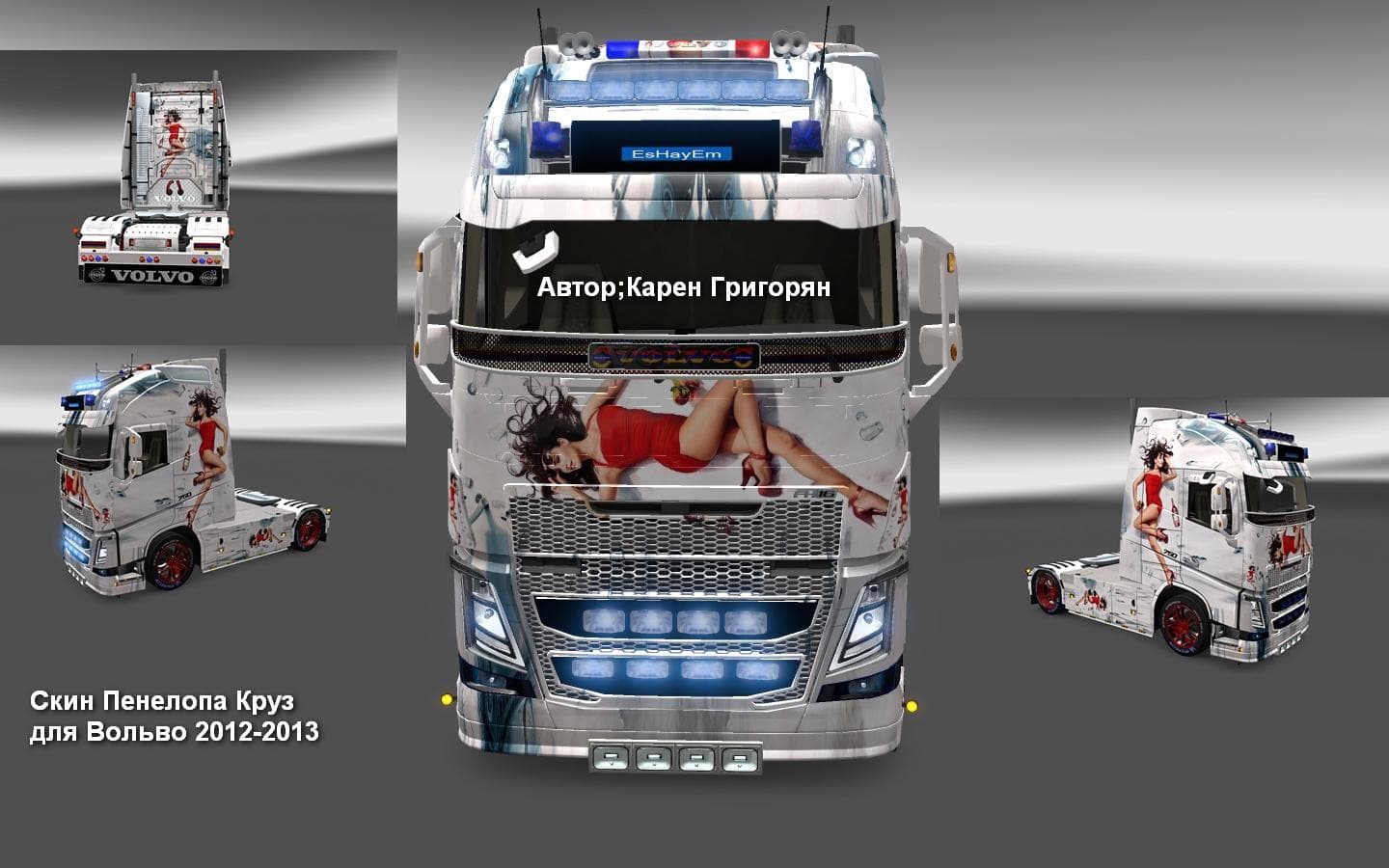
This mod is a skin for the Volvo FH 2013 truck in Euro Truck Simulator 2, tested on version 1.22. Created by Euro truck simulator 2, the Penelopa Cruze v2 skin
The VOLVO FH 2013 PENELOPA CRUZE V2 SKIN 1.22 is a repaint designed specifically for the Volvo FH 2013 truck model in Euro Truck Simulator 2. As a skin mod, it doesn't change the truck's structure or performance but instead updates its exterior appearance, giving your vehicle a fresh look without altering gameplay mechanics. These types of mods are typically applied through the in-game paint shop, where you select them to customize your rig's style.
Skin mods like this one rely on the base vehicle they were created for, so you'll need the Volvo FH 2013 model to use it properly. They fit well within modded setups that aim to personalize trucks visually, and since this version matches ETS2 game version 1.22, compatibility with that release is ensured. When using multiple skins or other visual mods, make sure they don't overwrite each other by checking your load order or mod manager.
This skin mod is a good pick if you're running a modded setup focused on variety and realism in truck appearances. It allows players who prefer the Volvo FH 2013 to stand out with a unique design while maintaining consistency with their game's version. Since skin mods usually have minimal conflicts, it can be combined easily with other types of mods such as sound packs or traffic enhancers without much hassle.
Gamers interested in personalizing their Volvo trucks without adding new models will find this mod appealing. It provides an alternative paint job for those wanting something different from stock colors but doesn't require major adjustments or additional downloads beyond the base truck model.
Overall, this mod suits players looking to add some flair to their Volvo FH 2013 within ETS2 version 1.22 environments. It's straightforward to install and fits naturally into any collection of cosmetic changes that focus on enhancing visual diversity rather than gameplay alterations.
How to install
1. Download the .scs file. 2. Drop it into `Documents/Euro Truck Simulator 2/mod/`. 3. Enable in Mod Manager. 4. Apply the skin in the truck/trailer paint shop.
After the mod loads, save your game inside a safe area (parking lot or service) before deciding whether to keep it. If the game refuses to load with the mod enabled, check that all required DLCs are installed and that the supported ETS2 version chips on this page include your installed game patch.
Reviews
No ratings yetNo reviews yet — be the first to rate this mod.





