VOLVO FH 2013 MIG35 SKIN 1.22
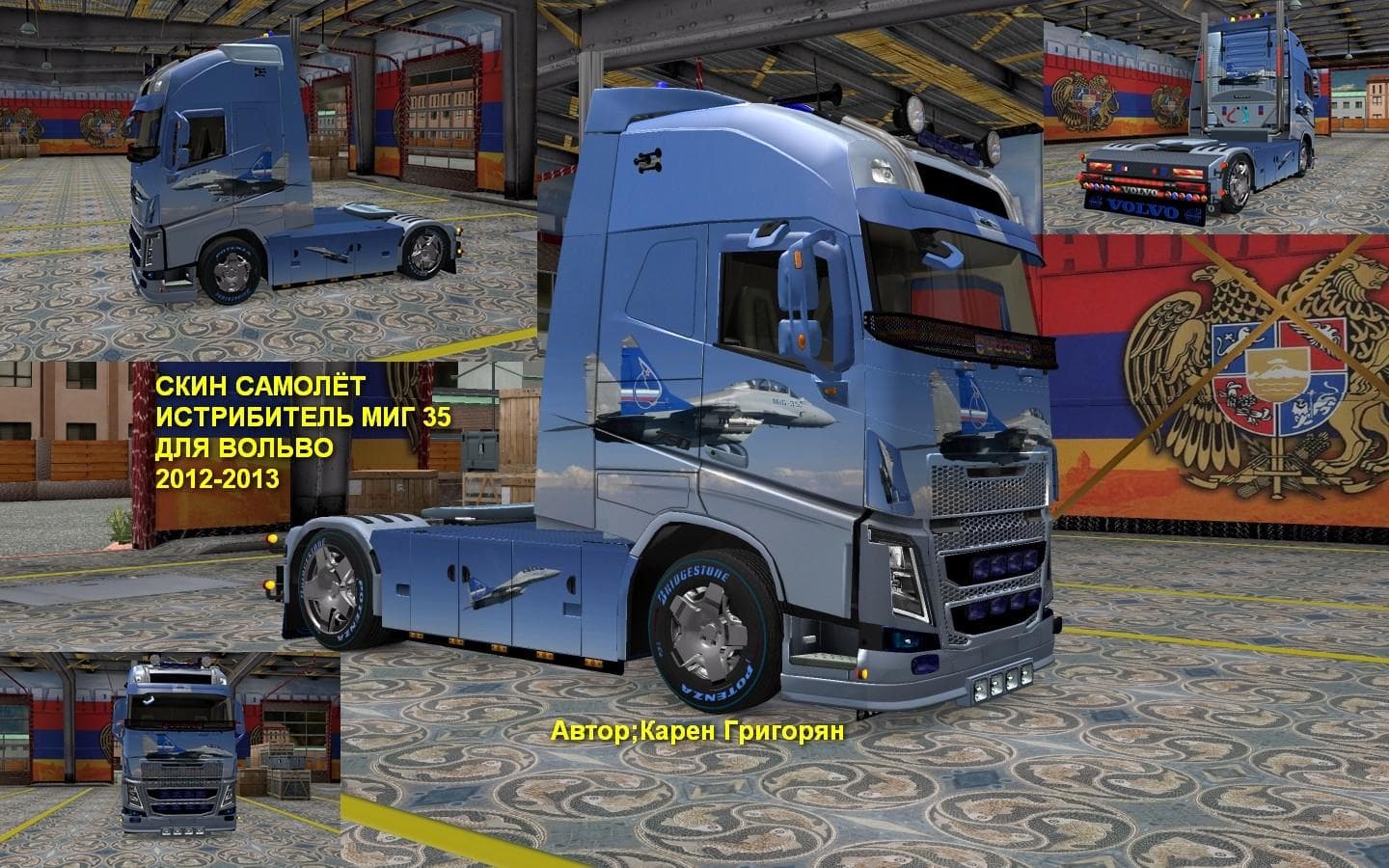
The VOLVO FH 2013 MIG35 SKIN 1.22 mod is a skin for Volvo FH 2013 trucks in Euro Truck Simulator 2. It is compatible with ETS2 versions 1.22 and 1.4, created by
The VOLVO FH 2013 MIG35 SKIN 1.22 is a repaint mod designed for the Volvo FH 2013 truck in Euro Truck Simulator 2. It doesn't change the truck model itself but offers a new visual style by applying a fresh skin that can be selected in the paint shop. This type of mod works by replacing or adding textures to the existing truck, giving it a different appearance without affecting gameplay mechanics.
Skin mods like this one rely on the base vehicle they were created for, so you'll need the Volvo FH 2013 model installed to use it properly. Since it's compatible with ETS2 versions 1.22 and 1.4, it fits well into setups running those game versions or compatible mods around them. Typically, skins are loaded after any model or tuning mods to ensure they display correctly without conflicts.
In a modded environment, it's good practice to keep skins separate from other types of mods such as trucks, maps, or AI traffic to avoid load order issues. Because this skin targets a specific truck model and game version, users should verify compatibility with other vehicle-related mods if they're mixing multiple packs.
This repaint suits players who want to customize their Volvo FH 2013 with something different but don't want to add new trucks or overhaul gameplay elements. It’s ideal for those who appreciate changing up their truck’s look while sticking close to the original models provided by the game or trusted modders.
If you enjoy personalizing your fleet and prefer subtle visual updates over heavy modifications, then this skin is worth considering. It adds variety without complicating your setup and can blend easily with other visual enhancements or tuning mods you might already have.
How to install
1. Download the .scs file. 2. Drop it into `Documents/Euro Truck Simulator 2/mod/`. 3. Enable in Mod Manager. 4. Apply the skin in the truck/trailer paint shop.
After the mod loads, save your game inside a safe area (parking lot or service) before deciding whether to keep it. If the game refuses to load with the mod enabled, check that all required DLCs are installed and that the supported ETS2 version chips on this page include your installed game patch.
Reviews
No ratings yetNo reviews yet — be the first to rate this mod.





