VOLVO FH 2013 GIRL V4.0 SKIN 1.22
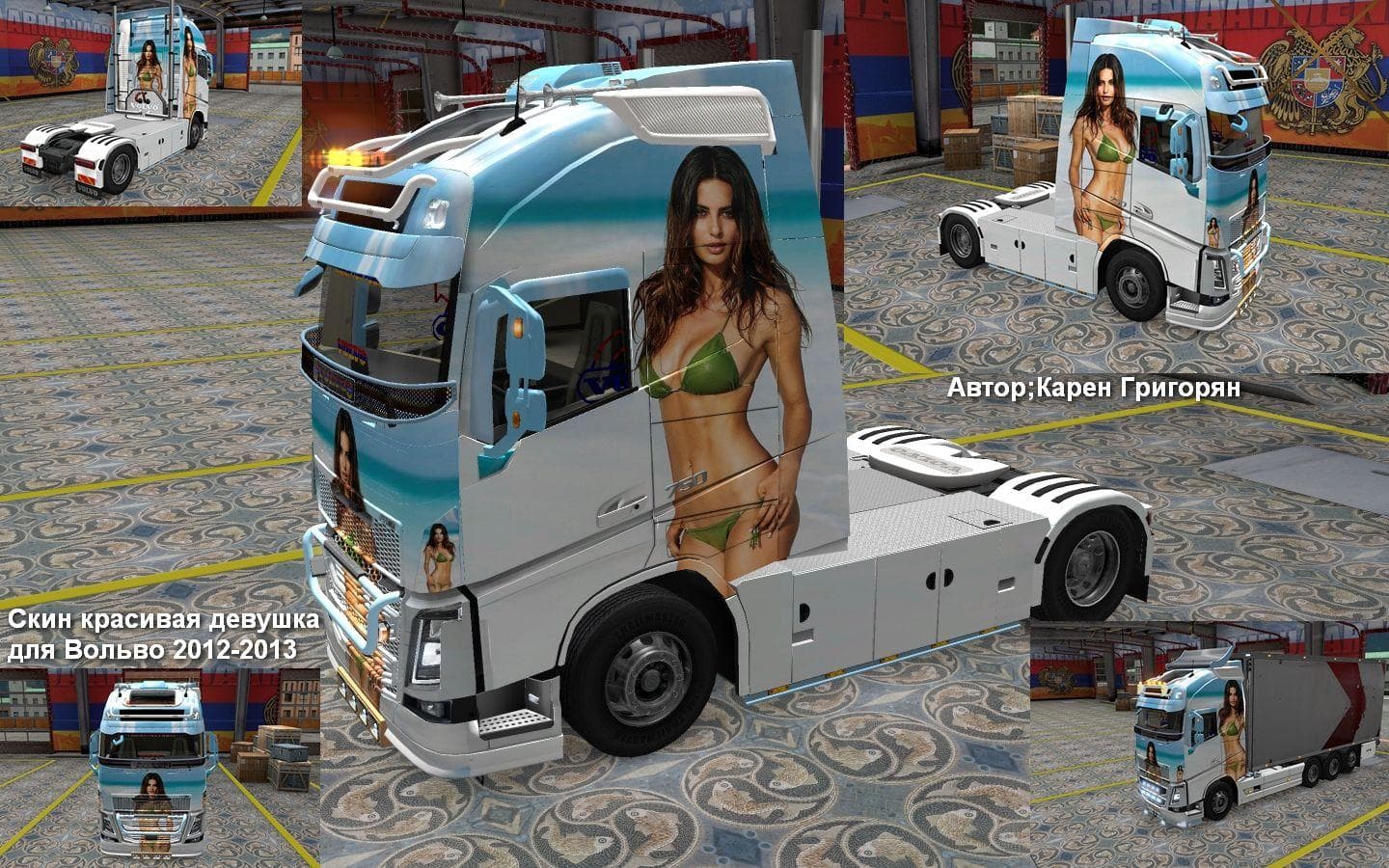
The VOLVO FH 2013 GIRL SKIN 1.22 mod is a skin for the Volvo FH 2013 truck in Euro Truck Simulator 2. Created by Euro truck simulator 2, it is compatible with g
The VOLVO FH 2013 GIRL V4.0 SKIN 1.22 is a repaint mod designed specifically for the Volvo FH 2013 truck in Euro Truck Simulator 2. Rather than altering the truck's model or mechanics, it changes the exterior paintwork to give your vehicle a fresh visual look. This kind of mod is applied through the in-game paint shop and requires you to own the base Volvo FH 2013 truck to use it properly.
Skin mods like this one focus solely on appearance, allowing players to customize their trucks without affecting gameplay or performance. They’re popular for adding personal style or thematic touches to an existing rig. Since this skin supports game versions 1.22 and 1.5, it's compatible with those particular releases, making it suitable for players running slightly older versions of ETS2.
When integrating skin mods into a modded setup, it's wise to keep load order in mind. Usually, skins should be placed after map or gameplay mods to avoid conflicts related to textures or vehicle files. Because this repaint targets only one truck model, it typically won't interfere with other mods unless there's a direct overlap on the same vehicle's paint configurations.
This skin fits well in collections focused on enhancing visual variety without touching core game functions. If you enjoy driving a Volvo FH 2013 and want to add some personality without changing your truck's specs, repaint mods like this are a straightforward option. It’s especially appealing if you prefer keeping your mod list focused on aesthetics rather than functional changes.
Players interested in customizing their ride visually but not overhauling their trucking experience will find this skin useful. It caters to those who like detailed repaints that can be easily toggled on or off from the paint shop menu during gameplay sessions.
How to install
1. Download the .scs file. 2. Drop it into `Documents/Euro Truck Simulator 2/mod/`. 3. Enable in Mod Manager. 4. Apply the skin in the truck/trailer paint shop.
After the mod loads, save your game inside a safe area (parking lot or service) before deciding whether to keep it. If the game refuses to load with the mod enabled, check that all required DLCs are installed and that the supported ETS2 version chips on this page include your installed game patch.
Reviews
No ratings yetNo reviews yet — be the first to rate this mod.





