VOLVO FH 2012 POWERHOUSE SKIN V2.0
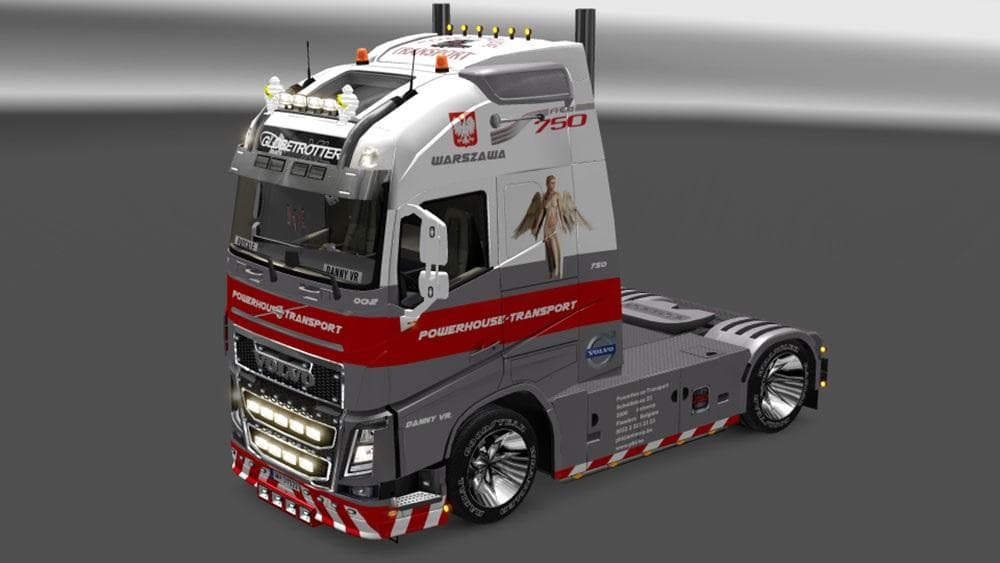
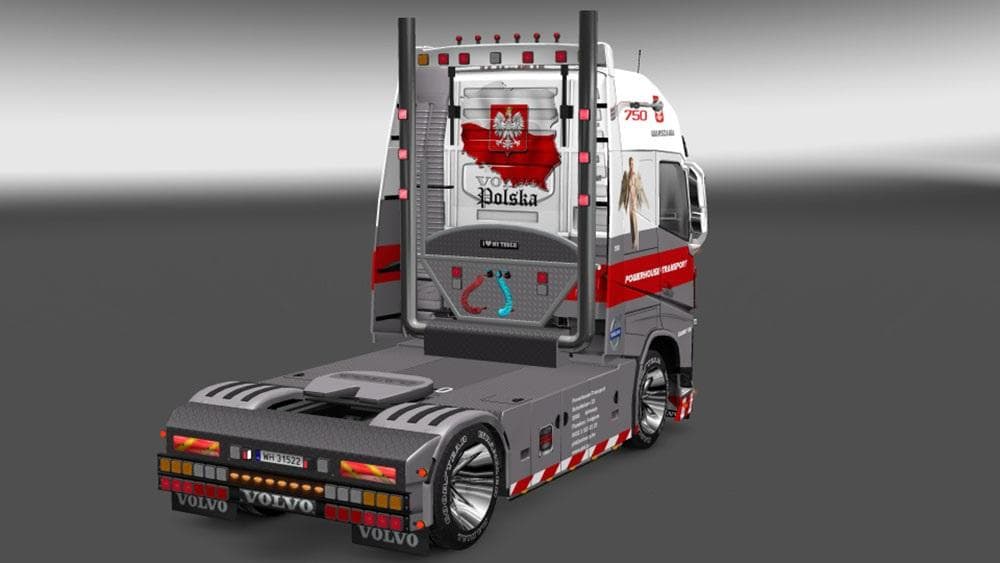
The VOLVO FH 2012 POWERHOUSE SKIN is a skin mod for Euro Truck Simulator 2 featuring a Warszawa/Polski theme. It works for both SCS Software and Pendragon conve
The VOLVO FH 2012 POWERHOUSE SKIN V2.0 is a repaint mod designed for the Volvo FH 2012 truck in Euro Truck Simulator 2. It features a distinctive Warszawa/Polski theme and works with both the standard SCS Software model and the Pendragon conversion, offering versatility depending on your truck setup. The mod applies its design primarily to the exterior surfaces, including the backside of the truck, giving it a unique look without altering the original vehicle model.
Skin mods like this one function by changing the paint job of an existing truck without modifying its shape or mechanical properties. They are applied through the in-game paint shop and rely on the base vehicle being present, which means you’ll need to own or have installed the compatible Volvo FH 2012 for this skin to work properly. These skins are a straightforward way to personalize your truck’s appearance without affecting gameplay mechanics.
When adding skin mods into your game, it’s useful to be aware that they typically load according to their position in your mod manager list. Since this skin targets specific models, it usually doesn’t conflict with other types of mods but should be placed appropriately if you use multiple skins or paint jobs for similar trucks. Compatibility is generally good as long as you're using supported base models from either SCS or Pendragon conversions.
This kind of mod is ideal for players who want to customize their trucking experience visually and enjoy regional themes reflecting Polish culture through vehicle design. If you’re running a modded fleet with multiple Volvo FH trucks or appreciate unique skins that differentiate your vehicles on European roads, this skin adds character without complicating your setup.
How to install
1. Download the .scs file. 2. Drop it into `Documents/Euro Truck Simulator 2/mod/`. 3. Enable in Mod Manager. 4. Apply the skin in the truck/trailer paint shop.
After the mod loads, save your game inside a safe area (parking lot or service) before deciding whether to keep it. If the game refuses to load with the mod enabled, check that all required DLCs are installed and that the supported ETS2 version chips on this page include your installed game patch.
Reviews
No ratings yetNo reviews yet — be the first to rate this mod.





