VOLVO FH 2012 MAERSK LINE SKIN
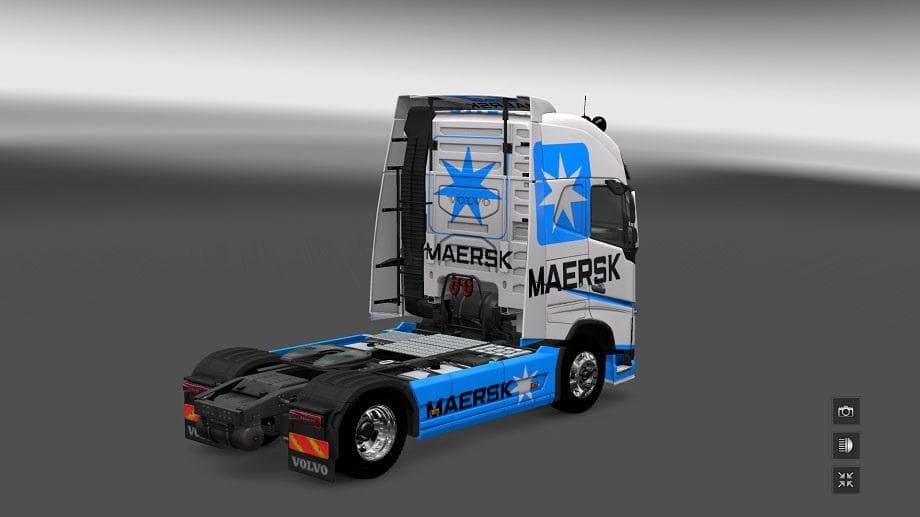
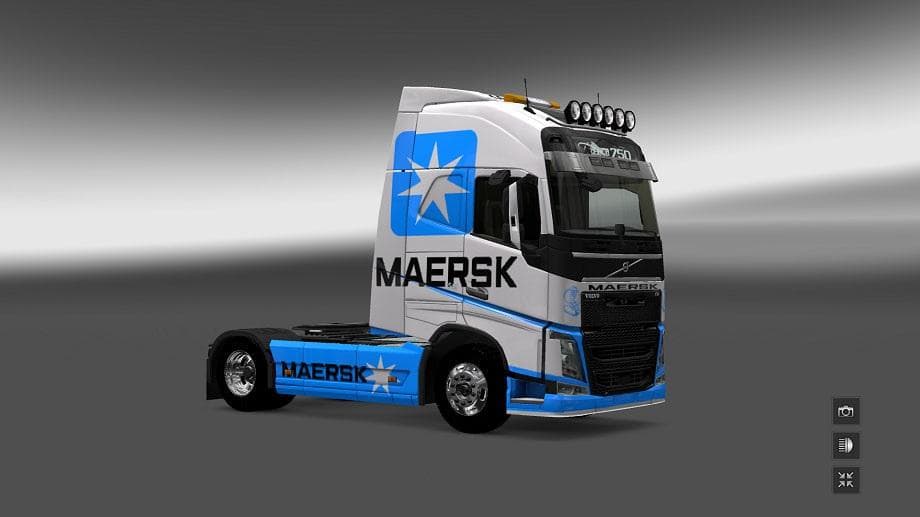
The VOLVO FH 2012 MAERSK LINE SKIN is a paint job mod designed specifically for the Volvo FH 2012 model in Euro Truck Simulator 2. Instead of altering the truck's structure, this skin changes its appearance to feature the Maersk Line branding, giving your vehicle a distinct look tied to the famous shipping company. Such mods are applied directly through the in-game paint shop and require you to own the base truck model to function properly.
Skin mods like this one don't affect gameplay mechanics but enhance visual variety by letting players customize their trucks' aesthetics. They work well alongside other types of mods, such as trailer or map expansions, allowing you to create a personalized driving experience without compatibility issues that come with more complex modifications. Since it's made for ETS2 version 1.18, it should be compatible with that version and possibly earlier ones, though newer versions may require testing.
When adding skins to your mod setup, load order generally isn't critical because skins usually override only texture files related to their specific vehicle. Still, it's good practice to keep skins near the top of your mod list if you want them to display correctly over any other visual tweaks. This skin fits neatly into any collection aiming for brand-themed trucks or those who prefer authentic corporate liveries on their vehicles.
Players who enjoy replicating real-world trucking scenarios or simply want their Volvo FH 2012 to stand out might find this mod appealing. It's also suitable for those running Maersk-themed convoys or events within multiplayer communities where matching liveries add immersion and cohesion.
Given that this skin file is quite small and straightforward, installation is typically hassle-free—just drop it into your mod folder and activate it in the game menu. No additional dependencies or complex setup steps are required beyond owning the base Volvo FH 2012 truck.
How to install
1. Download the .scs file. 2. Drop it into `Documents/Euro Truck Simulator 2/mod/`. 3. Enable in Mod Manager. 4. Apply the skin in the truck/trailer paint shop.
After the mod loads, save your game inside a safe area (parking lot or service) before deciding whether to keep it. If the game refuses to load with the mod enabled, check that all required DLCs are installed and that the supported ETS2 version chips on this page include your installed game patch.
Reviews
No ratings yetNo reviews yet — be the first to rate this mod.





