TRAFIK INDO LOGISTIK V2 SMT 2
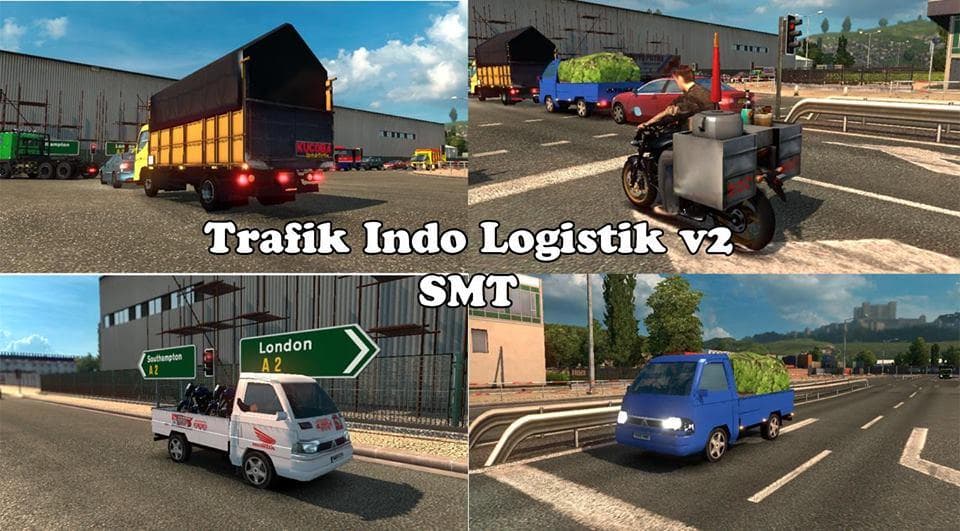
The TRAFIK INDO LOGISTIK V2 SMT 2 mod for ETS2 adds Indonesian logistics traffic to the game. Created by jalu, the mod file size is 130.5 MB.
TRAFIK INDO LOGISTIK V2 SMT 2 is an ETS2 mod that falls under the 'other' category, typically covering a range of miscellaneous enhancements or additions to the base game. Mods like this are usually installed via the in-game Mod Manager, making it straightforward to add new content without altering core files manually. While specific details about this mod's features aren't provided, mods in this category often aim to enrich gameplay with new elements or tweaks that don't fit into more defined categories like trucks or maps.
Mods classified as 'other' can vary widely but generally serve to customize or expand the game's environment or mechanics in subtle ways. They might include new traffic behaviors, logistics adjustments, or other functional changes that affect how the game world operates. Since this mod is named TRAFIK INDO LOGISTIK, it could involve traffic patterns or logistic elements, although exact functions remain unspecified.
When integrating a mod from this category into a broader modded setup, it's advisable to consider load order carefully. Since these mods may modify general gameplay aspects, placing them appropriately ensures they don't conflict with map mods or vehicle packs. Usually, such mods should be loaded after major map mods but before any personal profile-related mods to maintain stability.
Players interested in tweaking their simulation experience beyond just vehicles and routes might find a mod like TRAFIK INDO LOGISTIK V2 SMT 2 useful. It suits those who want small adjustments or additions that enhance realism or diversity within the game's traffic and logistical systems. This type of mod fits well for users who enjoy a more immersive driving environment without radically changing core gameplay.
How to install
1. Download the file(s) from the original source linked above. 2. Drop them into `Documents/Euro Truck Simulator 2/mod/`. 3. Enable in Mod Manager and restart the game.
After the mod loads, save your game inside a safe area (parking lot or service) before deciding whether to keep it. If the game refuses to load with the mod enabled, check that all required DLCs are installed and that the supported ETS2 version chips on this page include your installed game patch.
Reviews
No ratings yetNo reviews yet — be the first to rate this mod.





