THUNDER SOUND PACK
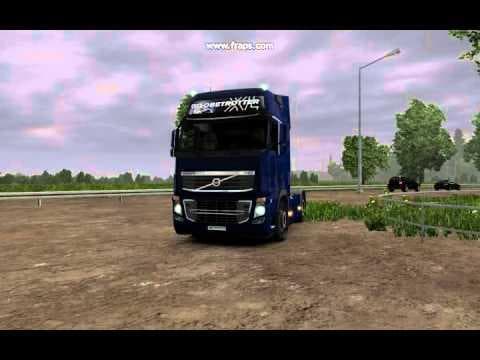
THUNDER SOUND PACK by Euro truck simulator 2 offers 9 thunder sound files for use with all maps and weather mods featuring lightning. It is recommended to set t
The THUNDER SOUND PACK is a collection of nine distinct thunder sound effects designed to enhance the auditory experience in Euro Truck Simulator 2. These sounds work alongside all maps and weather mods that feature lightning, adding a layer of atmospheric depth during storms. By replacing or supplementing existing environmental sounds, this type of mod focuses specifically on improving the game's storm ambiance.
Sound mods like this one alter various in-game audio elements, such as engine noises, horns, or environmental sounds. For thunder packs, the main goal is to make weather conditions feel more immersive by providing realistic thunderclaps when lightning strikes. Because they affect environmental audio cues, they usually need to be placed high in the load order to ensure their sounds override any conflicting audio files from other mods or base game assets.
When setting up a modded environment with multiple sound modifications or truck-specific sound changes, it's essential to keep the THUNDER SOUND PACK near the top of your mod list. This priority placement helps maintain compatibility and ensures that these thunder sounds will play correctly alongside other mods without being overridden. Since it supports all maps and weather mods featuring lightning effects, it fits well into diverse setups regardless of your preferred map expansions.
Players who appreciate enhanced weather atmospheres during their trucking journeys will find this pack useful. If you enjoy driving through storms and want a more authentic audio experience reflecting natural thunderclaps, this mod adds that extra touch without altering gameplay mechanics or visuals. It's particularly handy for those using multiple weather mods or map expansions across regions like Germany, France, or even the United Kingdom where varied weather is common.
How to install
1. Download the .scs file. 2. Drop it into `Documents/Euro Truck Simulator 2/mod/`. 3. Enable in Mod Manager. Sound mods usually need to load **above** truck mods in load order. 4. Restart the game so the audio engine picks up new samples.
After the mod loads, save your game inside a safe area (parking lot or service) before deciding whether to keep it. If the game refuses to load with the mod enabled, check that all required DLCs are installed and that the supported ETS2 version chips on this page include your installed game patch.
Reviews
No ratings yetNo reviews yet — be the first to rate this mod.





