SOUTHERN VECTIS SPRINTER RESKIN
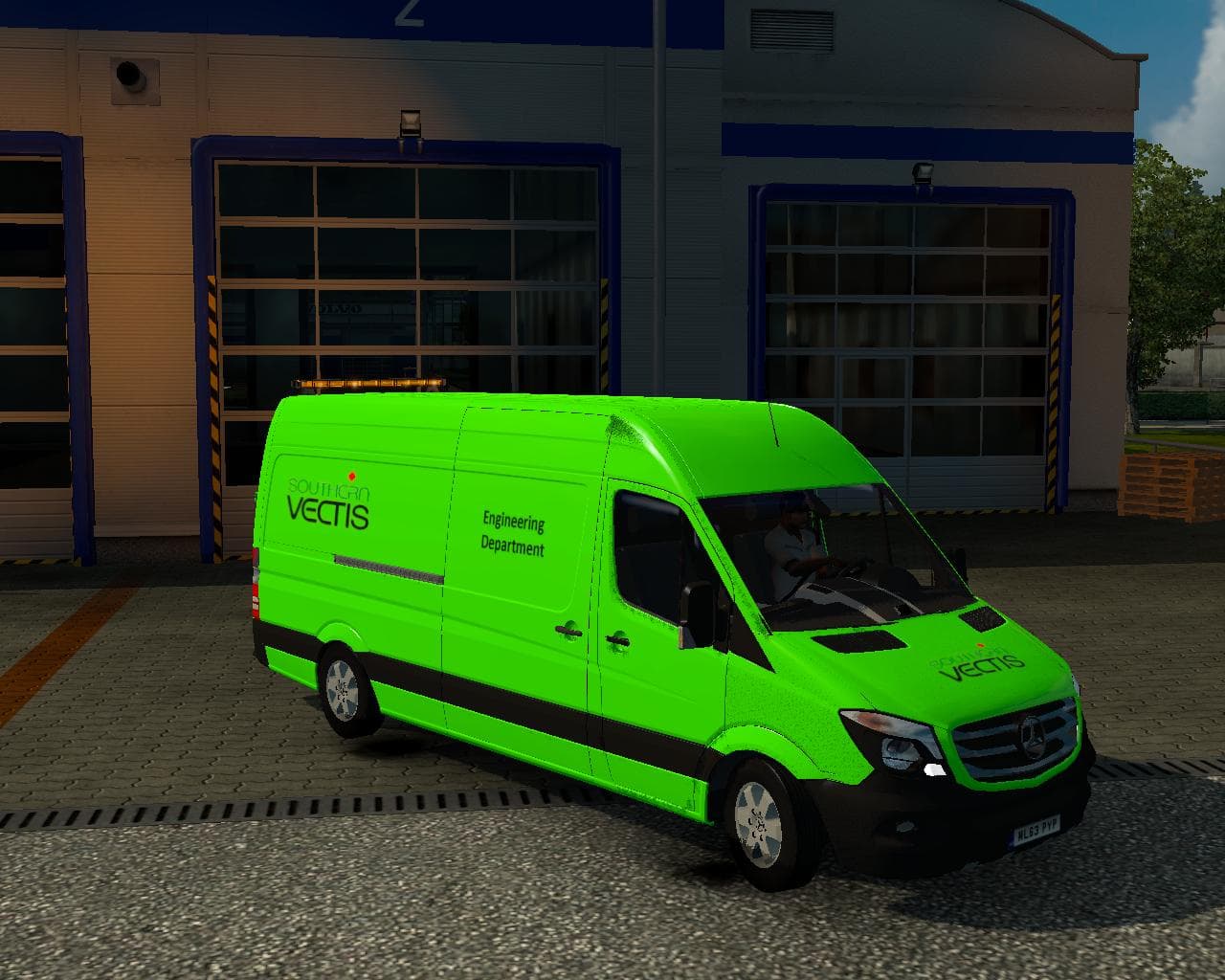
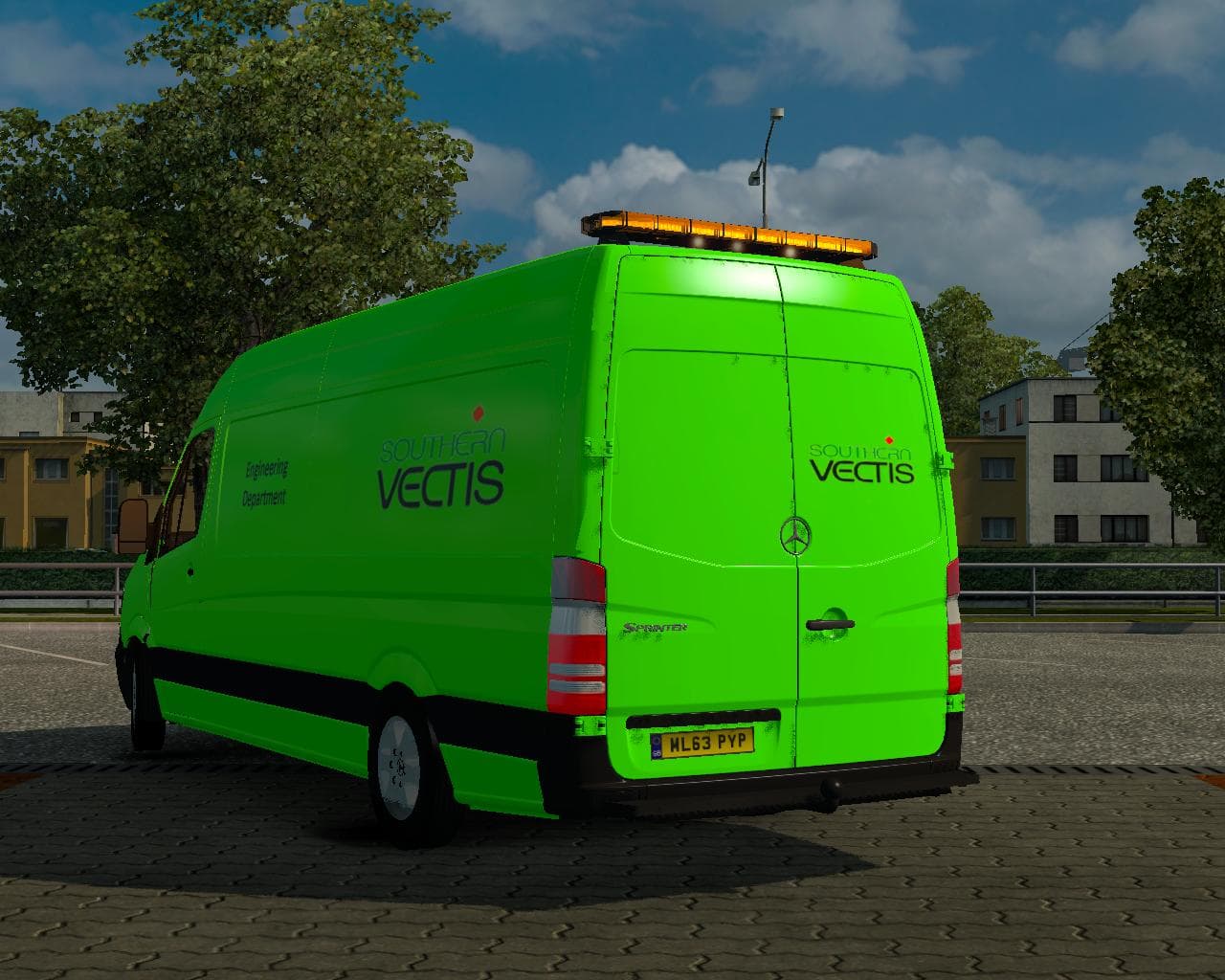
The "SOUTHERN VECTIS SPRINTER RESKIN" is a skin mod for the Mercedes Sprinter Long 2015 in ETS2. It replaces the DHL reskin in the paintshop, created by Euro tr
The SOUTHERN VECTIS SPRINTER RESKIN is a paint job designed specifically for the Mercedes Sprinter Long 2015 model. This mod swaps out the existing DHL skin with a new look when selected in the paint shop, offering a fresh alternative for players who want to change their vehicle's appearance without altering its base model. Skin mods like this one don't modify the truck's shape or performance; they simply repaint the exterior to provide visual variety.
Skin mods in ETS2 rely on the base vehicle and are installed by placing them in the appropriate mod folder. Once loaded, you can find them among your paint options during customization. Because this reskin replaces an existing DHL design, it’s important to check your load order if you use multiple skins for the same truck to avoid conflicts where one overwrites another.
In a modded setup, such skins fit neatly alongside other cosmetic changes or gameplay mods without interfering with core mechanics. They’re lightweight additions that let players personalize their experience visually while maintaining compatibility with other enhancements. You just need to ensure it matches the exact truck model it was made for, which here is the Mercedes Sprinter Long 2015 by Klolo901+Dragonmodz.
This reskin will appeal to players looking to diversify their fleet aesthetics or those who prefer a specific branding style over standard liveries. If you drive around regions like the United Kingdom or areas served by Southern Vectis in real life, this might add a bit of local flavor to your virtual trucking routes.
Overall, if you enjoy tweaking appearances and want your Sprinter Long 2015 to stand out from default skins or replace branded designs like DHL’s, this kind of mod is worth trying out. Just remember that these mods don’t impact driving physics or game progression but enhance immersion through visuals.
How to install
1. Download the .scs file. 2. Drop it into `Documents/Euro Truck Simulator 2/mod/`. 3. Enable in Mod Manager. 4. Apply the skin in the truck/trailer paint shop.
After the mod loads, save your game inside a safe area (parking lot or service) before deciding whether to keep it. If the game refuses to load with the mod enabled, check that all required DLCs are installed and that the supported ETS2 version chips on this page include your installed game patch.
Reviews
No ratings yetNo reviews yet — be the first to rate this mod.





