SOUND FIXES PACK V12.5
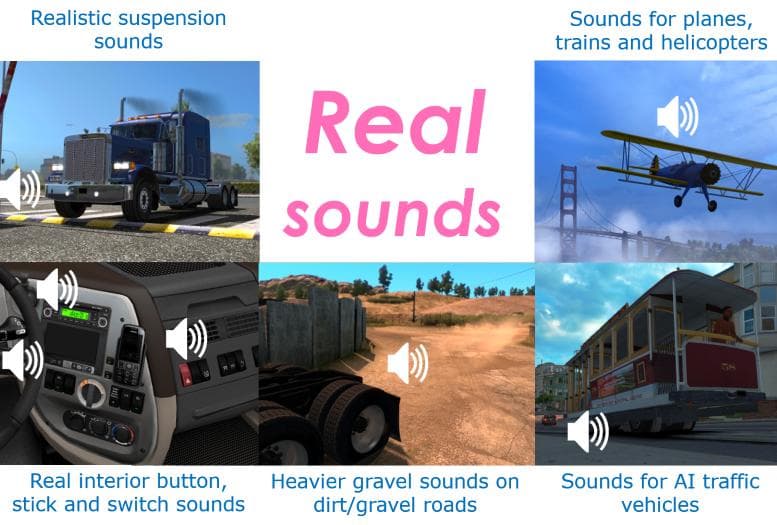
The SOUND FIXES PACK by Euro Truck Simulator 2 enhances in-game sounds for a more immersive experience. Version 12.5 includes reduced volume adjustments for imp
The SOUND FIXES PACK V12.5 is a sound mod for Euro Truck Simulator 2 that focuses on enhancing the game's audio experience by adjusting common sounds to feel more immersive and realistic. This type of mod typically replaces or tweaks engine noises, horn sounds, and other environmental audio cues to create a more engaging atmosphere while driving.
Sound mods like this one generally need to be placed high in the load order, above truck mods or other audio-related modifications, so their changes properly take effect without being overridden. Since sound files are often shared across different trucks and environments, SOUND FIXES PACK V12.5 can complement many existing mods without conflicting as long as the load order is managed carefully.
This pack reduces certain volumes to prevent overly loud effects, which can improve overall balance in the game’s soundscape. Players who use multiple mods involving vehicles or environmental changes might find this useful for maintaining consistent audio levels and avoiding excessive noise that breaks immersion.
Those who appreciate subtle but meaningful tweaks to game audio will likely want to try this mod. It fits well into setups where realism and detail matter, particularly for players who spend hours driving through regions like Germany, France, or Poland and want their auditory experience to match the visual environment.
If you’re looking to refine how sounds behave in ETS2 without completely overhauling them, SOUND FIXES PACK V12.5 offers a practical approach with minimal fuss. Its adjustments make familiar sounds feel fresher and more natural during long hauls across Europe.
How to install
1. Download the .scs file. 2. Drop it into `Documents/Euro Truck Simulator 2/mod/`. 3. Enable in Mod Manager. Sound mods usually need to load **above** truck mods in load order. 4. Restart the game so the audio engine picks up new samples.
After the mod loads, save your game inside a safe area (parking lot or service) before deciding whether to keep it. If the game refuses to load with the mod enabled, check that all required DLCs are installed and that the supported ETS2 version chips on this page include your installed game patch.
Reviews
No ratings yetNo reviews yet — be the first to rate this mod.





