Sound Fixes Pack + Hot Pursuit Sounds v4.0
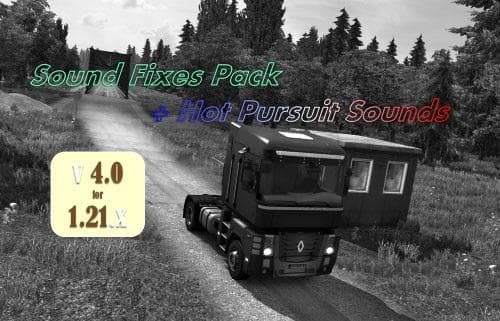
The Sound Fixes Pack + Hot Pursuit Sounds mod version 4.0 by Euro Truck Simulator 2 reduces the sound of passing vehicles and balances out volumes. It also incl
Sound Fixes Pack + Hot Pursuit Sounds v4.0 is a sound mod designed to adjust various audio elements in Euro Truck Simulator 2. This type of mod typically replaces or tweaks engine noises, horn sounds, and environmental effects to offer a different auditory experience while driving. In this particular version, the volume of vehicles passing by has been reduced, and there's a better balance between semi-truck tire noise and trailer axle sounds.
Sound mods like this one usually need to be placed high in the game's load order. That way, they can override the default sounds or any other mods affecting similar audio files, especially truck-specific mods. If you're running multiple sound mods or truck skins with custom sounds, keeping Sound Fixes Pack + Hot Pursuit Sounds near the top ensures its changes take effect properly without conflicts.
This mod fits well into modded setups where realism or immersion through sound is a priority. Adjusting subtle details like tire and axle noises can make long hauls feel more authentic for players who spend hours behind the wheel in ETS2. It's also useful for those who want less distracting background noise from passing traffic, which helps focus on their own vehicle's dynamics.
Because the creator and exact supported game versions aren't specified here, it's wise to test compatibility carefully after updating ETS2. Sound mods sometimes require updates to match new game patches due to changes in audio file structures or naming conventions. Players should back up their original files before installing.
Drivers who appreciate fine-tuned audio effects will find this mod interesting. Whether you prefer quieter surroundings for better concentration or just want your truck's mechanical sounds balanced more realistically, Sound Fixes Pack + Hot Pursuit Sounds v4.0 offers thoughtful tweaks that enhance the overall driving atmosphere.
How to install
1. Download the .scs file. 2. Drop it into `Documents/Euro Truck Simulator 2/mod/`. 3. Enable in Mod Manager. Sound mods usually need to load **above** truck mods in load order. 4. Restart the game so the audio engine picks up new samples.
After the mod loads, save your game inside a safe area (parking lot or service) before deciding whether to keep it. If the game refuses to load with the mod enabled, check that all required DLCs are installed and that the supported ETS2 version chips on this page include your installed game patch.
Reviews
No ratings yetNo reviews yet — be the first to rate this mod.





