SNOWY SKIN FOR SCANIA RJL
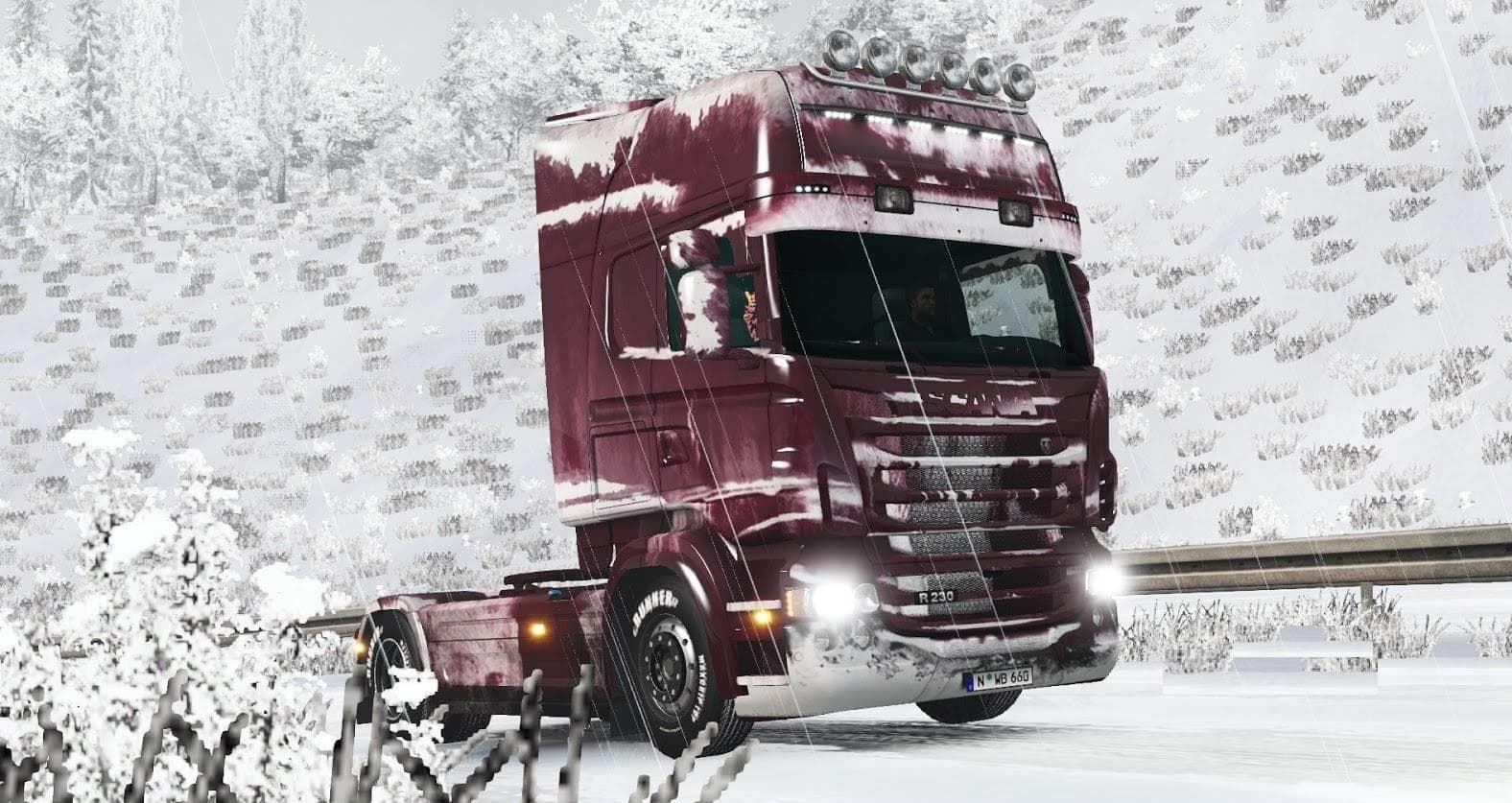
This skin mod is designed for the Scania RJL truck in Euro Truck Simulator 2. It includes a mod manager with manifest files and credits EviL and Stagg for its c
The SNOWY SKIN FOR SCANIA RJL is a paint job designed specifically for the Scania RJL truck in Euro Truck Simulator 2. It gives the vehicle a winter-themed appearance without altering its original model or performance. Skin mods like this one are applied directly in the game's paint shop, allowing players to customize their trucks visually while keeping the base vehicle intact.
Skin mods generally don't interfere with gameplay mechanics but focus on changing how your truck looks. This particular skin adds a snowy vibe, which might suit players who enjoy driving through colder, wintry regions or simply want their rig to stand out with a unique design. Since it doesn't change the truck's stats or add new parts, it's compatible with other mods that modify functionality or add new cargo and maps.
When integrating skin mods into a modded setup, it's worth remembering they load according to their position in the mod manager. Usually, skins should be placed after any model-changing mods affecting the same vehicle to ensure they apply correctly. If multiple skins target the same truck, only one can be active at a time since they overwrite each other’s textures.
This mod comes ready for use with mod managers supporting manifest files, making installation straightforward. Because skins depend on the base game version and specific truck models, always make sure your ETS2 version supports your chosen mods to avoid conflicts or crashes.
Players who prefer customizing their fleet's look will appreciate this skin as it adds seasonal atmosphere without complicating gameplay. It's particularly fitting for those running routes across snowy regions in games set in places like Sweden or Norway where such visuals enhance immersion.
Overall, SNOWY SKIN FOR SCANIA RJL fits nicely into any mod collection focused on visual variety and personalizing trucks. It’s an easy way to refresh your Scania RJL’s exterior for those long hauls during virtual winter drives.
How to install
1. Download the .scs file. 2. Drop it into `Documents/Euro Truck Simulator 2/mod/`. 3. Enable in Mod Manager. 4. Apply the skin in the truck/trailer paint shop.
After the mod loads, save your game inside a safe area (parking lot or service) before deciding whether to keep it. If the game refuses to load with the mod enabled, check that all required DLCs are installed and that the supported ETS2 version chips on this page include your installed game patch.
Reviews
No ratings yetNo reviews yet — be the first to rate this mod.





