Skin Pack|Psychedelic
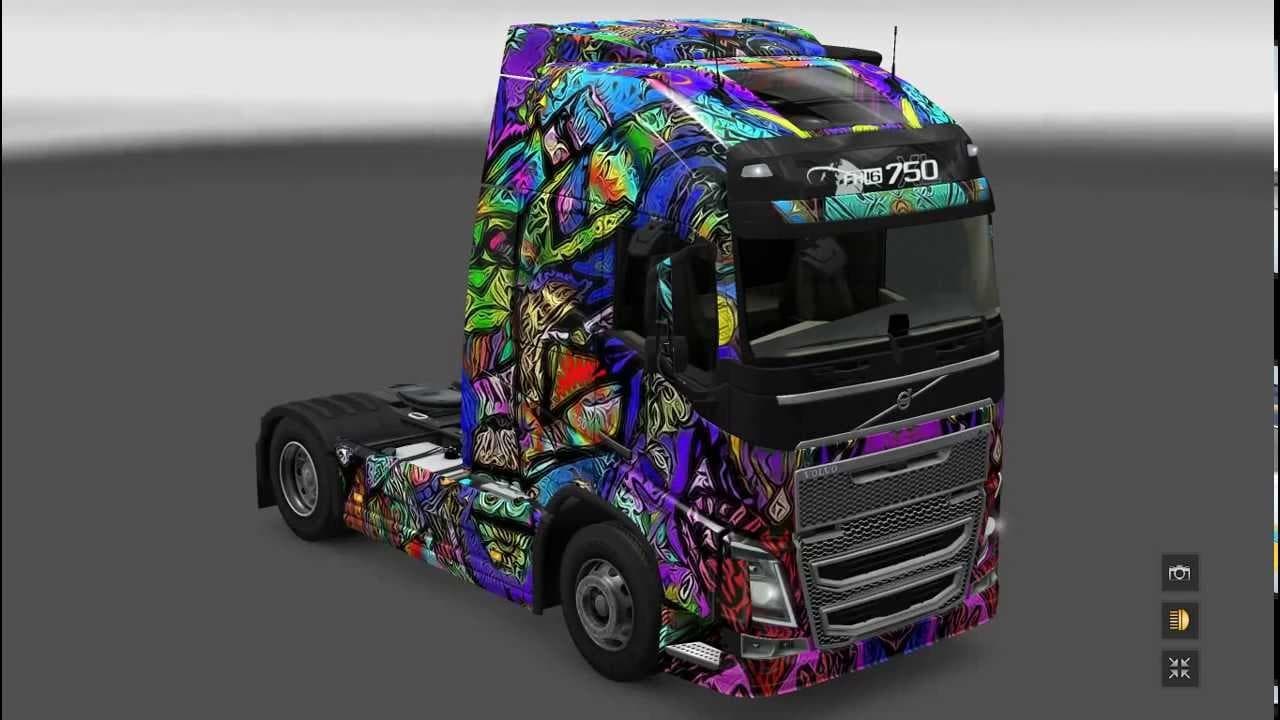
Skin Pack|Psychedelic - ETS2 mods download is an ETS2 skins.
The Skin Pack|Psychedelic mod offers a collection of vibrant and colorful skins designed for a range of popular truck models in Euro Truck Simulator 2. It covers various trucks including the Daf XF series, Iveco Hi-way and Stralis, Man TGX, Mercedes Actros, Renault Magnum and Premium, as well as several Scania models like the R 2009, Streamline, and R 2008. These skins repaint the exterior without altering any truck models or mechanics.
Skin mods like this one work by applying new paint jobs through the in-game paint shop, which means they rely on compatible base vehicles to function correctly. They don't add new trucks or parts but give your existing fleet a fresh look. Since these are purely visual changes, they tend to be lightweight and easy to install compared to larger vehicle mods.
In a modded setup, this pack can fit nicely alongside other cosmetic mods or gameplay enhancements without causing conflicts. It's generally advisable to load skin mods after any vehicle model mods so that the textures apply properly over the latest truck versions you have installed. Compatibility is usually straightforward with skin packs since they don't modify game files beyond textures.
Players who enjoy customizing their rigs visually will find this pack appealing if they're looking for something bold and unconventional rather than factory-standard colors. It adds personality and flair to your trucks on long hauls across various ETS2 maps.
Since no specific version information is provided for either the mod or supported ETS2 versions, users should check compatibility carefully before installing and consider backing up their profiles. Testing in a controlled environment is always recommended when adding multiple skins or vehicle mods.
Overall, this mod suits players wanting an eclectic set of colorful options for some of the most commonly driven trucks in ETS2 without affecting gameplay mechanics or performance.
How to install
1. Download the .scs file. 2. Drop it into `Documents/Euro Truck Simulator 2/mod/`. 3. Enable in Mod Manager. 4. Apply the skin in the truck/trailer paint shop.
After the mod loads, save your game inside a safe area (parking lot or service) before deciding whether to keep it. If the game refuses to load with the mod enabled, check that all required DLCs are installed and that the supported ETS2 version chips on this page include your installed game patch.
Reviews
No ratings yetNo reviews yet — be the first to rate this mod.





