SKIN MALMBERGS CIRCLE FRAMES FOR SCANIA RS RJL
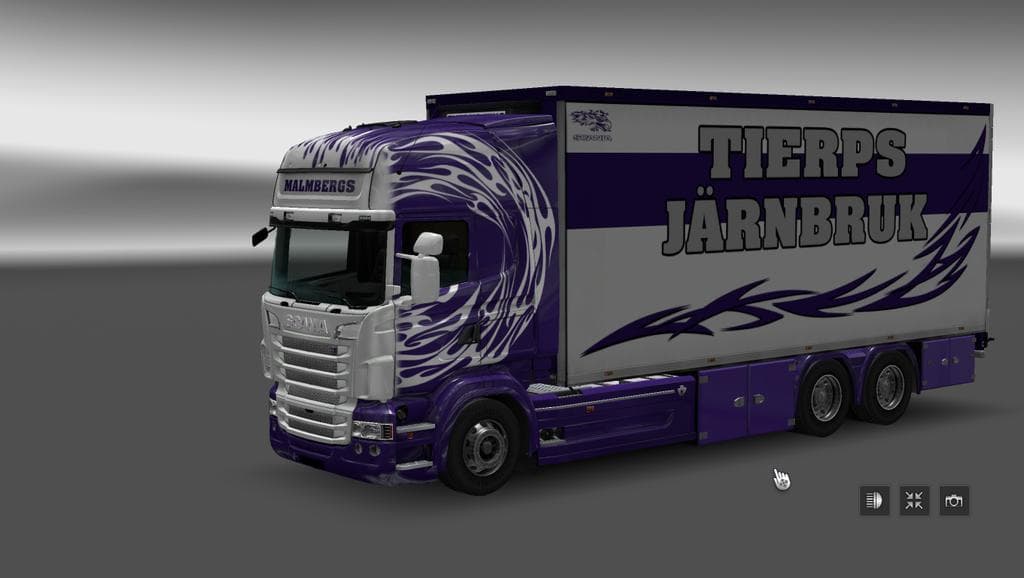
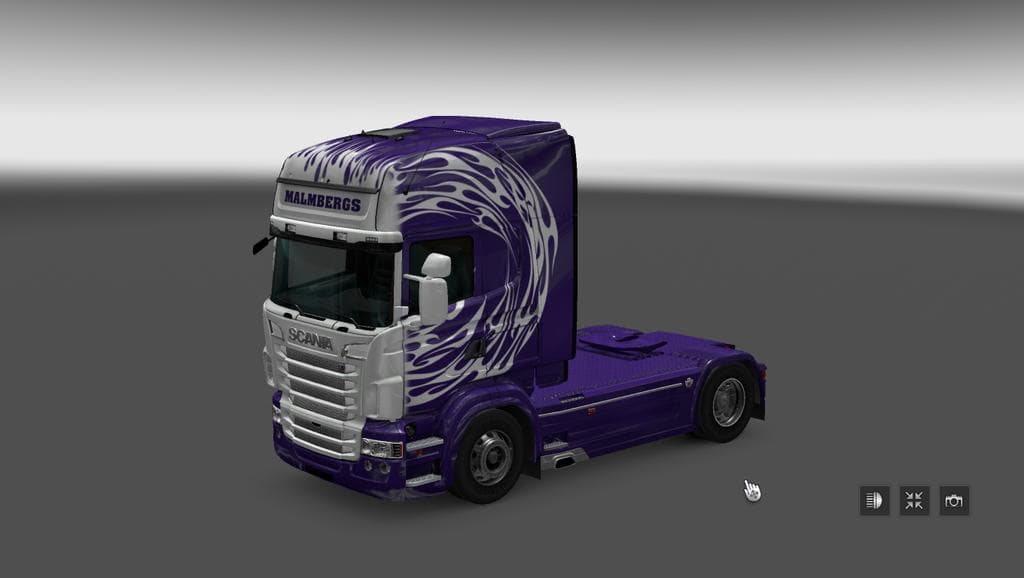
This skin mod "SKIN MALMBERGS CIRCLE FRAMES FOR SCANIA RS RJL" adds a unique design to Scania RS RJL trucks. It is compatible with both the standard Scania RS R
This mod offers a new skin called Malmbergs Circle Frames designed for the Scania RS RJL trucks, including both the standard and tandem versions. It changes the appearance of these models without altering their base structure, so you still get the original truck’s features but with a fresh paint job. Skins like this one are applied through the in-game paint shop, making it easy to customize your rig without touching any core files.
Skin mods generally focus on repainting and cosmetic tweaks rather than gameplay or mechanical changes. That means they're compatible with most other mods as long as they don't modify the same vehicle in conflicting ways. Since this is made specifically for Scania RS RJL models, it fits nicely into setups where that truck is already part of your collection or mod lineup.
In terms of load order, skin mods usually go after model or tuning mods to ensure textures display correctly. Conflicts can arise if multiple skins target the exact same truck variant, so it's wise to keep track of which skins you activate at once. This particular skin comes packaged with support for both single and tandem Scania RS RJL trucks, broadening its usability if you run either type.
Players who enjoy personalizing their vehicles will find this mod useful. It’s a straightforward way to add some individuality to your Scania RS RJL without needing complex installation steps or risking compatibility issues with other non-visual mods. If you like to switch up your truck’s look regularly, skins like this can refresh the driving experience.
While details about file size, creator, or supported ETS2 versions aren't available here, installing skins generally involves placing them into your mod folder and enabling them in-game. Just make sure you're running a compatible version of ETS2 that supports the Scania RS RJL model mods to avoid any issues.
How to install
1. Download the .scs file. 2. Drop it into `Documents/Euro Truck Simulator 2/mod/`. 3. Enable in Mod Manager. 4. Apply the skin in the truck/trailer paint shop.
After the mod loads, save your game inside a safe area (parking lot or service) before deciding whether to keep it. If the game refuses to load with the mod enabled, check that all required DLCs are installed and that the supported ETS2 version chips on this page include your installed game patch.
Reviews
No ratings yetNo reviews yet — be the first to rate this mod.





