SEAT ICONS IN COLOR
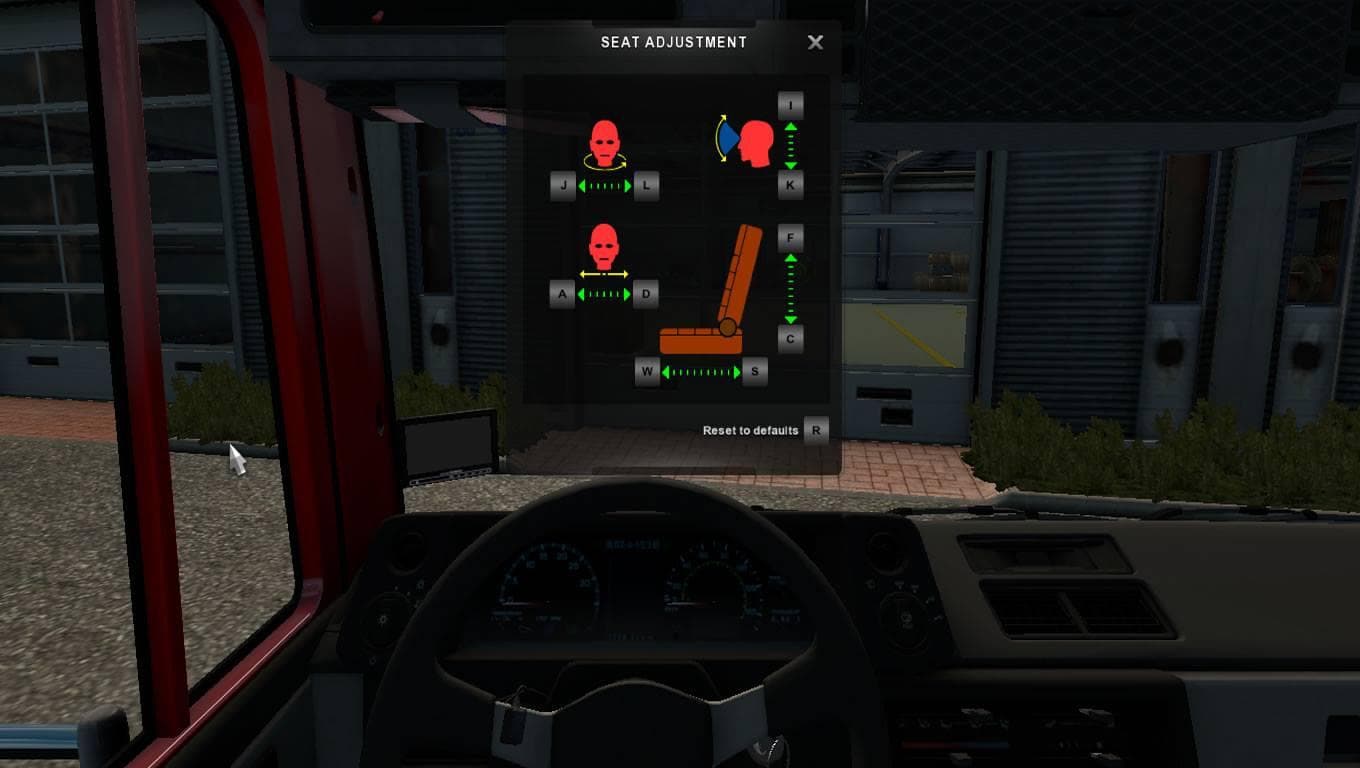
SEAT ICONS IN COLOR is a skin mod designed for Euro Truck Simulator 2, specifically compatible with version 1.19.x. This type of mod changes the visual appearance of certain truck elements without altering the underlying model. In this case, it adds color to seat icons, giving a fresh look to components that are usually standard or monochrome in the base game.
Skin mods like this one are applied through the in-game paint shop and rely on the base vehicle they were created for. They don't modify gameplay or physics but enhance immersion by providing visual variety. SEAT ICONS IN COLOR fits well within a modded setup that focuses on customization and personalization of trucks.
When using skin mods, it's important to consider load order and compatibility. Since these mods only repaint existing models, conflicts rarely occur unless multiple skins target the same vehicle simultaneously. Placing SEAT ICONS IN COLOR after other skin mods ensures its color changes appear correctly if there's any overlap.
This mod appeals mainly to players who enjoy tweaking their truck's appearance beyond factory settings. Those who run several visual mods will appreciate subtle details like colored seat icons that add character without overwhelming other customizations.
How to install
1. Download the .scs file. 2. Drop it into `Documents/Euro Truck Simulator 2/mod/`. 3. Enable in Mod Manager. 4. Apply the skin in the truck/trailer paint shop.
After the mod loads, save your game inside a safe area (parking lot or service) before deciding whether to keep it. If the game refuses to load with the mod enabled, check that all required DLCs are installed and that the supported ETS2 version chips on this page include your installed game patch.
Reviews
No ratings yetNo reviews yet — be the first to rate this mod.





