Scania V8 sound by Kriechbaum fixed for Scania RJL
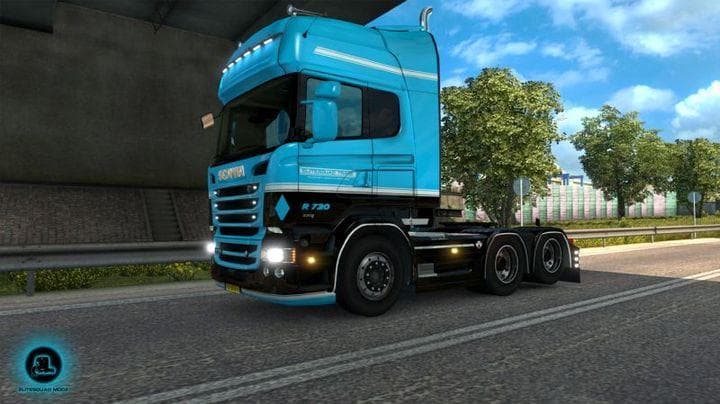
Scania V8 sound by Kriechbaum fixed for Scania RJL - ETS2 mods download is an ETS2 sounds.
This mod updates the engine sound for the Scania RJL truck in Euro Truck Simulator 2 by applying a corrected version of the Scania V8 audio originally made by Kriechbaum. It focuses solely on the sound aspect, replacing the default engine noises to better capture the character of a V8 power unit. Drivers who appreciate authentic and immersive truck sounds will find this mod interesting.
Sound mods like this one typically overhaul specific audio elements such as engine roars, horn tones, or ambient noises. They enhance immersion by delivering more realistic or customized sound profiles for trucks. Since they modify core audio files, these mods are generally placed high in the load order so that their changes take precedence over other truck mods affecting sounds.
It's important to disable this particular mod before entering the truck customization menu for the Scania RJL, as leaving it enabled can cause crashes during vehicle tuning. This kind of precaution is common with sound mods that hook into specific vehicle files. Users should keep track of load order and compatibility especially if they use multiple mods altering similar aspects of trucks.
For players running a heavily modded ETS2 setup centered around Swedish trucks, this mod can add an extra layer of authenticity to their driving experience. If you prefer your virtual rig to sound closer to real-life V8 engines instead of stock game sounds, this fix makes sense to include. Just remember to toggle it off when making cosmetic or configuration changes to avoid issues.
In sum, this is a niche but useful sound replacement for anyone focused on enhancing their Scania RJL's auditory presence in-game. It fits neatly into setups where audio realism matters and where users pay attention to proper mod management practices such as correct load order and temporary disabling during customization.
How to install
1. Download the .scs file. 2. Drop it into `Documents/Euro Truck Simulator 2/mod/`. 3. Enable in Mod Manager. Sound mods usually need to load **above** truck mods in load order. 4. Restart the game so the audio engine picks up new samples.
After the mod loads, save your game inside a safe area (parking lot or service) before deciding whether to keep it. If the game refuses to load with the mod enabled, check that all required DLCs are installed and that the supported ETS2 version chips on this page include your installed game patch.
Reviews
No ratings yetNo reviews yet — be the first to rate this mod.





