SCANIA T SAYANS SKIN PACK 1.19.X
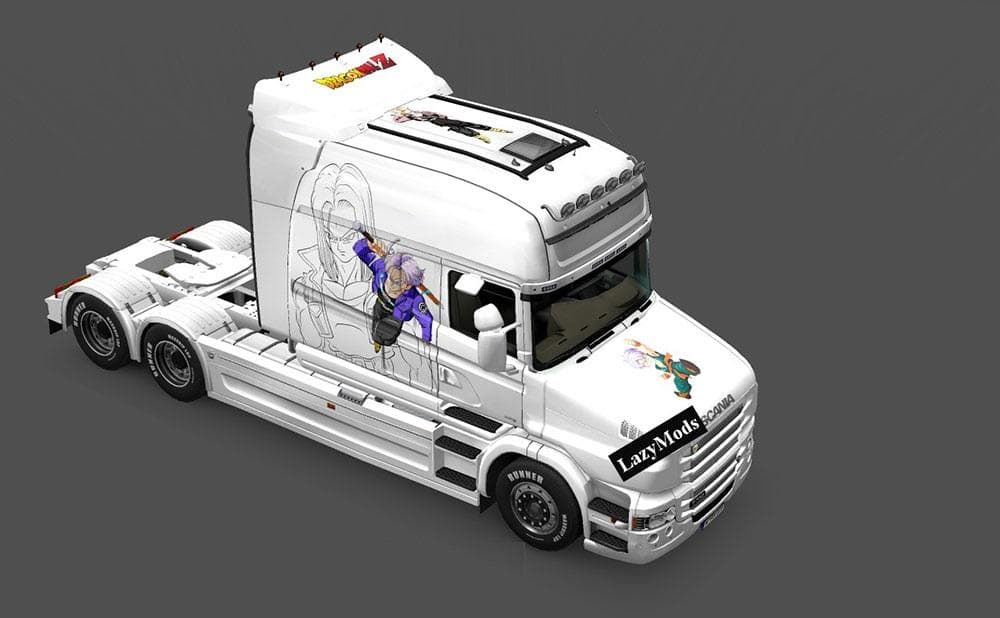
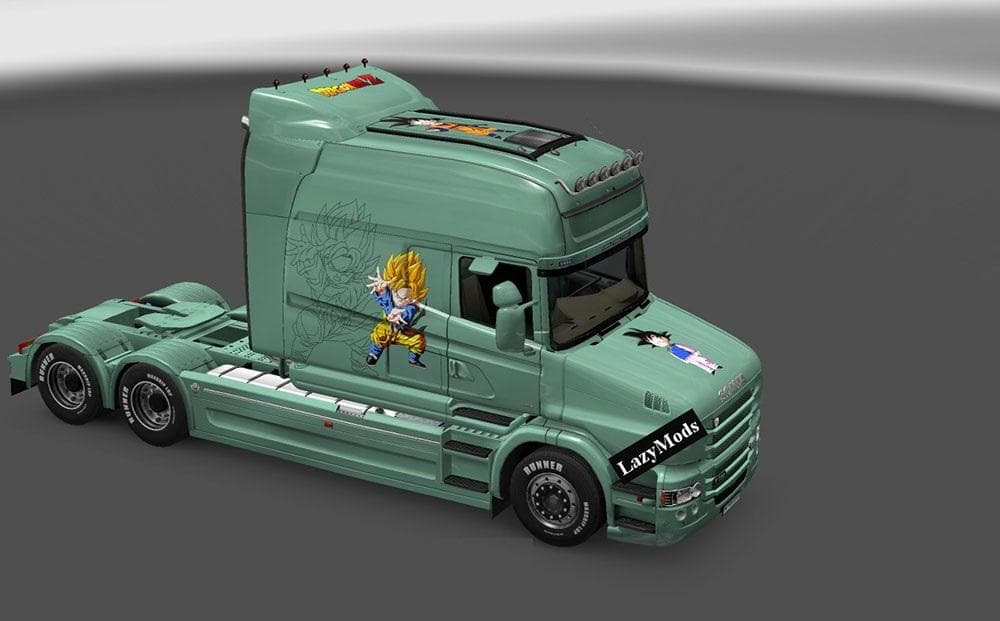
The SCANIA T SAYANS SKIN PACK 1.19.X is a collection of seven distinctive paint jobs for the Scania T truck model, each themed around well-known characters like Goku, Gohan, Vegeta, and Broly. This type of mod doesn’t alter the truck’s shape or performance but changes its appearance by applying custom designs in the paint shop. Skins like these let you personalize your vehicle without affecting other game elements.
Skin mods in Euro Truck Simulator 2 work by repainting existing models, so they require the base vehicle to be present and compatible with the game version—in this case, ETS2 version 1.19. Since this pack targets the Scania T specifically, it fits well into any setup that includes this truck. Users should make sure their game is updated accordingly to avoid conflicts or issues with loading textures.
When running multiple skin mods or other visual modifications, load order generally matters little for skins themselves as long as they don’t overwrite each other’s files. It’s a good practice to keep similar mods grouped and activate them carefully within the mod manager to prevent unintended overlaps or missing textures.
This skin pack suits players who enjoy adding character-inspired artwork to their trucks, especially fans of the featured themes. It’s an easy way to bring some personality to your fleet without altering gameplay mechanics or performance factors. Since it’s tested on version 1.19, compatibility with that release is ensured but newer updates may require checking for updates or fixes.
Incorporating themed skins into a modded profile can enhance visual variety on European roads or roleplay scenarios where distinct truck appearances add flavor. Players who prefer cosmetic changes over mechanical tweaks will appreciate how these skins offer fresh looks while maintaining full game stability.
How to install
1. Download the .scs file. 2. Drop it into `Documents/Euro Truck Simulator 2/mod/`. 3. Enable in Mod Manager. 4. Apply the skin in the truck/trailer paint shop.
After the mod loads, save your game inside a safe area (parking lot or service) before deciding whether to keep it. If the game refuses to load with the mod enabled, check that all required DLCs are installed and that the supported ETS2 version chips on this page include your installed game patch.
Reviews
No ratings yetNo reviews yet — be the first to rate this mod.





