SCANIA RJL V8 ORANGE SKIN
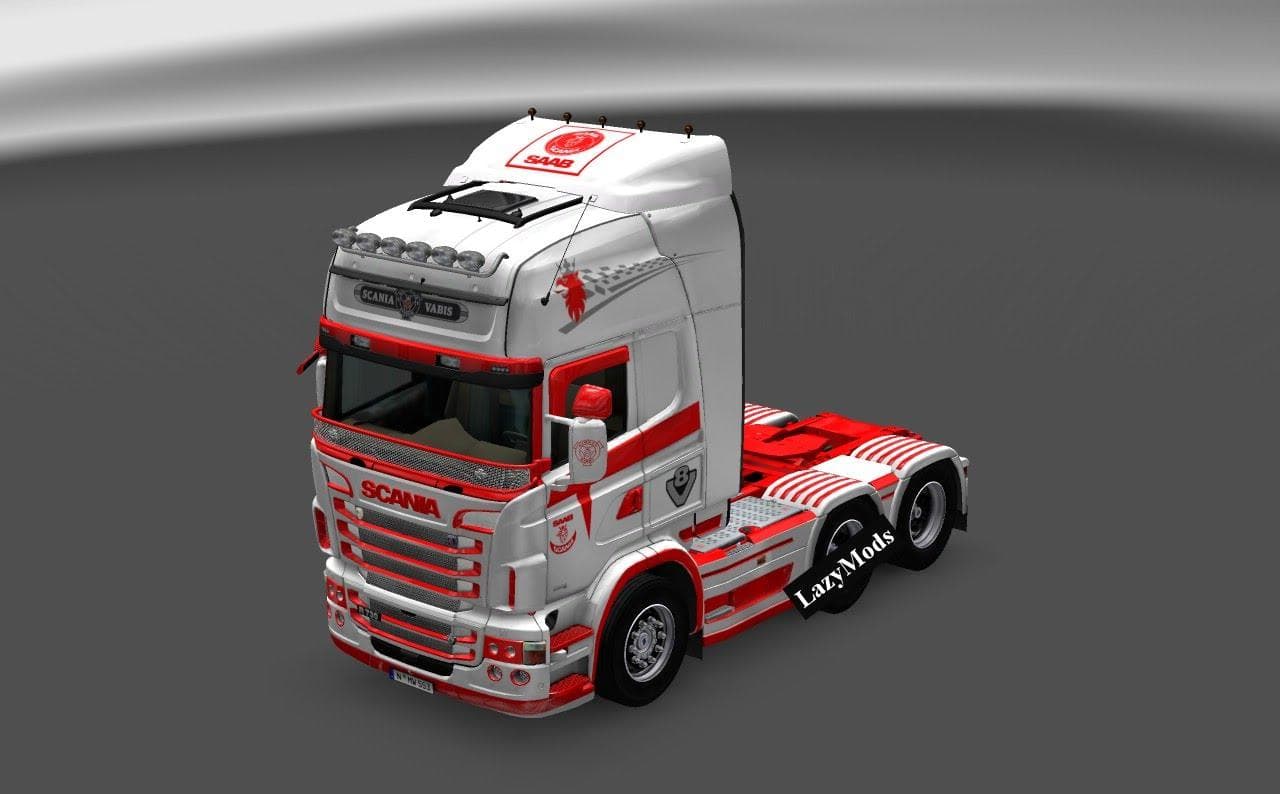
The SCANIA RJL V8 ORANGE SKIN mod offers a fresh paint job specifically designed for the Scania RJL Topline cab in Euro Truck Simulator 2. This type of mod doesn't alter the truck's structure or performance but instead changes its appearance by applying a new color scheme or design. You pick it up in the game's paint shop, where it replaces the standard look with this distinctive orange finish.
Skin mods like this one are popular because they let players personalize their trucks without affecting gameplay mechanics. Since it's tailored to the Scania RJL Topline model, it won't work on other trucks or cabins, so make sure your setup includes this base vehicle. Installing skins is usually straightforward; just drop them into your mods folder and activate them through the game menu.
When building a modded setup, skins generally have no conflicts with other types of mods such as maps or AI traffic. However, if you use multiple skin mods for the same truck, only one can be active at a time to avoid issues. Load order tends not to be critical here, but it's wise to keep things organized to prevent confusion.
Players who enjoy customizing their fleet with unique looks will find this orange skin adds personality without complexity. It's an easy way to stand out on the roads across ETS2's many regions, whether you're exploring places like Germany, France, or Spain. If you prefer visual tweaks over gameplay changes, skin mods like this fit neatly into your collection.
How to install
1. Download the .scs file. 2. Drop it into `Documents/Euro Truck Simulator 2/mod/`. 3. Enable in Mod Manager. 4. Apply the skin in the truck/trailer paint shop.
After the mod loads, save your game inside a safe area (parking lot or service) before deciding whether to keep it. If the game refuses to load with the mod enabled, check that all required DLCs are installed and that the supported ETS2 version chips on this page include your installed game patch.
Reviews
No ratings yetNo reviews yet — be the first to rate this mod.





