Scania RJL S.Verbeek Skin v1.0
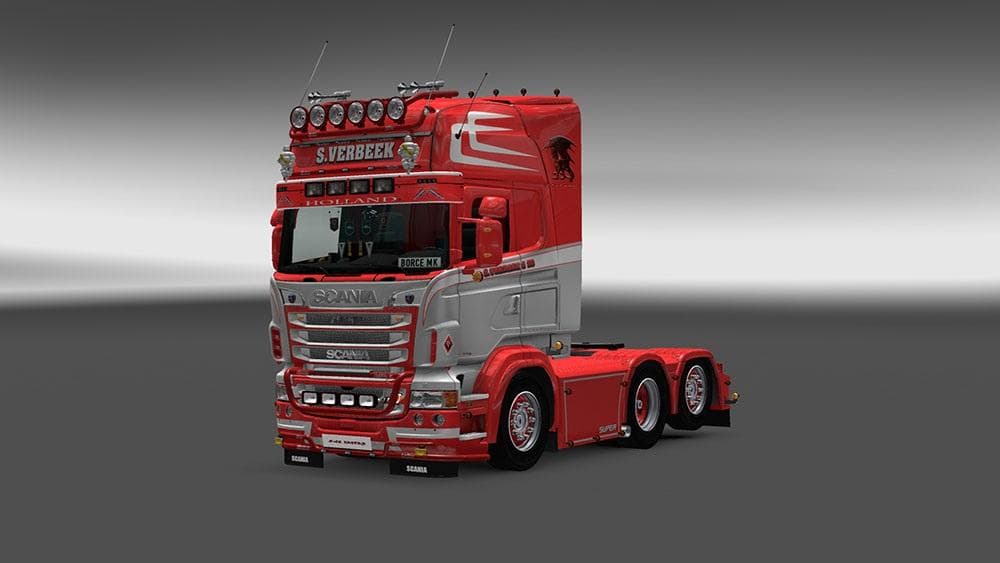
This skin mod for Scania RJL trucks is compatible with ETS2 versions 1.0, 1.4, 1.18, 1.19, 1.20, and 1.2. Created by Euro Truck Simulator 2, it has been tested
The Scania RJL S.Verbeek Skin v1.0 is a repaint mod designed specifically for the Scania RJL truck model in Euro Truck Simulator 2. This type of mod doesn't change the truck's physical shape or mechanics; instead, it offers a new visual design that can be applied through the game's paint shop. It relies on the base vehicle and simply overlays a fresh look, giving players a way to personalize their truck without affecting gameplay.
Skin mods like this one are popular among ETS2 players who enjoy customizing their fleet's appearance. Since it only modifies the truck’s texture, installation usually involves placing files in the correct mod folder and enabling them in-game. These skins typically work alongside other mods that alter performance or add new trucks, as long as they target different aspects of the game.
Compatibility with various ETS2 versions is an important consideration, and this skin supports versions ranging from 1.0 up to 1.20 and beyond. Players should ensure that the skin load order places it after any mods affecting the same vehicle textures to avoid conflicts or overwriting issues. Because it’s made for Scania RJL, it won’t function properly with other truck models.
This mod suits players who want to refresh their Scania RJL trucks’ appearance without switching to a completely different model or adding extra features. It's useful for those building a visually diverse garage or looking to add more variety to long hauls across European regions like Germany, France, or Spain.
Overall, if you’re running a modded setup centered around Scania trucks and prefer subtle cosmetic changes over mechanical ones, this skin fits neatly into your collection. It’s straightforward to use and adds another option for personalizing your driving experience in ETS2.
How to install
1. Download the .scs file. 2. Drop it into `Documents/Euro Truck Simulator 2/mod/`. 3. Enable in Mod Manager. 4. Apply the skin in the truck/trailer paint shop.
After the mod loads, save your game inside a safe area (parking lot or service) before deciding whether to keep it. If the game refuses to load with the mod enabled, check that all required DLCs are installed and that the supported ETS2 version chips on this page include your installed game patch.
Reviews
No ratings yetNo reviews yet — be the first to rate this mod.





