SCANIA R PRIMARY BLUE V1.1
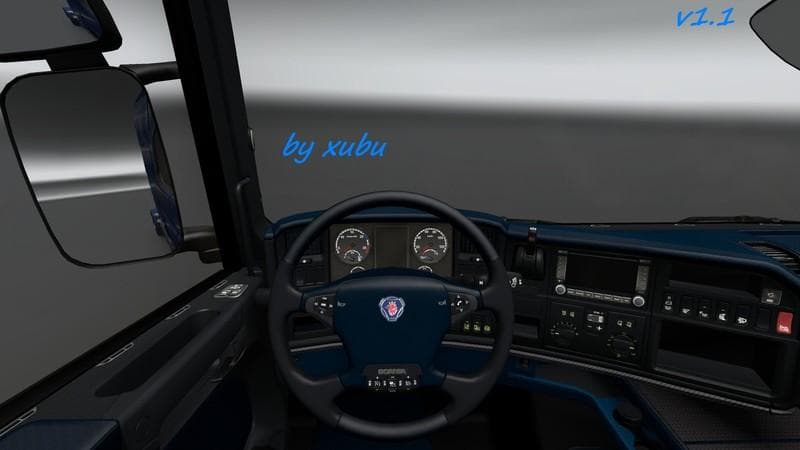
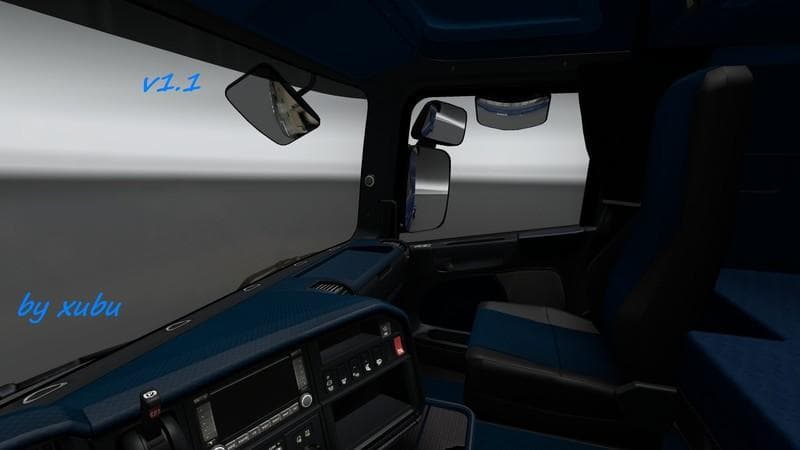
This mod is SCANIA R PRIMARY BLUE skin for Euro Truck Simulator 2, version 1.1. It features carbon elements and improved mod manager display.
The SCANIA R PRIMARY BLUE V1.1 is a skin mod designed for the Scania R truck in Euro Truck Simulator 2. It refreshes the truck's interior with a blue theme and includes new carbon elements, giving the cabin a slightly different look without altering the base model itself. This kind of mod works by repainting the existing vehicle textures through the in-game paint shop, so it relies on having the original Scania R truck installed.
Skin mods like this one provide a way to customize your trucks without adding new models or complex files. Since they only change textures, they tend to be lightweight and easy to manage within your mod collection. This particular version shows updates such as images and descriptions appearing correctly in the mod manager, which helps with identification during gameplay.
In a modded setup, skins usually come after any model or tuning mods in the load order to ensure their textures apply properly. Conflicts are rare unless multiple skins target the same base vehicle, so it's advisable to avoid loading more than one skin for your Scania R at once. This keeps things straightforward and prevents texture glitches.
Players who prefer some variety in their truck's appearance might find this blue interior appealing. It's subtle but adds personality compared to stock options, especially if you enjoy tweaking visuals while maintaining compatibility with other mods like trailers or map expansions.
Since it supports ETS2 version 1.1, it’s tailored for that game iteration but might still work on newer versions depending on changes made by SCS Software. As always with skin mods, backing up your profiles before installing is wise when using older mod versions.
This skin fits well if you like keeping your garage looking consistent yet distinct across different vehicles. It’s not about adding new features but about personalizing what you already have within ETS2’s existing framework.
How to install
1. Download the .scs file. 2. Drop it into `Documents/Euro Truck Simulator 2/mod/`. 3. Enable in Mod Manager. 4. Apply the skin in the truck/trailer paint shop.
After the mod loads, save your game inside a safe area (parking lot or service) before deciding whether to keep it. If the game refuses to load with the mod enabled, check that all required DLCs are installed and that the supported ETS2 version chips on this page include your installed game patch.
Reviews
No ratings yetNo reviews yet — be the first to rate this mod.





