SCANIA R LADA SKIN 1.22.X
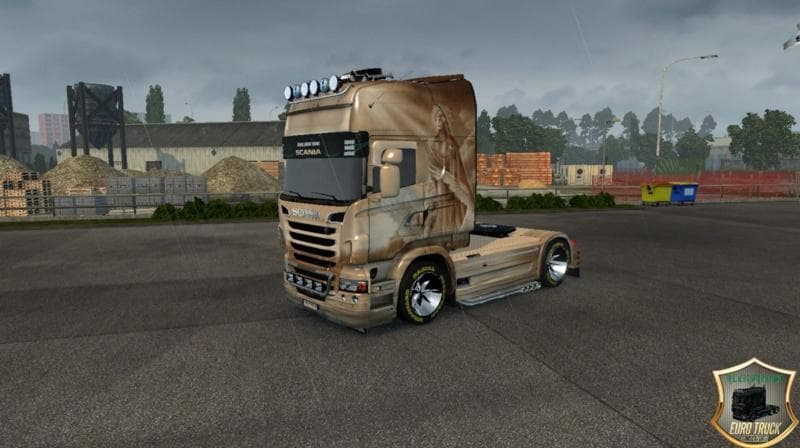
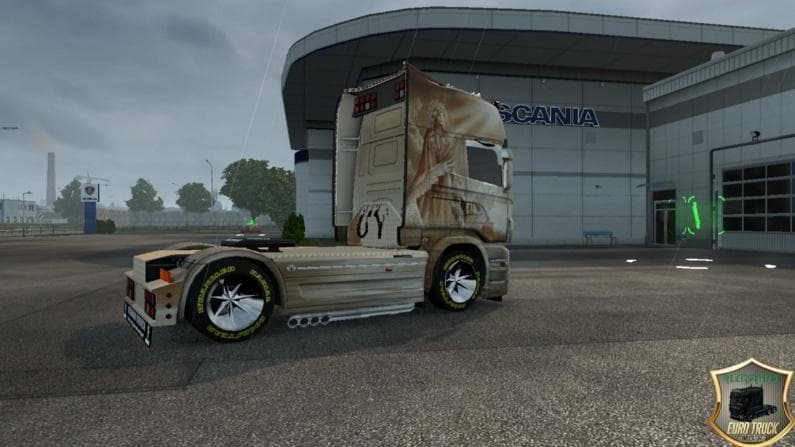
This mod adds a "Lada" skin for the Scania R truck in Euro Truck Simulator 2 version 1.22. Created by Euro truck simulator 2, the file size is 5.4 MB and can be
The SCANIA R LADA SKIN 1.22.X is a repaint mod designed for the Scania R truck in Euro Truck Simulator 2, compatible with game version 1.22. This skin changes the truck's exterior appearance without modifying the model itself, allowing you to give your vehicle a fresh look while keeping its original features intact. Such skin mods are typically applied through the in-game paint shop, which means you can switch between different skins if you have more than one installed for the same truck.
Skin mods like this one focus on visual customization rather than gameplay changes or new vehicles. They depend heavily on the base vehicle they were made for—in this case, the Scania R—so they won't work with other trucks or trailers. When adding skins to your mod setup, it's common practice to place them after any major truck model mods in your load order to ensure compatibility and proper functioning.
This particular skin would fit well into a modded ETS2 setup where users enjoy personalizing their fleet with unique designs. Since it’s a simple texture replacement, it usually won’t cause conflicts with map mods or gameplay tweaks but always keep an eye on your load order if you use multiple paint jobs or related addons.
Drivers who appreciate customizing their trucks' looks without altering performance might find this repaint appealing. Whether you're running long hauls across Europe or just cruising around in your virtual garage, changing up your Scania's appearance can add some variety to daily drives.
Because it's focused solely on aesthetics and designed for a specific game version and truck model, make sure your ETS2 version matches before installing. Skins like this help keep the visual experience fresh without complicating your overall mod collection.
How to install
1. Download the .scs file. 2. Drop it into `Documents/Euro Truck Simulator 2/mod/`. 3. Enable in Mod Manager. 4. Apply the skin in the truck/trailer paint shop.
After the mod loads, save your game inside a safe area (parking lot or service) before deciding whether to keep it. If the game refuses to load with the mod enabled, check that all required DLCs are installed and that the supported ETS2 version chips on this page include your installed game patch.
Reviews
No ratings yetNo reviews yet — be the first to rate this mod.





