SCANIA L6 SOUND REWORKED
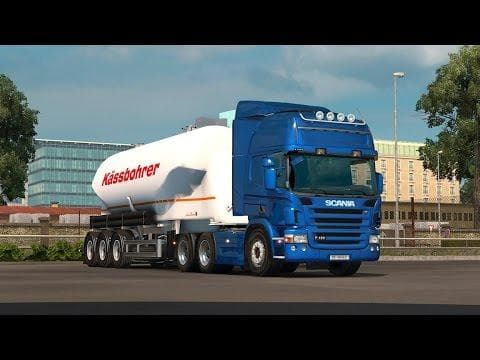
The SCANIA L6 SOUND REWORKED mod by Euro Truck Simulator 2 offers reworked straight 6 scania sounds for engines up to 490hps. This sound mod is compatible with
This mod offers a reworked sound pack specifically for the straight six Scania engines, covering power outputs up to 490 horsepower. It targets the engine audio experience, altering how these trucks sound when you're behind the wheel in Euro Truck Simulator 2. Mods like this focus on replacing or enhancing the existing engine sounds to bring a different auditory feel that some players might prefer over the default game audio.
Sound mods generally sit high in your mod load order because they need to override truck-specific sounds effectively. Since this one is designed for version 1.22 of ETS2, it's aimed at users running that particular game version or compatible ones. Players often combine sound mods with various truck or map mods to enrich their gameplay atmosphere without conflicts, so placing this mod above truck mods is a good practice.
In a modded setup, sound mods such as this one usually don't interfere with visual or map changes but could clash with other sound packs targeting similar engine types. It's wise to check compatibility if you use multiple sound-related mods and adjust your load order accordingly to ensure the reworked Scania sounds come through clearly.
Enthusiasts who enjoy fine-tuning their trucking experience will appreciate how this mod adjusts the classic Scania L6 engine sounds. It suits those who want more variety or a slightly different tone than what the base game offers for these engines. Whether you drive across Germany, France, or Spain, having authentic-sounding engines can add an extra layer of immersion.
While details like file size and creator remain unknown, the focus here is purely on auditory enhancement for specific Scania trucks within ETS2's 1.22 version environment. If you’re aiming to customize your truck’s sound profile without changing its appearance or performance parameters, mods like this serve that purpose well.
How to install
1. Download the .scs file. 2. Drop it into `Documents/Euro Truck Simulator 2/mod/`. 3. Enable in Mod Manager. Sound mods usually need to load **above** truck mods in load order. 4. Restart the game so the audio engine picks up new samples.
After the mod loads, save your game inside a safe area (parking lot or service) before deciding whether to keep it. If the game refuses to load with the mod enabled, check that all required DLCs are installed and that the supported ETS2 version chips on this page include your installed game patch.
Reviews
No ratings yetNo reviews yet — be the first to rate this mod.





