SAMSUNG GALAXY S6 INTERIOR ADDON
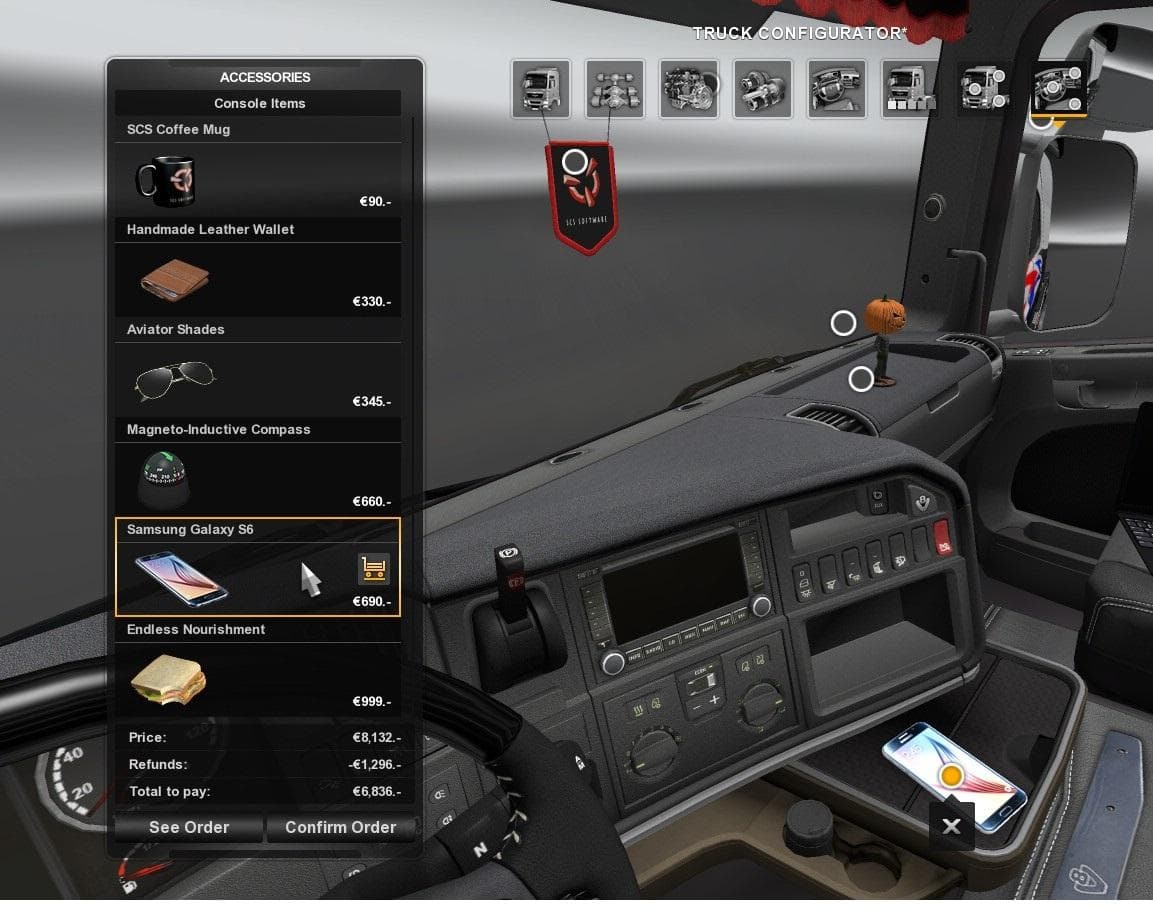
The "SAMSUNG GALAXY S6 INTERIOR ADDON" mod for Euro Truck Simulator 2 adds a Samsung Galaxy S6 to replace the in-game "Typhoone" phone. This mod includes a new
The SAMSUNG GALAXY S6 INTERIOR ADDON modifies the in-cabin phone model by swapping out the default device with a Samsung Galaxy S6. It changes the phone's texture, store icon, and price to reflect this update. Mods like this one typically enhance immersion by updating small visual details inside the truck's cabin that players see frequently during gameplay.
Interior mods such as this rely on the base game’s cabin system and are loaded through the in-game Mod Manager. Since it replaces an existing phone texture, it usually requires no additional dependencies but should be loaded after any other mods that affect cabin interiors or phones to prevent conflicts. This type of mod fits well into setups focused on personalizing your driving experience with subtle but noticeable cosmetic changes.
Compatibility is generally straightforward for these mods because they target a specific interior asset. However, if you use other interior or phone replacement mods, you might want to check load order or disable conflicting ones to avoid overlapping textures or icons. They rarely affect gameplay mechanics or cause crashes since they only change visuals inside the cabin.
This addon appeals to players who enjoy customizing every detail of their truck’s environment and want their in-cabin devices to look more familiar or realistic. If you often find yourself looking at your truck’s dashboard and want a fresh take on the phone design, this mod offers a simple yet effective change.
Overall, if your mod setup includes various cabin customizations or you're a fan of tech-themed interior touches, replacing the generic phone with a recognizable model like the Samsung Galaxy S6 can add a bit more personality to your ETS2 sessions.
How to install
1. Download the file(s) from the original source linked above. 2. Drop them into `Documents/Euro Truck Simulator 2/mod/`. 3. Enable in Mod Manager and restart the game.
After the mod loads, save your game inside a safe area (parking lot or service) before deciding whether to keep it. If the game refuses to load with the mod enabled, check that all required DLCs are installed and that the supported ETS2 version chips on this page include your installed game patch.
Reviews
No ratings yetNo reviews yet — be the first to rate this mod.





