RJLs Scania R interior/Exterior Rework BETA
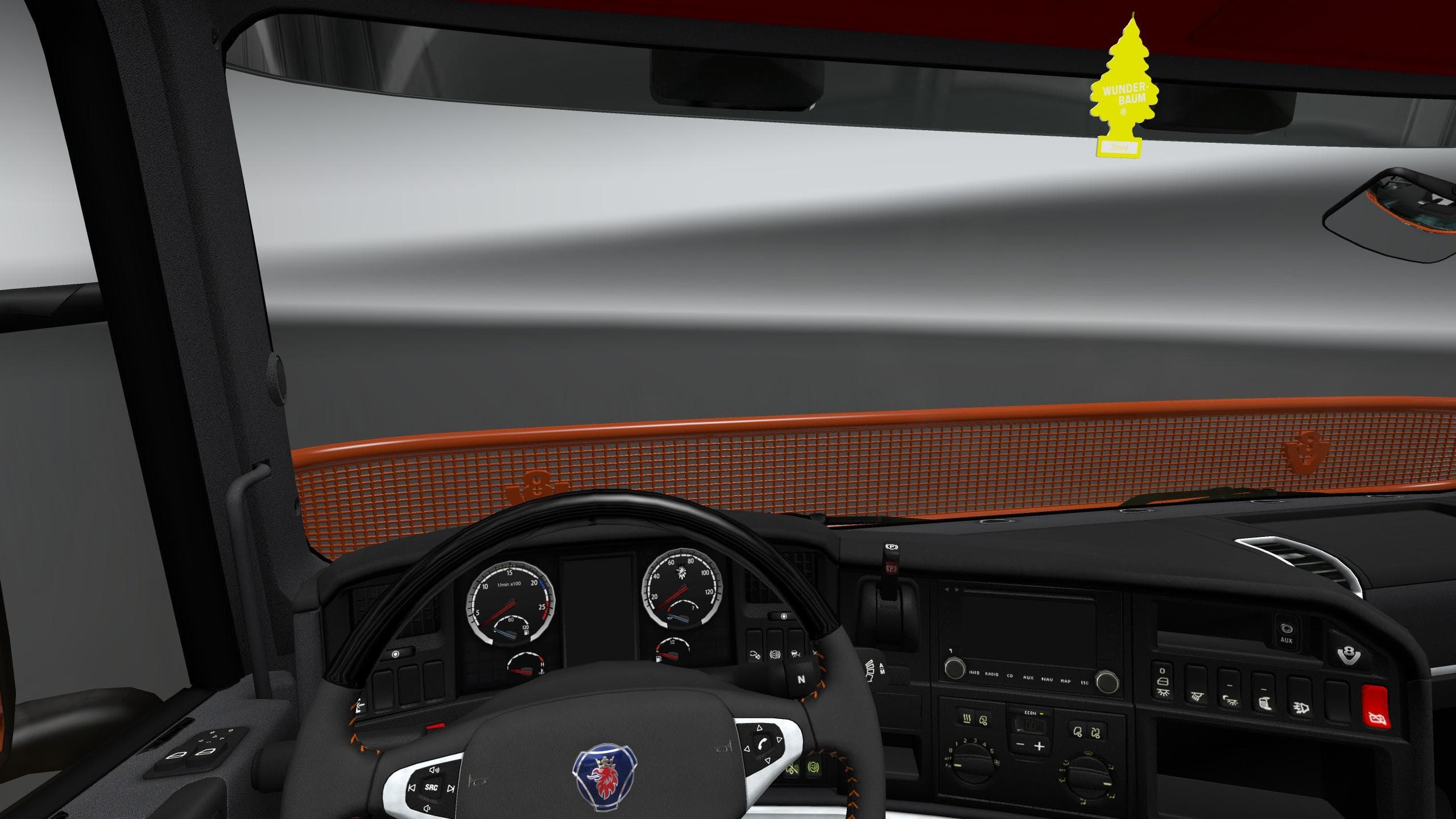
RJLs Scania R interior/Exterior Rework BETA is an ETS2 interior.
The RJLs Scania R interior/Exterior Rework BETA is a modification that upgrades the look and feel of the Scania R truck in Euro Truck Simulator 2. It focuses on improving both the cabin and exterior by introducing higher quality textures and details. This mod primarily enhances the dashboard with a new HD design and replaces most of the interior materials, including plastics, fabrics, and leather, to give them a more refined appearance. Elements like the tachograph and lamps also receive updated textures, contributing to a fresher overall experience inside the truck.
Mods like this one are common in ETS2 for players who want to refresh their favorite trucks beyond what the base game offers. Interior reworks tend to replace stock textures with higher resolution versions, which can bring more realism to long drives across various European regions. Such mods typically load through the game's Mod Manager and are compatible with many other truck skin or tuning mods, provided they don't alter the same files.
When adding an interior or exterior rework mod into your setup, it's wise to check load order carefully since these mods affect overlapping assets. Usually, you want this kind of texture upgrade near the top of your mod list so it takes priority over less detailed skins or conflicting tweaks. It often fits well alongside map expansions or gameplay mods since it doesn't change core mechanics but enhances visual immersion.
This particular mod will appeal mostly to those who drive Scania R models extensively and prefer a more detailed cockpit environment during their hauls. It’s suited for players looking for subtle but noticeable improvements without completely changing truck design or performance. If you’re aiming to customize your driving experience visually while keeping things close to default, this rework could be worth trying out.
How to install
1. Download the file(s) from the original source linked above. 2. Drop them into `Documents/Euro Truck Simulator 2/mod/`. 3. Enable in Mod Manager and restart the game.
After the mod loads, save your game inside a safe area (parking lot or service) before deciding whether to keep it. If the game refuses to load with the mod enabled, check that all required DLCs are installed and that the supported ETS2 version chips on this page include your installed game patch.
Reviews
No ratings yetNo reviews yet — be the first to rate this mod.





