RISTIMAA TIGER RJL 1.22.X
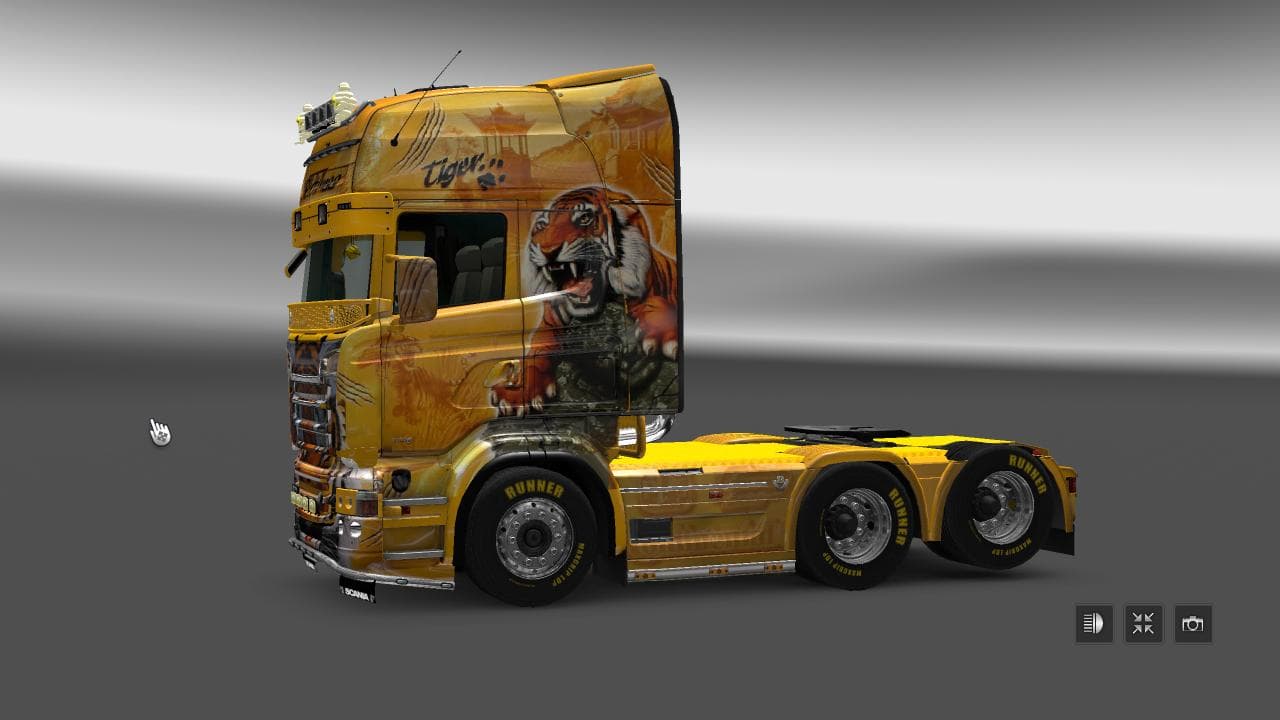
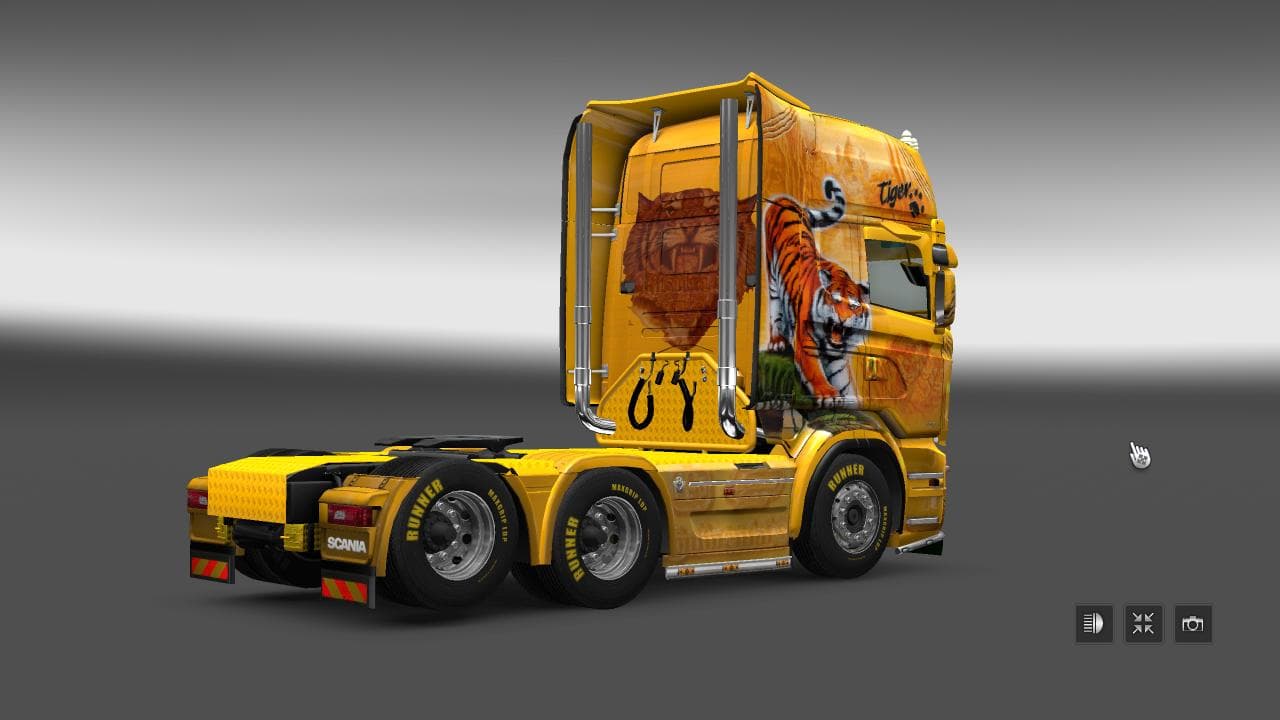
This mod is a skin for the RJL Scania truck, featuring a custom version of the Ristimaa Tiger design. Created by Euro Truck Simulator 2, with credits to jako201
RISTIMAA TIGER RJL 1.22.X is a skin mod designed for the RJL Scania truck in Euro Truck Simulator 2, tailored specifically for version 1.22 of the game. This mod offers a repaint of the existing truck model without altering its physical structure, giving your rig a fresh look while keeping all the original functionalities intact. Skins like this one are applied directly in the paint shop and rely on the base vehicle they're intended for, so it's essential to have the compatible RJL Scania installed first.
Skin mods generally provide players with a way to customize their trucks visually without affecting gameplay mechanics or performance. They don't add new vehicles or change how trucks handle; instead, they refresh your driving experience by giving you new paint jobs that can match personal tastes or themes. Since this skin is made for a specific truck model and game version, it fits neatly into setups that already include RJL Scania mods.
When it comes to integrating skins into a modded setup, they usually don't conflict with other types of mods like map expansions or gameplay enhancements. However, load order can matter if you have multiple skins targeting the same truck—typically, the last loaded skin will be the one you see in-game. Keeping skins up to date with your game's version helps avoid graphical issues.
This particular mod would appeal to players who enjoy customizing their rigs visually and who use the RJL Scania trucks in ETS2 version 1.22. If you're running a heavily modded profile with various visual tweaks and want something unique for your Scania without changing its performance or adding new parts, this skin fits well.
Since creator details are unknown but credits include some collaboration, it's clear some effort went into adapting the Ristimaa Tiger design specifically for this truck model. It's straightforward enough for anyone familiar with installing skins and adds personality to your fleet without complicating your setup.
How to install
1. Download the .scs file. 2. Drop it into `Documents/Euro Truck Simulator 2/mod/`. 3. Enable in Mod Manager. 4. Apply the skin in the truck/trailer paint shop.
After the mod loads, save your game inside a safe area (parking lot or service) before deciding whether to keep it. If the game refuses to load with the mod enabled, check that all required DLCs are installed and that the supported ETS2 version chips on this page include your installed game patch.
Reviews
No ratings yetNo reviews yet — be the first to rate this mod.





