RENAULT T VIKING LOGISTIC SKIN
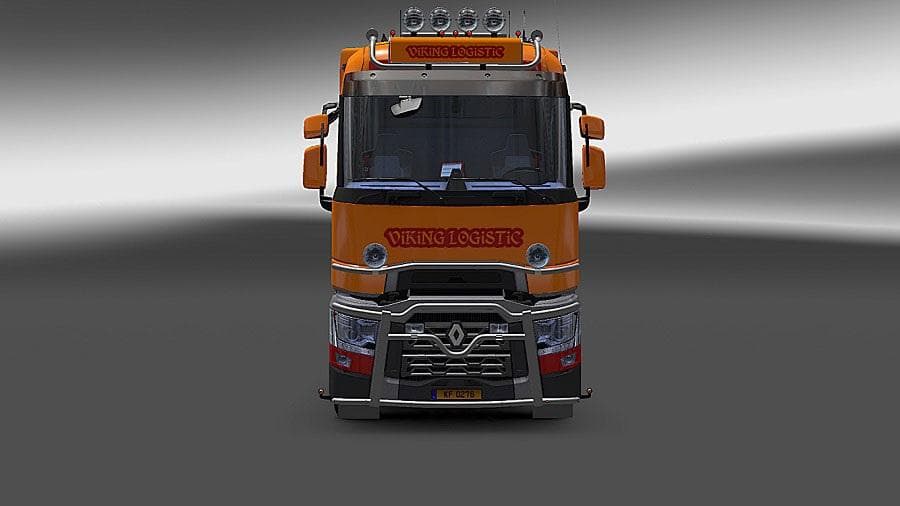
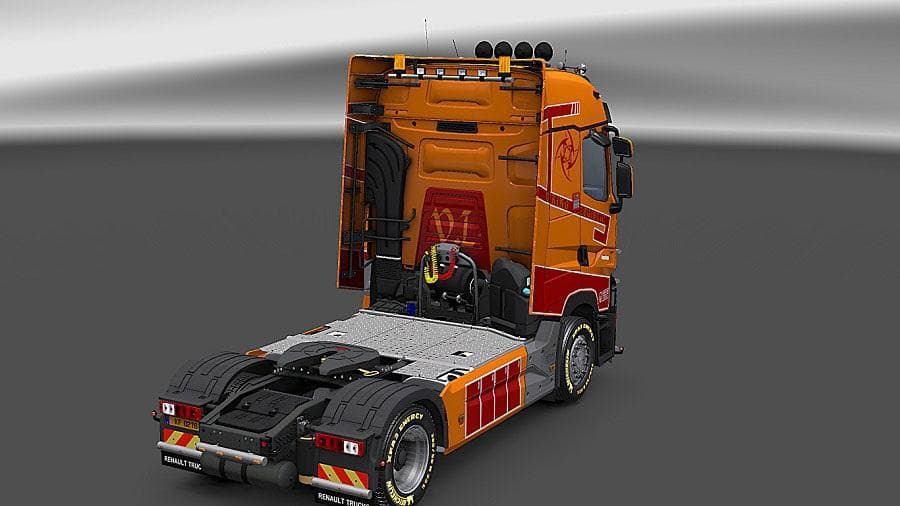
This mod is a Viking Logistic skin for the Renault T truck in ETS2, compatible with versions 1.21 and 1.2. Created by Euro truck simulator 2, the file size is 1
The RENAULT T VIKING LOGISTIC SKIN changes the look of the Renault T truck by applying a new paint job without altering the truck's physical model. Skins like this one are installed through the paint shop in ETS2 and rely on the base vehicle to function properly. This particular skin gives your Renault T a distinctive Viking Logistic design, adding a fresh visual style to your fleet.
Skin mods are straightforward but effective ways to customize your trucks. They don't add new parts or mechanics but repaint existing models with unique liveries. Because they're based on specific trucks, you'll need to have the Renault T in your game for this skin to work. It's compatible with ETS2 versions 1.21 and 1.2, so make sure your game matches those or it might not load correctly.
In a modded setup, skins like this fit alongside other cosmetic or gameplay mods without conflicts as long as they target different files or vehicles. However, if you use multiple skins for the same truck, only one can be active at a time, so load order matters here — usually, the last loaded skin overrides previous ones. Keeping track of which skin is active helps avoid confusion while driving.
This skin suits players who enjoy personalizing their trucks and want something that stands out visually without changing gameplay elements. Fans of Renault T trucks looking for a fresh appearance inspired by logistic themes will find this mod an easy way to enhance their driving experience.
If you prefer variety in truck appearances or run roleplay setups involving logistics companies, installing this skin adds more depth to your collection. It doesn't impact performance and offers a simple customization option that blends well with other aesthetic mods.
How to install
1. Download the .scs file. 2. Drop it into `Documents/Euro Truck Simulator 2/mod/`. 3. Enable in Mod Manager. 4. Apply the skin in the truck/trailer paint shop.
After the mod loads, save your game inside a safe area (parking lot or service) before deciding whether to keep it. If the game refuses to load with the mod enabled, check that all required DLCs are installed and that the supported ETS2 version chips on this page include your installed game patch.
Reviews
No ratings yetNo reviews yet — be the first to rate this mod.





