RENAULT T PREMIER LOGISTIC SKIN
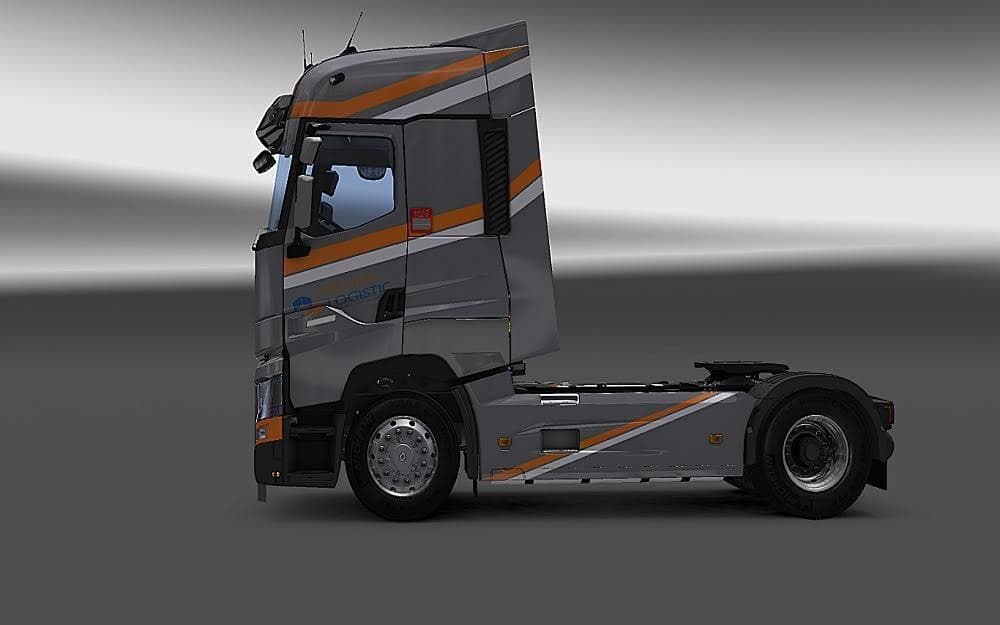
This mod adds the Premier Logistic Skin for the Renault T "RTA" Truck in Euro Truck Simulator 2. It has been tested on game versions 1.21 and 1.5, with credits
The RENAULT T PREMIER LOGISTIC SKIN offers a fresh repaint for the Renault T truck model in Euro Truck Simulator 2. This skin doesn't alter the truck's structure but changes its appearance, giving players a new look for their vehicle within the game's paint shop. It's designed specifically for the Renault T, so it fits perfectly with that model's cabin and chassis configurations.
Skin mods like this one are quite popular because they let you personalize your trucks without affecting gameplay mechanics or performance. Since they only repaint existing models, they typically work smoothly alongside other mods that add new vehicles or maps. You apply them in the paint shop once the base truck is available in your game.
This particular skin has been tested on ETS2 versions 1.21 and 1.5, which suggests it's compatible with those releases and possibly close versions too. When using multiple skin mods, it's wise to pay attention to load order if you want to avoid conflicts, especially if different skins target the same truck model.
For players running modded setups with various trucks and trailers, adding this skin can enhance visual variety without requiring major adjustments elsewhere. It slots into your existing collection easily since it only modifies the Renault T's look, not its function or physics.
Truck enthusiasts who prefer a specific aesthetic or want their fleet to reflect a certain company style might appreciate this repaint. It suits those who enjoy customizing their vehicles' appearances as part of their driving experience across Europe.
Since the creator is unknown and file size isn't specified, users should ensure they download from trusted sources and keep backups before installing any mod. Still, skins like this one are among the simplest mods to manage due to their limited scope.
How to install
1. Download the .scs file. 2. Drop it into `Documents/Euro Truck Simulator 2/mod/`. 3. Enable in Mod Manager. 4. Apply the skin in the truck/trailer paint shop.
After the mod loads, save your game inside a safe area (parking lot or service) before deciding whether to keep it. If the game refuses to load with the mod enabled, check that all required DLCs are installed and that the supported ETS2 version chips on this page include your installed game patch.
Reviews
No ratings yetNo reviews yet — be the first to rate this mod.





