Renault Range T Hindelang Skin
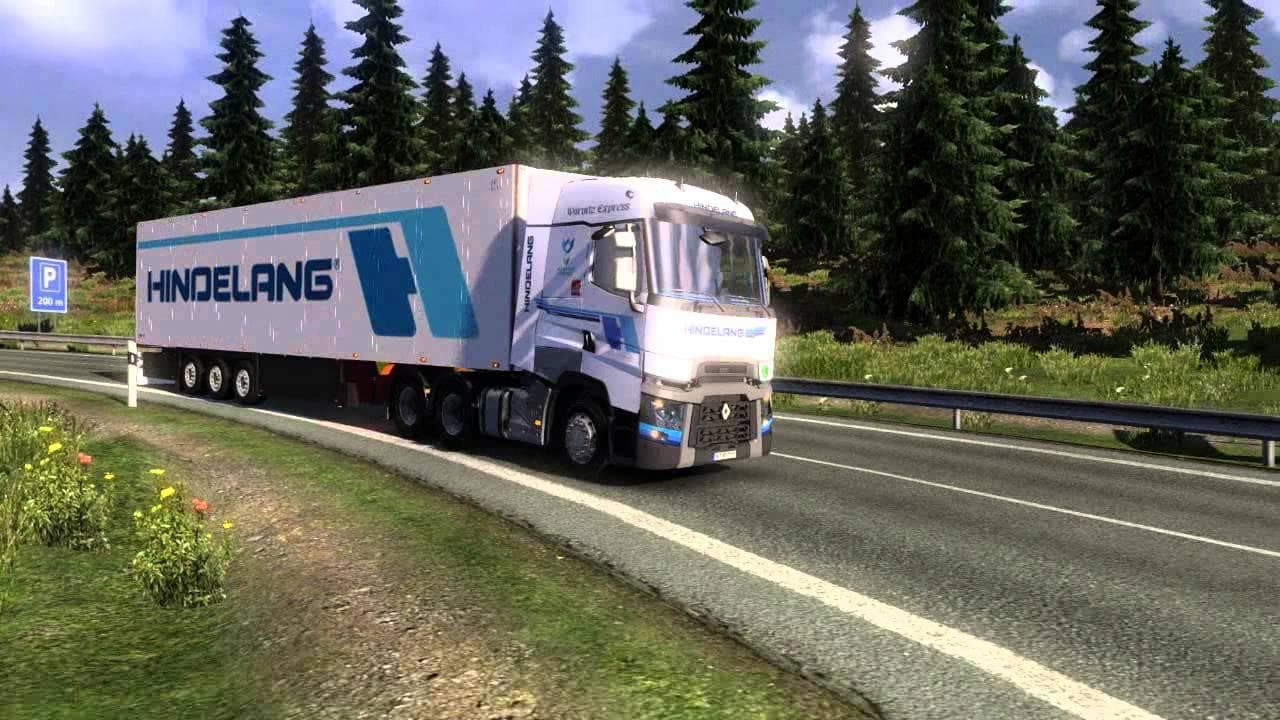
This mod is a skin for the Renault Range T truck in Euro Truck Simulator 2. Created by Euro truck simulator 2, it was last updated on April 17, 2015, with unkno
The Renault Range T Hindelang Skin is a repaint mod designed for the Renault Range T truck in Euro Truck Simulator 2. It doesn't change the truck's model or performance but applies a new visual design to the existing vehicle. Such skin mods are usually installed through the game's paint shop, where you can select this particular design to customize your truck's appearance.
Skin mods like this one work by overlaying a custom texture onto the base truck model. They are straightforward to use and fit well into modded setups since they don’t conflict with other gameplay-altering mods. However, it's worth remembering that skins must be loaded after any tuning parts or other skins to ensure proper display without graphical issues.
Because this is a cosmetic enhancement, it integrates smoothly with other mods that affect gameplay or add new trucks and trailers. Players who enjoy personalizing their fleet will find this skin useful, especially if they prefer the Renault Range T as their main rig. The design might appeal to those who want something different from the default paint jobs without modifying game mechanics.
This mod fits nicely into collections focused on European trucking themes, particularly those emphasizing German or Alpine regions, given the Hindelang reference. It's ideal for players who appreciate adding variety and personality to their vehicles while exploring countries like Germany, Austria, or Switzerland in ETS2.
If you're someone who likes to keep your game visually fresh without altering how trucks perform, skin mods such as this provide an easy way to do just that. Installing it is usually as simple as placing files in your mod folder and activating it in-game, making it accessible even for players new to modding.
How to install
1. Download the .scs file. 2. Drop it into `Documents/Euro Truck Simulator 2/mod/`. 3. Enable in Mod Manager. 4. Apply the skin in the truck/trailer paint shop.
After the mod loads, save your game inside a safe area (parking lot or service) before deciding whether to keep it. If the game refuses to load with the mod enabled, check that all required DLCs are installed and that the supported ETS2 version chips on this page include your installed game patch.
Reviews
No ratings yetNo reviews yet — be the first to rate this mod.





