RENAULT PREMIUM UKRAINE SKIN 1.22
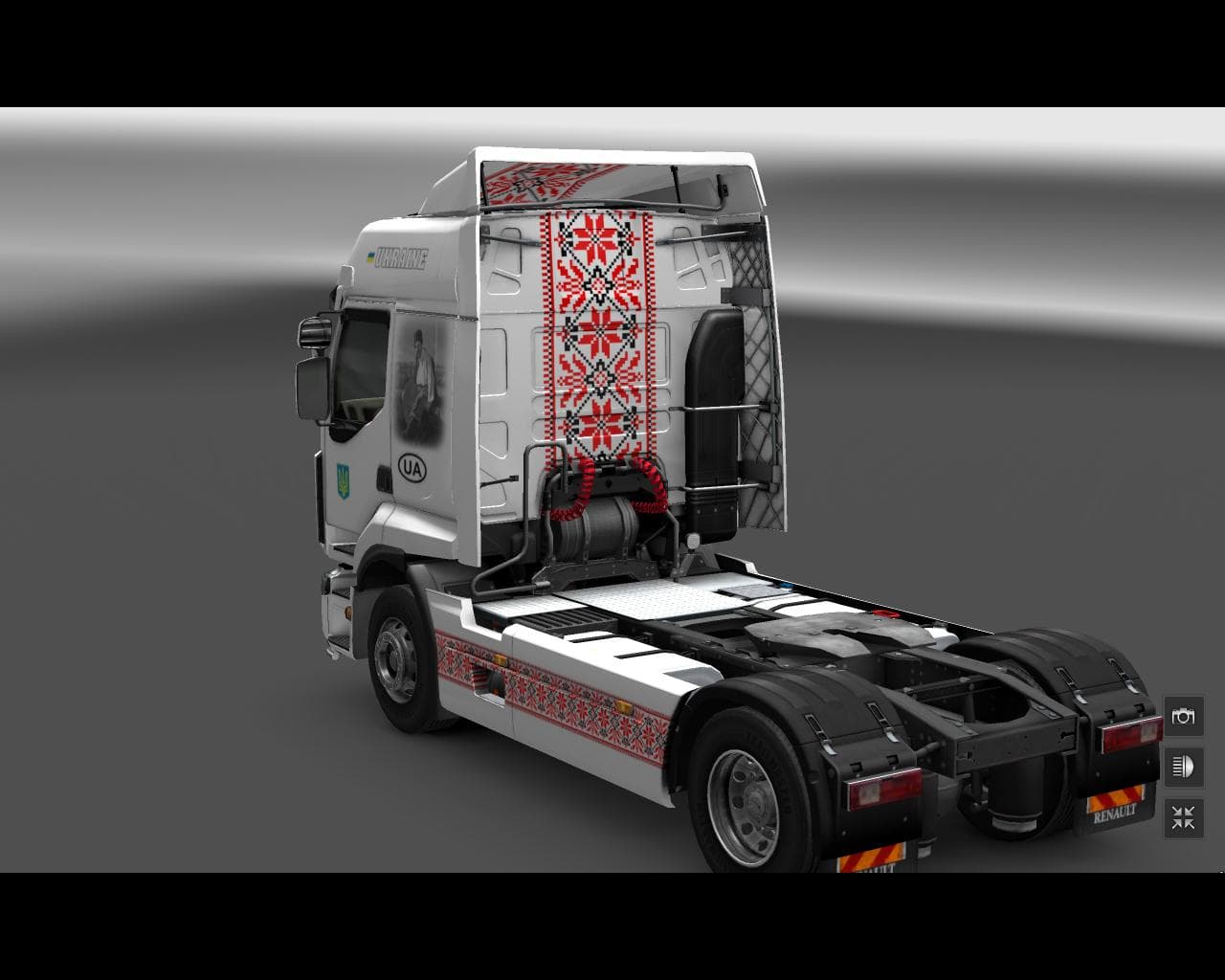
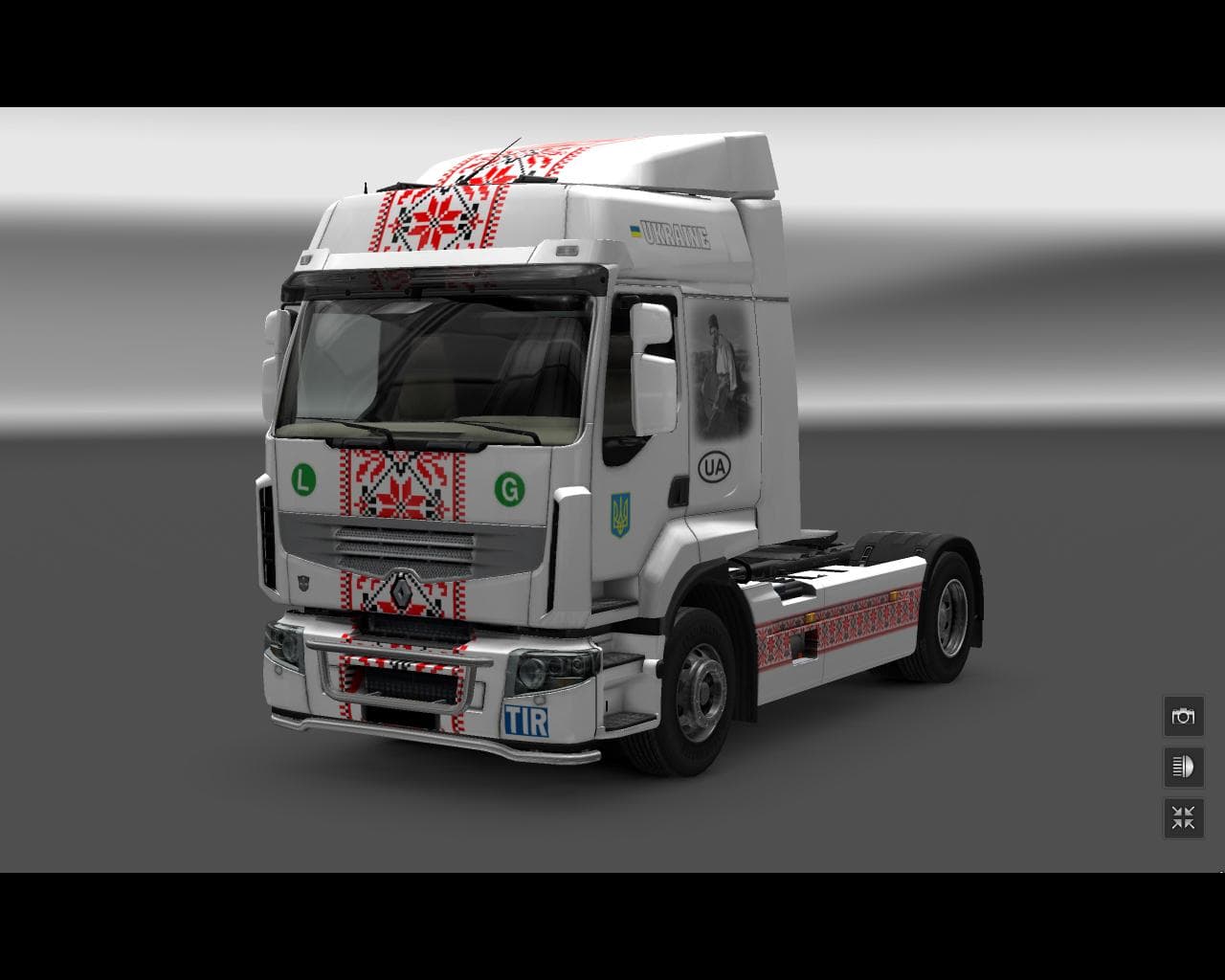
This mod is a skin for the Renault Premium truck in Euro Truck Simulator 2, designed for version 1.22 of the game. Created by Euro truck simulator 2, the file s
The RENAULT PREMIUM UKRAINE SKIN 1.22 mod offers a fresh look for the Renault Premium truck by applying a Ukraine-themed paint job. This type of skin mod doesn't alter the truck's model or performance but simply changes its visual appearance, making it stand out in your fleet. Since it's designed specifically for version 1.22 of Euro Truck Simulator 2, it fits neatly into that game setup without compatibility issues related to other versions.
Skin mods like this one are installed through the paint shop within ETS2, where players can select and apply them to their base vehicles. They rely entirely on the existing truck model — in this case, the Renault Premium — so no additional model files or changes are necessary. This means you can use the skin alongside other mods that don't affect the truck's geometry or mechanics.
When adding skins to your mod lineup, load order generally matters less than with gameplay-altering mods, but keeping skins loaded after any model replacements is usually advisable to ensure proper display. The RENAULT PREMIUM UKRAINE SKIN 1.22 should work well alongside other visual enhancements like map expansions or trailer packs as long as they don't replace the same vehicle.
This mod is well suited for players who enjoy personalizing their trucks with regional themes and want to represent Ukraine on their long hauls. It adds some cultural flair without impacting gameplay, offering a straightforward way to diversify your vehicle appearances while sticking with familiar mechanics and handling.
Since the creator is unknown and file size details aren't specified, users should still verify compatibility with their existing mods and backups before installing. But overall, it’s a simple skin update for those focused on aesthetics rather than gameplay tweaks.
How to install
1. Download the .scs file. 2. Drop it into `Documents/Euro Truck Simulator 2/mod/`. 3. Enable in Mod Manager. 4. Apply the skin in the truck/trailer paint shop.
After the mod loads, save your game inside a safe area (parking lot or service) before deciding whether to keep it. If the game refuses to load with the mod enabled, check that all required DLCs are installed and that the supported ETS2 version chips on this page include your installed game patch.
Reviews
No ratings yetNo reviews yet — be the first to rate this mod.





