REALISTIC NEW ACTROS INTERIOR V1.5
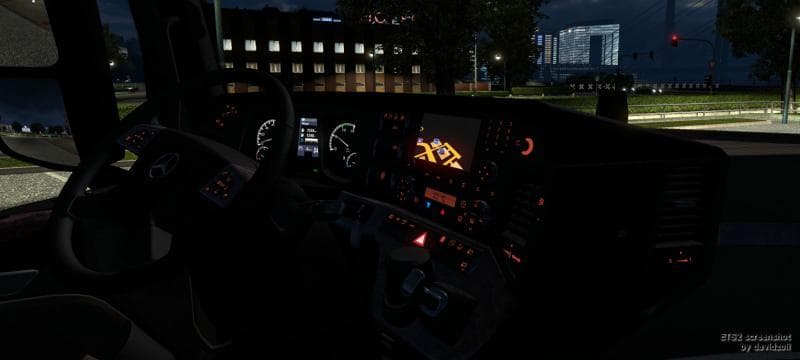
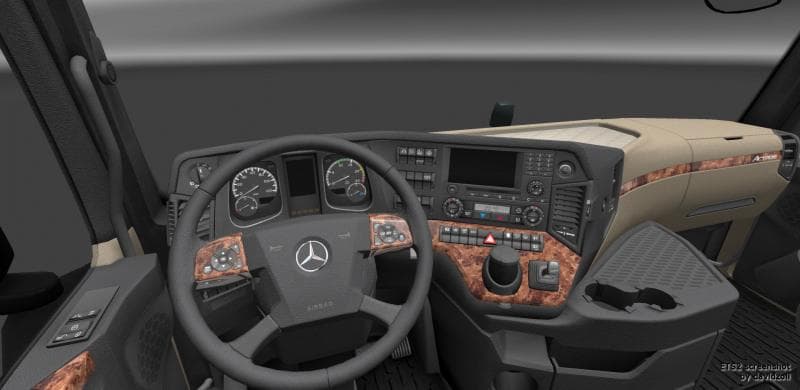
REALISTIC NEW ACTROS INTERIOR mod version 1.5 by Euro truck simulator 2 adds the missing sensor. The file size is 28.2 MB and can be downloaded from UploadFiles
REALISTIC NEW ACTROS INTERIOR V1.5 is a modification focused on enhancing the cabin experience of the Actros truck within ETS2 version 1.5. This kind of mod typically updates or adds details to the truck's interior, aiming to make it feel more authentic and immersive during long hauls. Here, the update includes the addition of a previously missing sensor, which contributes to a more complete interior setup.
Mods like this are installed via the in-game Mod Manager, making them straightforward to add or remove depending on your preferences. Interior mods generally don't conflict much with other types of modifications such as map expansions or vehicle packs, but it's wise to check load order if you have multiple cabin-focused mods to avoid any overlapping issues.
This particular mod fits well into a modded setup for players who want a deeper level of detail when driving an Actros. It doesn't change gameplay mechanics but focuses on visual and atmospheric improvements inside the truck’s cockpit, offering a subtle upgrade that enhances realism without altering core functions.
Drivers who spend considerable time behind the wheel in ETS2 and appreciate fine touches in their virtual trucks will find this mod useful. It's especially suited for those running ETS2 1.5 and looking for small but meaningful improvements to their driving environment without adding complexity.
Since it targets an older game version and focuses solely on interior visuals, compatibility is generally good with other mods not affecting interiors. If you’re using multiple mods that alter truck cabins, paying attention to load order can help ensure all elements display correctly.
How to install
1. Download the file(s) from the original source linked above. 2. Drop them into `Documents/Euro Truck Simulator 2/mod/`. 3. Enable in Mod Manager and restart the game.
After the mod loads, save your game inside a safe area (parking lot or service) before deciding whether to keep it. If the game refuses to load with the mod enabled, check that all required DLCs are installed and that the supported ETS2 version chips on this page include your installed game patch.
Reviews
No ratings yetNo reviews yet — be the first to rate this mod.





