Real Skin D-Tec Tank 20 for DLC SC Standalone
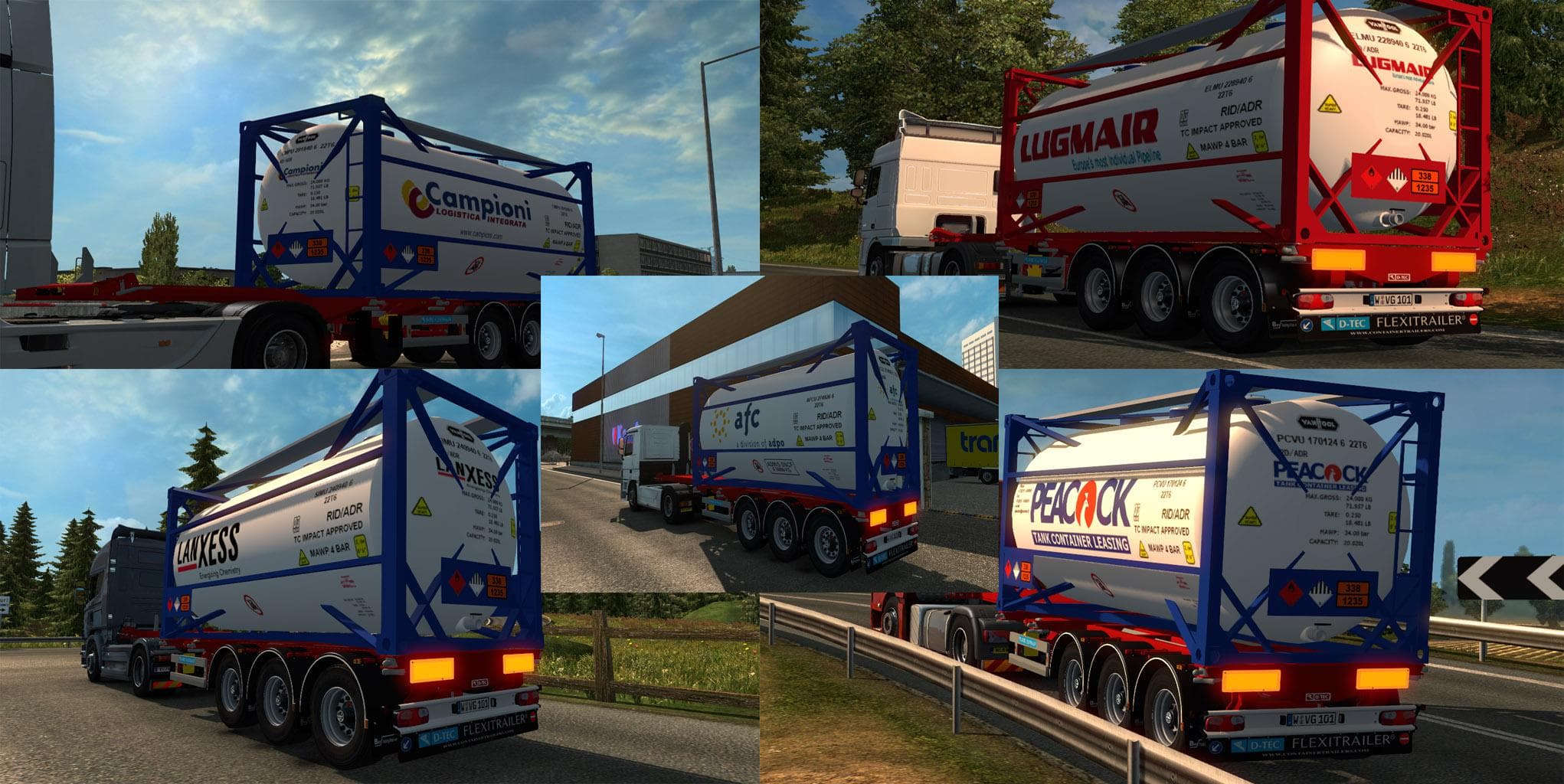
Real Skin D-Tec Tank 20 for DLC SC Standalone is a skin mod designed specifically for the Scandinavian DLC in Euro Truck Simulator 2. It offers a repaint of an existing tank trailer, giving it a fresh look without altering the model itself. Skin mods like this are applied in the paint shop and rely on the base vehicle they were created for, making them relatively easy to integrate into your game.
Skin mods generally serve to enhance visual variety by changing how trucks or trailers appear, without impacting gameplay mechanics or performance. This particular mod fits well within a modded setup that includes the Scandinavian DLC, as it's tailored for that content. Players who enjoy customizing their fleet with more diverse liveries will find this kind of mod useful.
When it comes to load order and compatibility, skins usually don't conflict much with other mods unless they change the same vehicle's appearance. Since this skin is standalone and made for a specific trailer type, you can expect it to work smoothly alongside most other modifications, provided those don't overwrite the same asset.
This mod supports ETS2 versions from 1.1 through 1.18, so it covers a broad range of game updates. That flexibility means users running slightly older or newer versions within that bracket should have no trouble using it. It's worth noting that applying skins requires owning the relevant DLC — in this case, Scandinavia — otherwise the trailer won't be available in your garage.
Players who enjoy trucking through Northern Europe and want their trailers to reflect real-world company designs might appreciate what Real Skin D-Tec Tank 20 offers. It adds some authenticity and visual interest without complicating gameplay or requiring major adjustments.
Overall, if you're looking to add some variation to your Scandinavian haulage experience with a simple skin update, this mod fits that niche well. It’s straightforward to install and use if you already have compatible game versions and DLC.
How to install
1. Download the .scs file. 2. Drop it into `Documents/Euro Truck Simulator 2/mod/`. 3. Enable in Mod Manager. 4. Apply the skin in the truck/trailer paint shop.
After the mod loads, save your game inside a safe area (parking lot or service) before deciding whether to keep it. If the game refuses to load with the mod enabled, check that all required DLCs are installed and that the supported ETS2 version chips on this page include your installed game patch.
Reviews
No ratings yetNo reviews yet — be the first to rate this mod.





