PSYCHEDELIC SKIN PACK FOR ALL TRUCKS
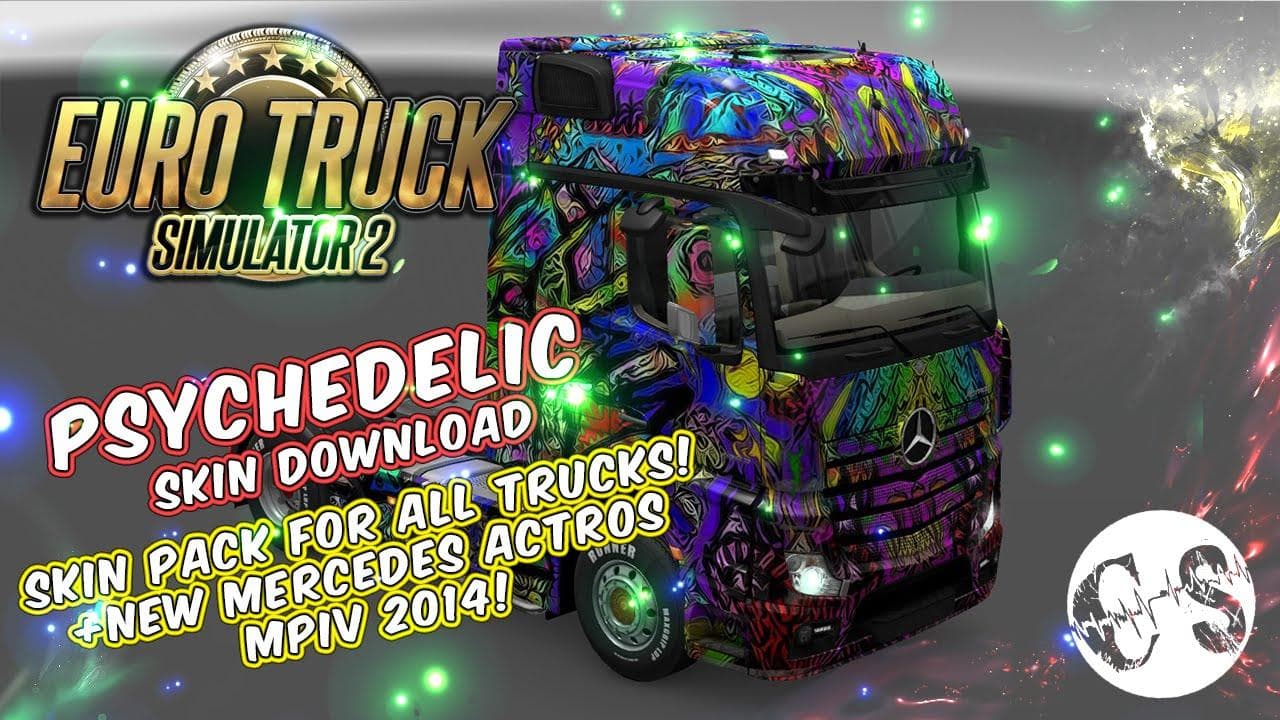
This mod is a Psychedelic Skin Pack for All Trucks in ETS2, including new skins for Mercedes MPIV 2014 and Volvo Ohaha. Extract the archive to the specified fol
The Psychedelic Skin Pack for All Trucks offers a fresh coat of paint for various truck models in Euro Truck Simulator 2. Instead of altering the truck's structure or adding new vehicles, this mod focuses on repainting existing trucks with vibrant, eye-catching designs that stand out on the road. These skins are applied through the game's paint shop, where you can select and customize your vehicle's look based on what's available for each specific truck model.
Skin mods like this one don't change gameplay mechanics but provide aesthetic variety, letting players personalize their fleet without affecting performance. They work by replacing or adding textures to the base vehicles already present in ETS2. Because of this, compatibility depends largely on having the corresponding base truck models installed and updated within your game.
In a modded setup, skin packs usually slot in without much fuss but should be loaded after any mods that affect the same truck models to avoid texture conflicts. If you're using other visual mods or truck upgrades, it's wise to check load order so that your chosen skins display correctly and don’t get overridden by other files.
This kind of skin pack suits players who enjoy customizing their trucks beyond factory options and want a more colorful or distinctive appearance during their hauls across Europe. It’s a straightforward addition that can refresh long play sessions with new looks for your fleet without changing how you drive.
If you like experimenting with different styles or want to bring some visual flair to your trucking experience, this pack could be worth trying out. It fits well with any collection of cosmetic mods aimed at enhancing the game's visual diversity while keeping things simple.
How to install
1. Download the .scs file. 2. Drop it into `Documents/Euro Truck Simulator 2/mod/`. 3. Enable in Mod Manager. 4. Apply the skin in the truck/trailer paint shop.
After the mod loads, save your game inside a safe area (parking lot or service) before deciding whether to keep it. If the game refuses to load with the mod enabled, check that all required DLCs are installed and that the supported ETS2 version chips on this page include your installed game patch.
Reviews
No ratings yetNo reviews yet — be the first to rate this mod.





