Portugal Rebuild Promods addon v0.1.7.1 1.60 ETS2 - Euro Truck Simulator 2 Mods | American Truck Simulator Mods
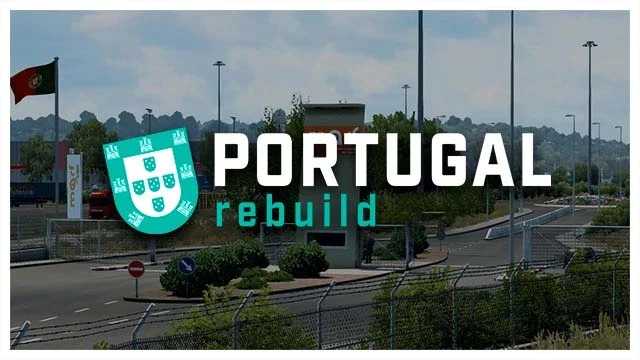
Portugal Rebuild Promods addon v0.1.7 for ETS2 1.60 by ETS2 Mods adds new cities, roads, and logistics areas, with real and VTC companies. Updated on July 21, 2
The Portugal Rebuild Promods addon v0.1.7.1 for ETS2 version 1.60 is a map mod focused on enhancing and expanding the representation of Portugal within Euro Truck Simulator 2. It offers new cities, roads, and logistics areas, aiming to provide a more detailed and immersive driving experience in this part of the map. This mod also introduces real and virtual trucking companies to add depth to the game world.
Map mods like this one work by adding or modifying regions in ETS2's drivable environment, often coming as .scs files that players place in their mod folder. Since they alter core map data, they require careful attention to load order and compatibility with other map expansions or DLCs. Sometimes a fresh profile is recommended to avoid conflicts or errors.
When integrating Portugal Rebuild into a modded setup, it's important to ensure compatibility with base map DLCs and other large-scale map mods such as Promods itself. Keeping it towards the bottom of your load order usually helps maintain stability, as this addon depends on existing Promods structures but updates Portugal’s layout specifically.
This kind of addon suits players who enjoy exploring diverse European regions beyond the default game content, particularly those interested in a more authentic Portuguese road network and logistics scene. Truckers who like mixing realistic company operations with expanded geography will find it useful for their long hauls across Europe.
Overall, the Portugal Rebuild Promods addon brings a refined touch to Portugal’s representation in ETS2 1.60, making it a solid choice for those wanting richer map detail without replacing entire countries or regions.
How to install
1. Download every .scs file from the source page (map mods often ship multiple files). 2. Copy all files to `Documents/Euro Truck Simulator 2/mod/`. 3. Enable each file in Mod Manager **in the order documented by the modder**. Load order matters for maps. 4. Start a new save or use an existing save that already supports the map's base regions.
After the mod loads, save your game inside a safe area (parking lot or service) before deciding whether to keep it. If the game refuses to load with the mod enabled, check that all required DLCs are installed and that the supported ETS2 version chips on this page include your installed game patch.
Known conflicts
No conflicts reported for this mod yet. Running a big mod list? Check your whole setup for conflicts →
Reviews
No ratings yetNo reviews yet — be the first to rate this mod.