PIVA WEATHER MOD V2.0
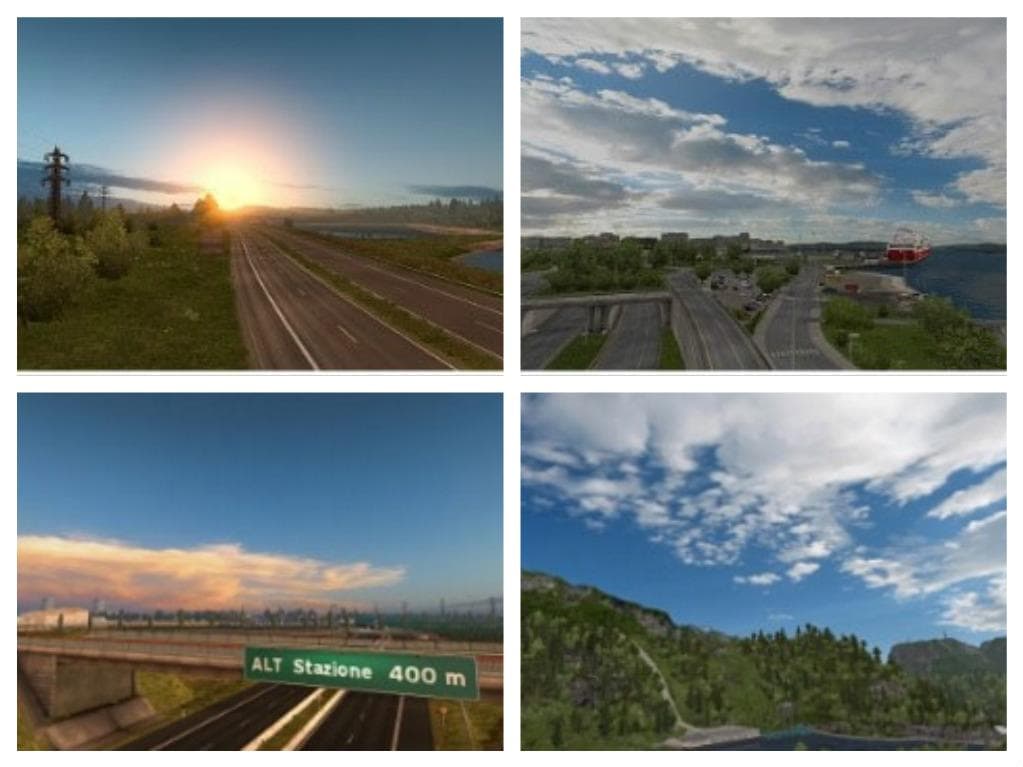
PIVA WEATHER is a weather mod for ETS2 version 2.0, featuring over 100 new skybox textures sourced from GFX-HUB. The mod is compatible with Promods 2.0 and cred
PIVA WEATHER MOD V2.0 is a sound mod designed to alter the atmospheric audio experience in Euro Truck Simulator 2 by introducing over 100 new skybox textures. These skyboxes are sourced from the GFX-HUB site, offering a variety of environmental visuals that can influence how weather sounds and ambiance feel while driving. This kind of mod enhances immersion by changing the auditory cues tied to different weather conditions and times of day.
Sound mods like this typically replace or add new engine, horn, or environmental sounds within the game. Since PIVA WEATHER MOD V2.0 focuses on weather-related audio, it adjusts the ambient sounds you hear during various weather events, complementing other mods that might change truck models or map details. Players often slot such sound mods higher up in their load order so they override conflicting audio files from other mods, especially those affecting vehicles.
Compatibility is generally straightforward with sound mods like this one. The description mentions it works well with Promods 2.0, a popular map expansion for ETS2, indicating it's unlikely to clash with major map changes. However, users should still check their load order carefully because sound files need to be loaded after truck mods to ensure the new audio takes effect properly without being overwritten.
This mod would appeal to players who enjoy customizing their ETS2 setup with more realistic or varied environmental sounds. If you spend a lot of time driving through different regions and want your auditory experience to reflect changing skies and weather patterns more vividly, this mod fits well into a broader collection that tweaks both visuals and sounds for greater realism.
How to install
1. Download the .scs file. 2. Drop it into `Documents/Euro Truck Simulator 2/mod/`. 3. Enable in Mod Manager. Sound mods usually need to load **above** truck mods in load order. 4. Restart the game so the audio engine picks up new samples.
After the mod loads, save your game inside a safe area (parking lot or service) before deciding whether to keep it. If the game refuses to load with the mod enabled, check that all required DLCs are installed and that the supported ETS2 version chips on this page include your installed game patch.
Reviews
No ratings yetNo reviews yet — be the first to rate this mod.





