PETERBILT 389 METAL MULTICOLOR SKIN
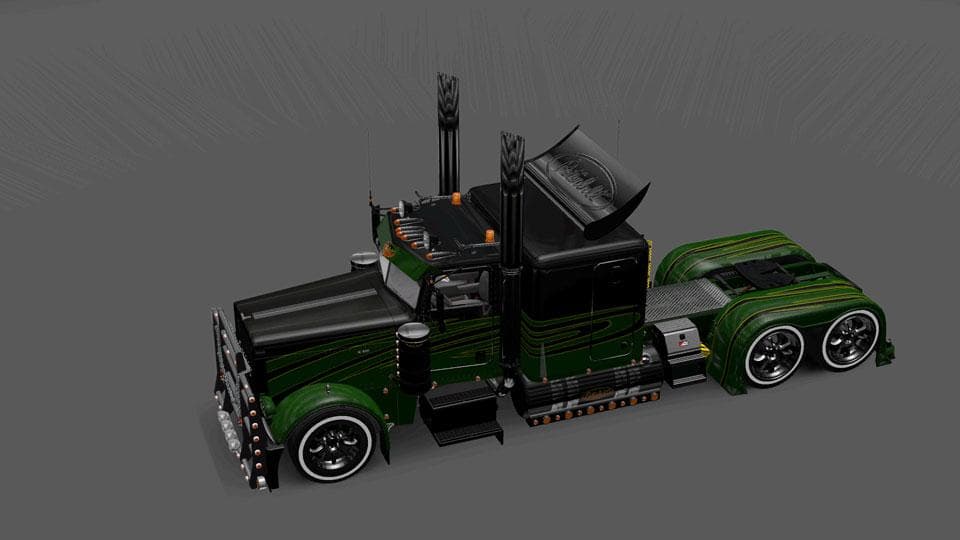
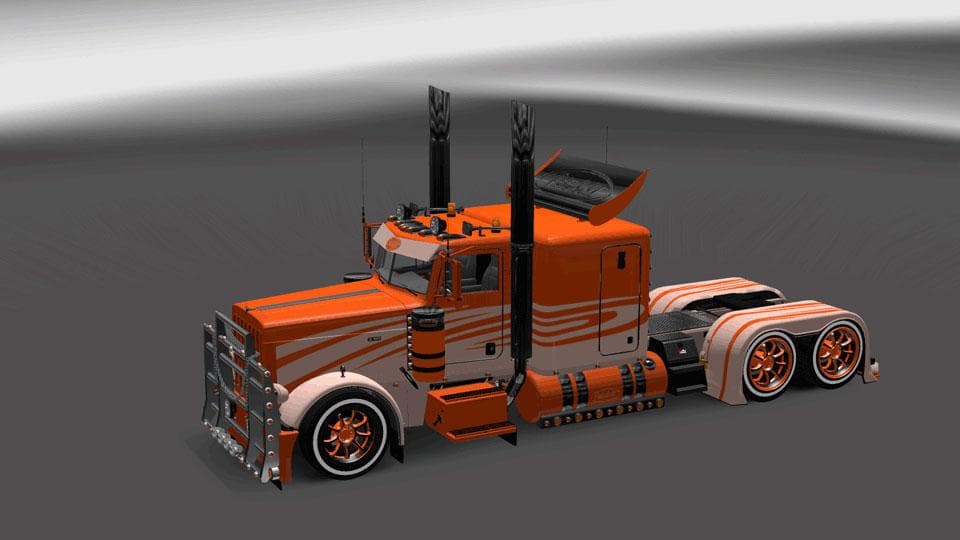
This mod is a Metal Multicolor Skin for the Peterbilt 389 Truck in ETS2 version 1.21.1. Created by Euro truck simulator 2, the file size is 449 KB and credits g
The PETERBILT 389 METAL MULTICOLOR SKIN is a repaint mod designed specifically for the Peterbilt 389 truck in Euro Truck Simulator 2. It offers a distinctive metal multicolor finish that alters the truck's exterior look without changing the underlying model or its structure. This type of skin mod is applied through the in-game paint shop, where players can select it as an alternative visual style for their vehicle.
Skin mods like this one work by overwriting textures on existing truck models, so they require the base Peterbilt 389 to be installed and compatible with ETS2 version 1.21, which this skin supports. Since it only changes appearance, it doesn't affect gameplay or add new parts, making it simple to include alongside other modifications such as tuning packs or map expansions.
In a modded setup, skins generally load without conflicts if placed correctly in the mod manager and activated in a suitable order. Because this skin targets just one truck model, it should be compatible with most other mods unless another skin directly modifies the same Peterbilt 389 textures. Players often prioritize skins near the top of their load order to ensure they display properly.
This skin would appeal to players looking to customize their Peterbilt 389 with something that stands out from standard paint jobs. It fits well for those who enjoy personalizing their trucks visually while keeping things straightforward since it doesn't add complex features or performance changes.
Overall, anyone who owns the Peterbilt 389 and wants a fresh paint scheme might consider this metal multicolor option. It's an easy way to give your rig a unique touch while maintaining full compatibility with other mods and game updates around version 1.21.
How to install
1. Download the .scs file. 2. Drop it into `Documents/Euro Truck Simulator 2/mod/`. 3. Enable in Mod Manager. 4. Apply the skin in the truck/trailer paint shop.
After the mod loads, save your game inside a safe area (parking lot or service) before deciding whether to keep it. If the game refuses to load with the mod enabled, check that all required DLCs are installed and that the supported ETS2 version chips on this page include your installed game patch.
Reviews
No ratings yetNo reviews yet — be the first to rate this mod.





